Keysight 86120D and 86122C Multi-Wavelength Meters User’s Guide 27
Getting Started 1
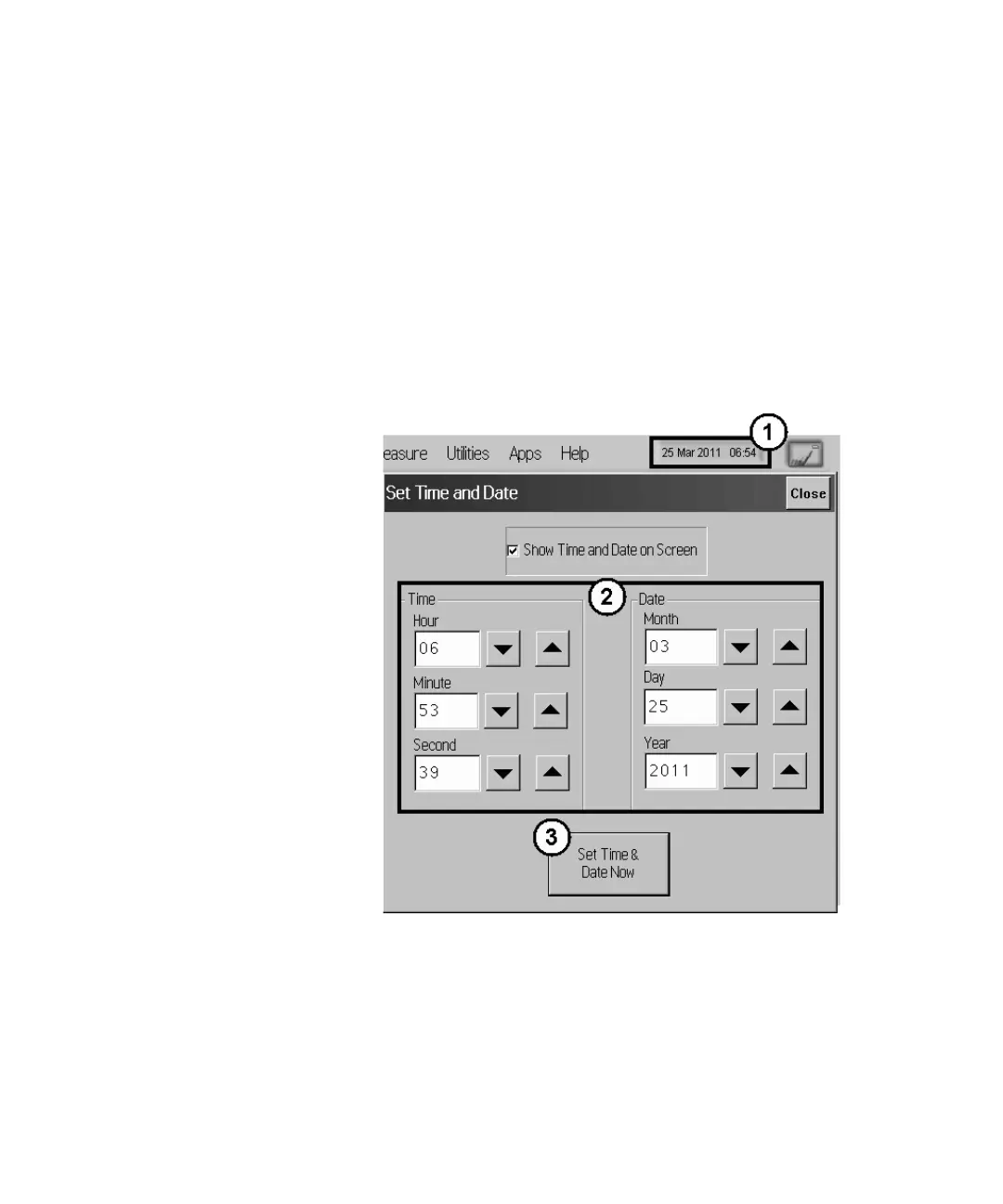
Step 8. Set the Time and Date
1 Click the current time and date shown near the top of the display. The
Set Time and Date dialog box opens.
2 Enter the current time and date in one of the following ways:
• Click the time and date text boxes, and enter the desired number.
• Click the up or down arrows next to the time and date text boxes
until the desired number is displayed.
3 Click Set Time & Date Now to apply the changes and close the dialog
box.
Figure 8















 To Next Page