42 Keysight 86120D and 86122C Multi-Wavelength Meters User’s Guide
1 Getting Started
Step 2. Select Basic Measurement Setup Parameters
Basic measurement setup parameters that you should choose before
making a measurement are medium, device type, units, and sweep mode.
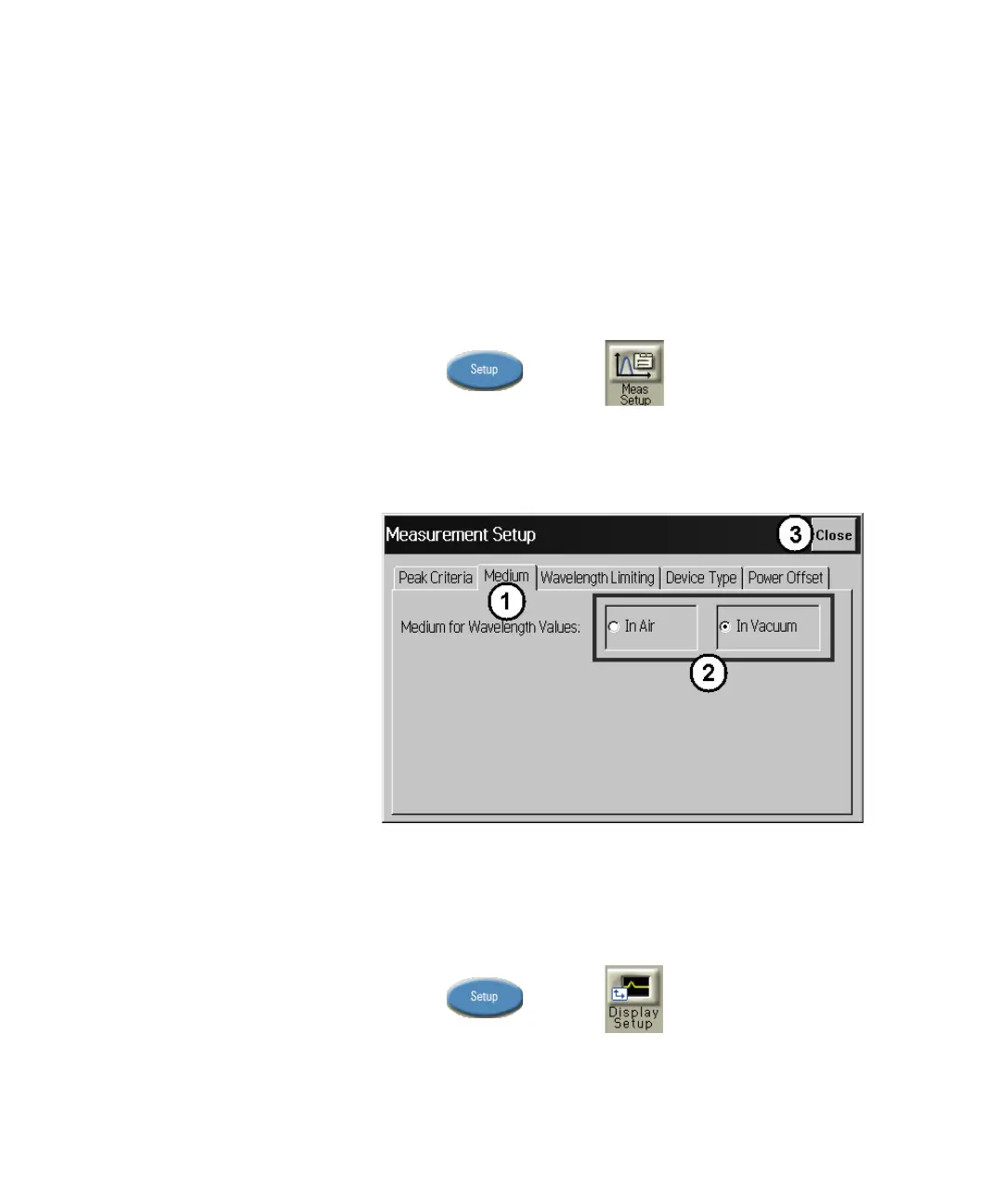
Select the Medium
The multi-wavelength meter can display wavelength values in a vacuum,
or in standard air
1 Press and click .
2 Click the Medium tab, and select In Air or In Vacuum.
3Click Close.
Figure 22
Select the Units
The instrument can display wavelength and amplitude values in several
types of measurement units.
1 Press and click .
2 Click the Units tab, and select the wavelength and amplitude units.
3Click Close.















 To Next Page