46 Keysight 86120D and 86122C Multi-Wavelength Meters User’s Guide
1 Getting Started
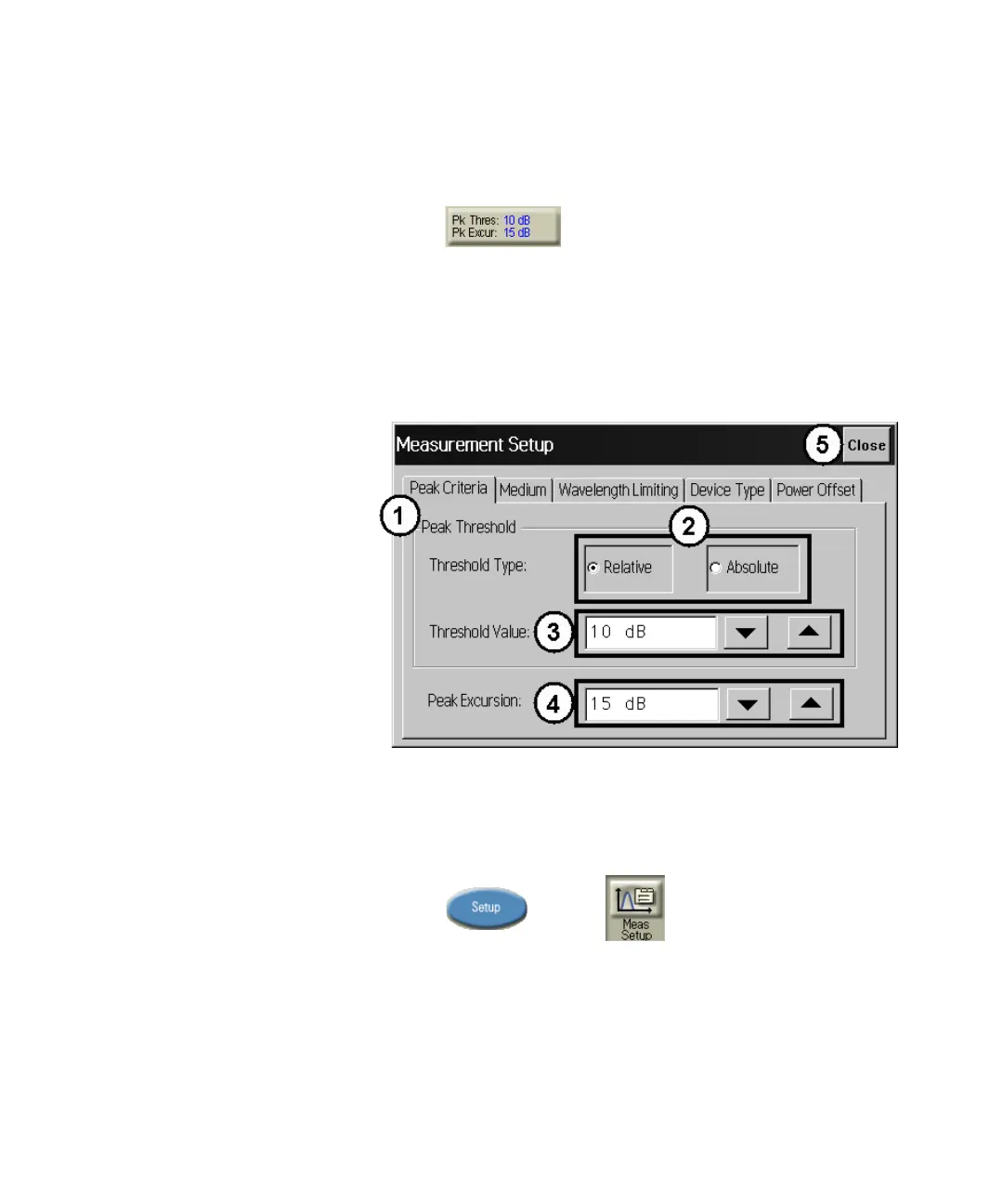
Use Peak Criteria to Define Peaks
1Click .
2 Click the Peak Criteria tab.
3 Select Relative or Absolute threshold type.
4 Click the Threshold Value box and enter the threshold value.
5 Click the Peak Excursion box and enter the excursion value.
6Click Close.
Figure 26
Use Wavelength Limiting to Define Peaks
1Press and click
2 Click the Wavelength Limiting tab.
3 Select On
4 Click the Limit Start Wavelength box and enter the start wavelength
value.















 To Next Page