58 Keysight 86120D and 86122C Multi-Wavelength Meters User’s Guide
1 Getting Started
Data Logging
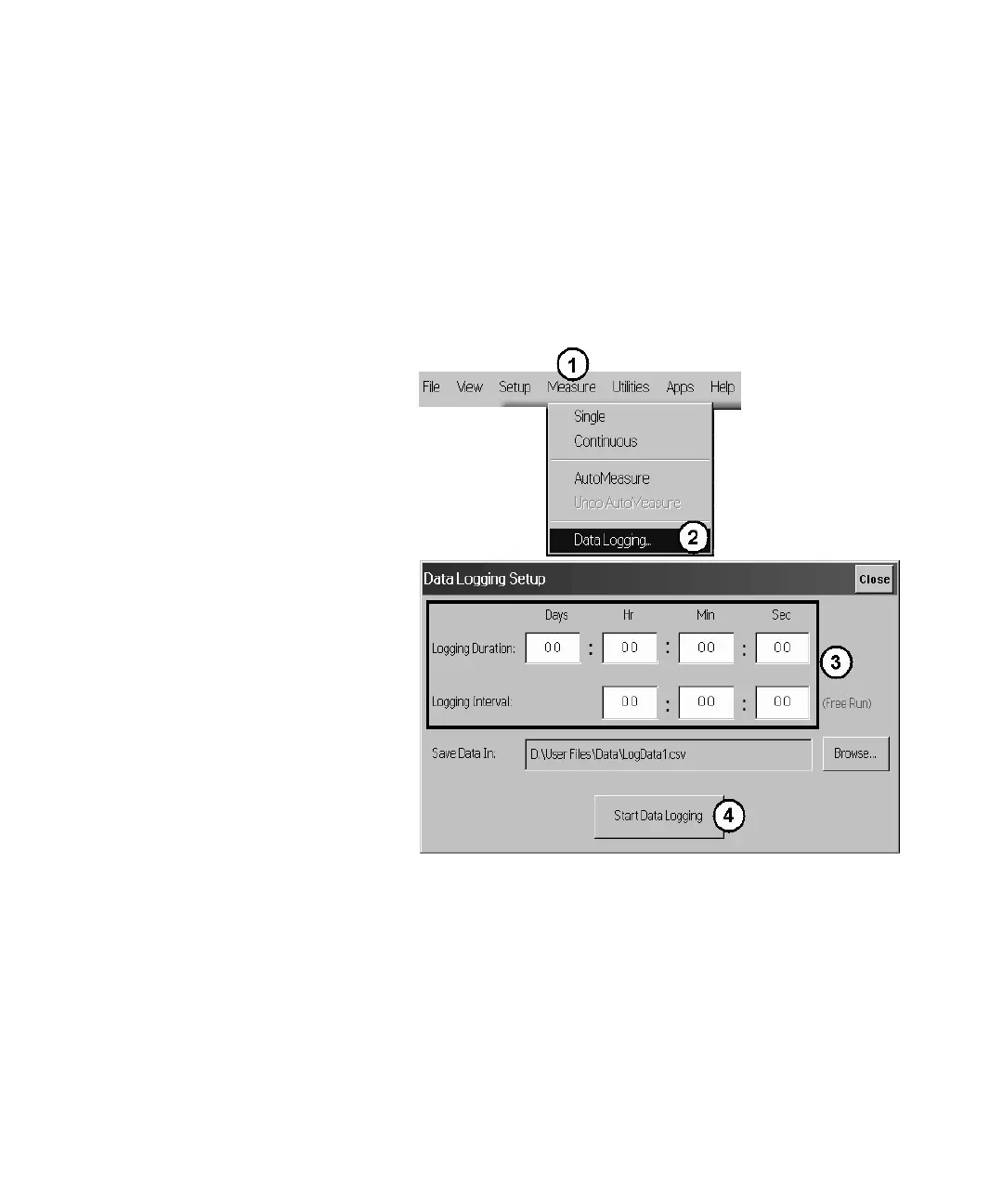
Data logging allows you to record measurement data over time for later
analysis. Follow the steps below to set up data logging.
1 On the Measure menu, click Data Logging.
2 Enter the Logging Duration and Logging Interval time.
3 Click Start Data Logging.
Figure 38
Consider the following example applications:
• To log data for a long-term stability/drift test, set the data logging
duration to 24-hrs, and the interval to 5 minutes.
• To log data for a turn-on transient test (to observe how lasers change
during warm-up), set the data logging duration to 5 minutes, and the
interval to 0 time (free run).















 To Next Page