File Management
Show Details
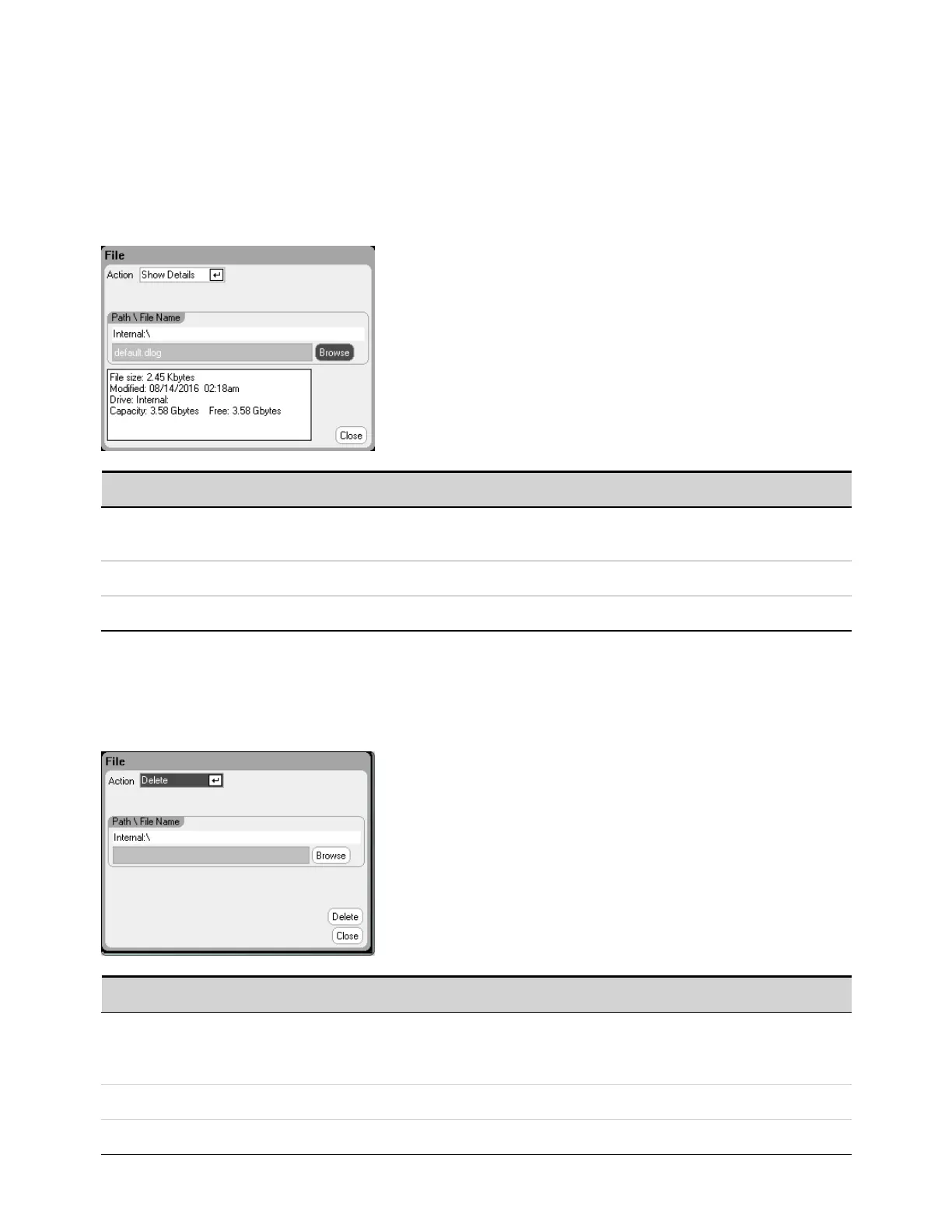
To view the details of a specific file, press the File key, then scroll to and select File Management. In
the Action dropdown box, select Show Details.
Parameter Description
Path\File Name Specifies the file. Internal:\ specifies the instrument’s internal memory.
External:\ specifies the Memory port on the front panel.
Browse Lets you browse another directory or USB memory device.
Details File details are displayed in the text box.
Delete Function
To delete a file, press the File key, then scroll to and select File Management. In the Action dropdown
box, select Delete.
Parameter Description
Path\File Name Specifies a file or directory to be deleted.
Internal:\ specifies the instrument’s internal memory.
External:\ specifies the Memory port on the front panel.
Browse Lets you browse another directory or USB memory device.
Delete Deletes the selected file.
5 Using the System Functions
170 Keysight N6705C Operating and Service Guide








 To Next Page