Driving your vehicle
1626
Remote Smart Parking Assist (RSPA)
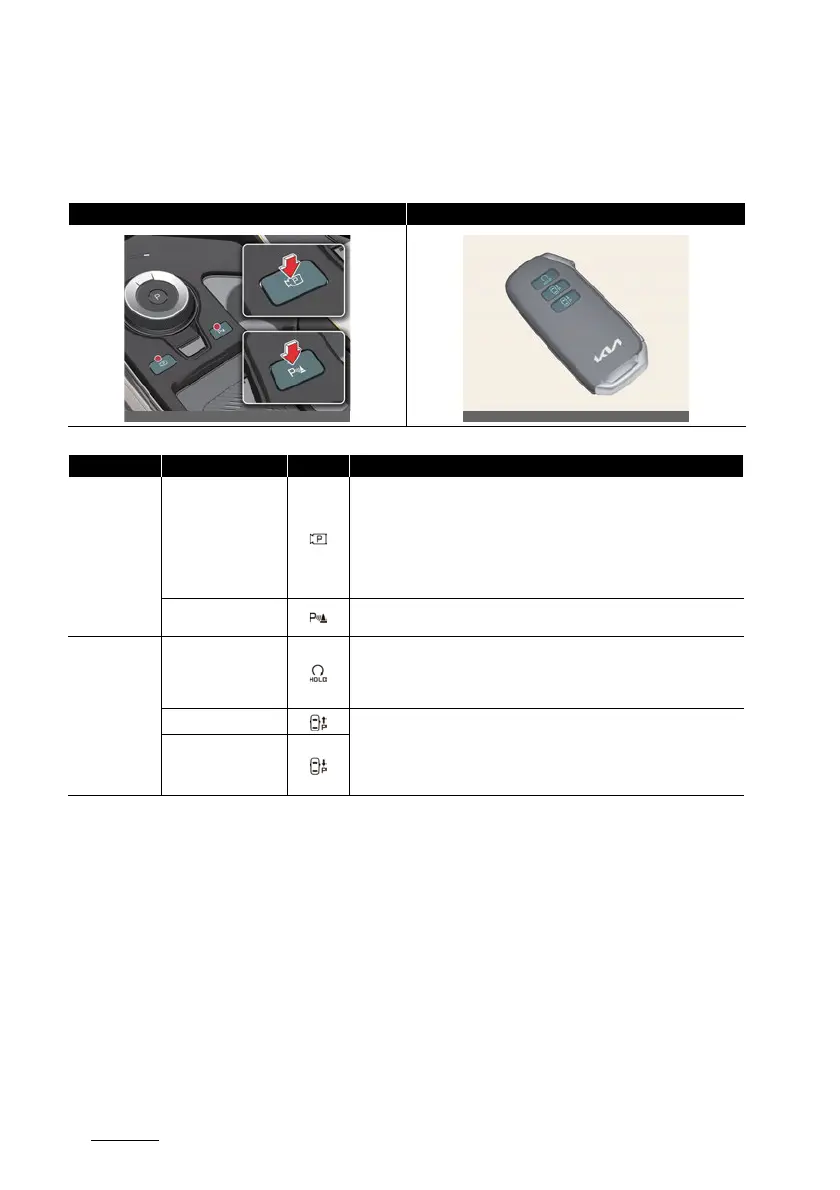
Remote Smart Parking Assist operation
Remote Smart Parking button
Parking/View button, Parking Safety button Smart key
Location Name Symbol Description
Inside vehicle
Parking/View button
僅 Press and hold the Parking/View button to turn on Remote Smart Park
-
ing Assist. Also, Forward/Reverse Parking Distance warning will auto
-
matically turn on.
(However, functions may differ depending on the situations. Refer to
each function's description for more details in the following pages.)
僅 Press and hold the Parking/View button while Smart Parking or Smart
Exit function is on to operate the function.
Parking Safety button
僅 Press the Parking Safety button while Remote Smart Parking Assist is
operating to end function operation.
Smart key
Remote Start button
僅 Press the Remote Start button after the door is locked with the vehicle
off to start the vehicle remotely.
僅 Press the Remote Start button while Remote Operation function is oper
-
ating to end function operation.
Forward button
僅 When using Remote Smart Parking function, regardless of which direc
-
tion button is pressed, reverse parking is supported while the button is
pressed.
僅 When using the Remote Operation function, the vehicle moves in the
direction of the button while the button is pressed.
Backward button



 To Next Page