163
6
6
Driving your vehicle Remote Smart Parking Assist (RSPA)
Remote Operation
Operating order
Remote Operation operates in the fol
-
lowing order:
1. Getting ready to remotely move for
-
ward and backward
2. Remotely moving forward and back
-
ward
1. Getting ready to remotely
move forward and backward
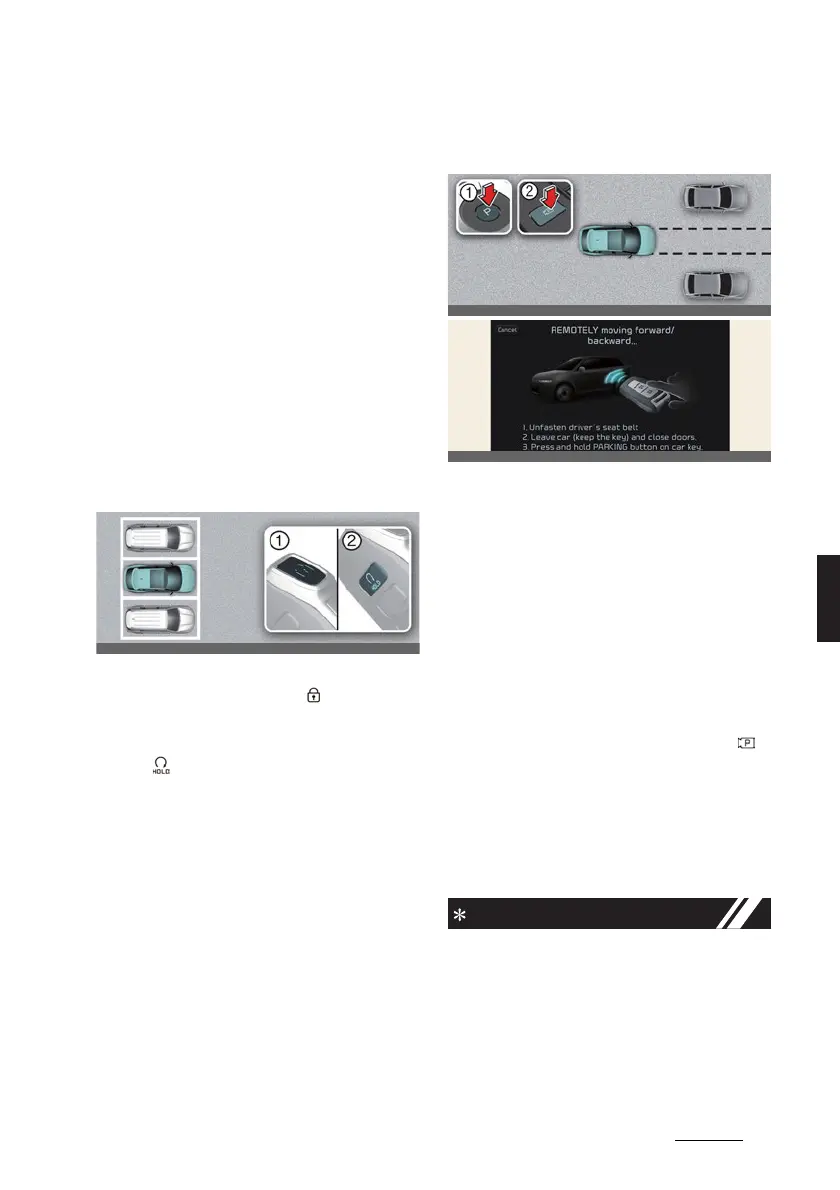
There are two ways to operate Remote
Operation function.
Method (1): Using the function
with vehicle off
1. Within a certain range from the vehi
-
cle press the door lock ( ) button on
the smart key and lock all doors.
2. Press and hold the Remote Start but
-
ton ( ) within 4 seconds until the
vehicle starts.
* For more details on remotely starting
the vehicle, refer to "Locking/unlock
-
ing/remote starting/remote parking
with the smart key" on page 5-6.
Method (2): Using the function
with vehicle on
A:
REMOTELY moving forward/back
-
ward...
1 1. Unfasten driver´s seat belt
.
2 2. Leave car (keep the key) and
close doors.
3 3. Press and hold PARKING button
on car key.
1. Park the vehicle in front of the space
where you want to use Remote Oper
-
ation function, and shift the gear to P
(Park).
2. Press and hold the Parking/View ( )
button to turn on Smart Parking
Assist. A message
Under REMOTE
control
will appear on the infotain
-
ment system screen.
3. Get out of the vehicle with the smart
key and close all doors.
僅
Agree
must be selected on the info
-
tainment system screen and the info
-
tainment system has to operate
properly to use Remote Operation
function.



 To Next Page