20. To get to information about the analyser
20.1. Information
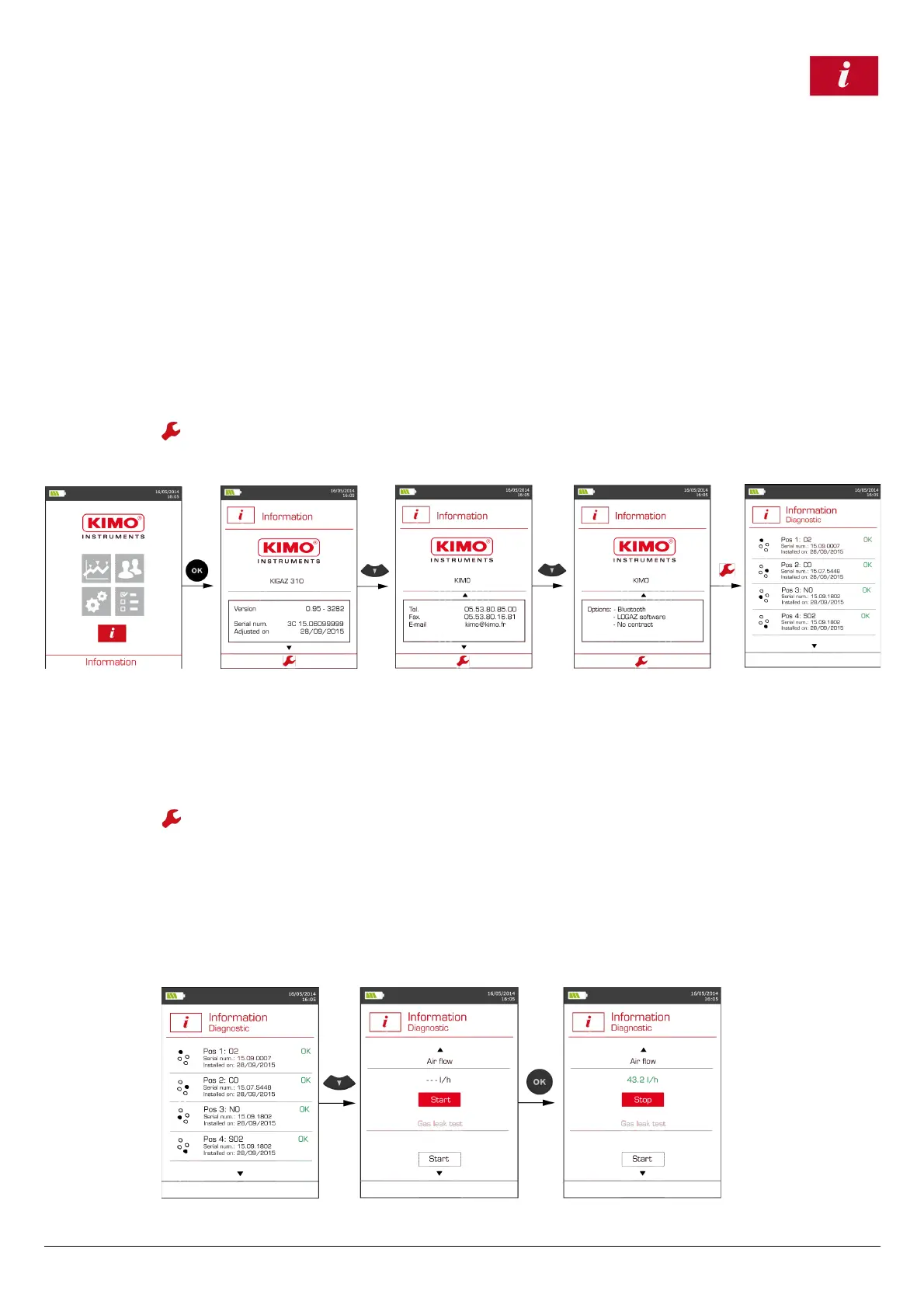
The “Information” menu of the analyser allows to get to several information:
• Type of analyser
• Version of the firmware
• Serial number of the analyser
• The adjustment date
• Phone and fax numbers, e-mail of Kimo Instruments
• Options of the analyser
• Type of sensor, its serial number and its installation date.
To get to this menu:
From the home screen:
➢ Go to “Information” menu with the keypad then press OK.
The information is displayed on the screen.
➢ Use the keypad to go from one screen to the other.
From any information screen:
➢ Press the function key.
The analyser displays information about sensors.
20.2. Diagnostics
20.2.1. Air flow
This diagnostic allows to check the flue gas probe filter is not dirty and the pneumatic system is in a good condition. The air flow must be between 30
l/h and 70 l/h.
From the “Information” menu:
➢ Press the function button.
The analyser displays information about sensors.
➢ Press the down arrow to access the air flow diagnostic.
➢ Plug the flue gas probe.
➢ Press OK to launch the air flow diagnostic.
The air is suctioned by the flue gas probe. The flow air value is displayed in l/h.
Between 30 l/h and 70 l/h, the air flow value is correct and is displayed in green.
If the value is not between 30 l/h and 70 l/h, the air flow is too low or too high and is displayed in red. Then it is recommended to replace the flue gas
probe filter.
36 To get to information about the analyser



 To Next Page