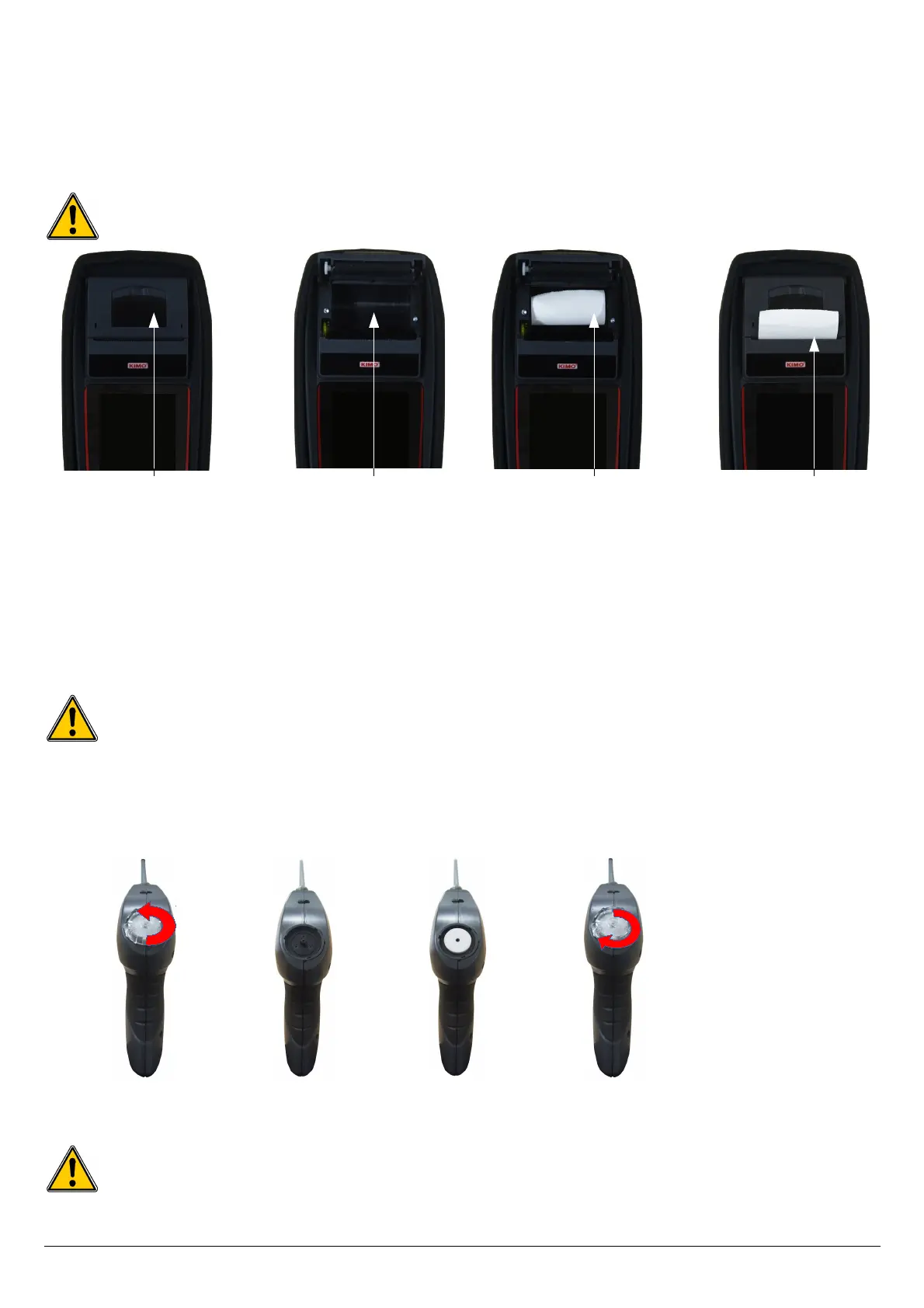
21.2. Replace the paper roll of the printer
Follow this procedure to replace the paper roll of the printer:
➢ Raise the upper part of the printer.
➢ Put the paper roll in the required location.
➢ Pull up slightly on the paper: it must be caught between the upper part and the lower part of the printer.
➢ Close the upper part.
Some paper must be out from the slot situated between the lower part and the upper part of the printer part.
Both sides of the paper are different: the brightest side is the printed side and must be facing the user.
21.3. Replace the battery
Follow this procedure to replace the battery:
The analyser must be turned off.
➢ Remove the protective cover.
➢ Turn the analyser.
➢ Unscrew the battery cover with a cross-head screwdriver.
➢ Remove the battery cover.
➢ Disconnect the battery.
➢ Connect the new battery.
Do not pull the cable, unplug softly the connector.
When the filter inside the analyser probe is too much clogged (black coloured), it is necessary to change it to get accurate measurement and to
avoid to damage the instrument and its sensors.
➢ Rotate counter clockwise the transparent part situated on the top of the handle.
➢ Remove the clogged filter.
➢ Put a new filter.
➢ Put the transparent part by rotating it clockwise.
Ensure to correctly place the silicone joint.
40 Maintenance of the analyser
Upper part to
raise
Paper location Introduction of
the paper roll
Paper correctly
introduced
Remove the
plastic part
Remove the filter Put a new filter
Put the plastic part
1 2 3 4



 To Next Page