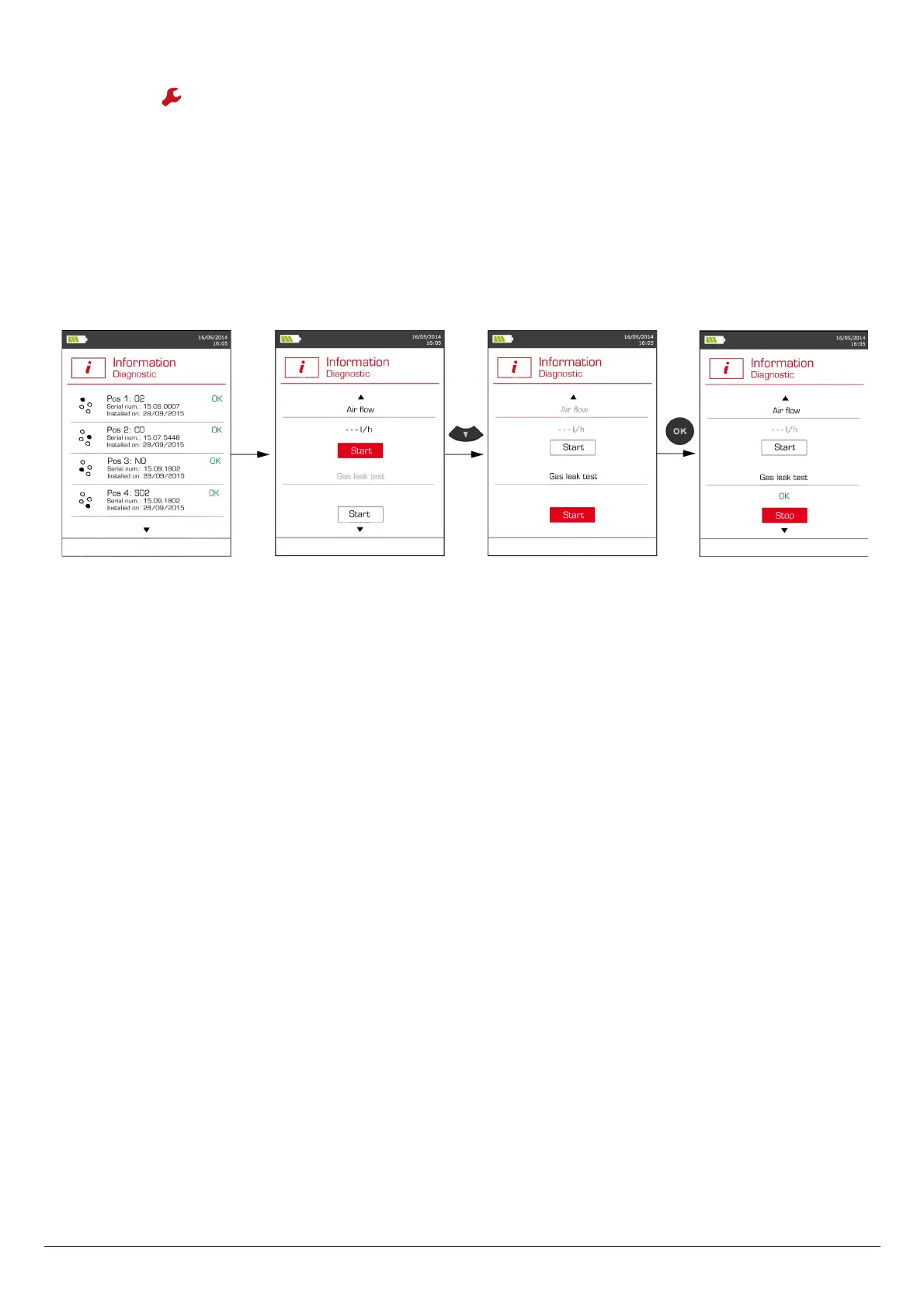
20.2.2. Gas leak test
From the “Information” menu:
➢ Press the function button.
The analyser displays information about sensors.
➢ Press twice the down arrow to access the gas leak test.
➢ Plug the flue gas probe.
➢ Press OK to launch the gas leak test.
The analyser displays the pressure stabilisation message: “Air-flow stabilisation”. Once the pressure stabilised, the analyser displays
the following message: “Block air intake”.
➢ Block the air intake of the probe then press OK.
If the Gas leak test displays “OK” in green, it indicates there is no leak in the pneumatic system.
If the Gas leak test displays “KO” in red, it indicates there is a leak in the pneumatic system. In this case, please contact the KIMO After-sales
service.
To get to information about the analyser 37



 To Next Page