Interface
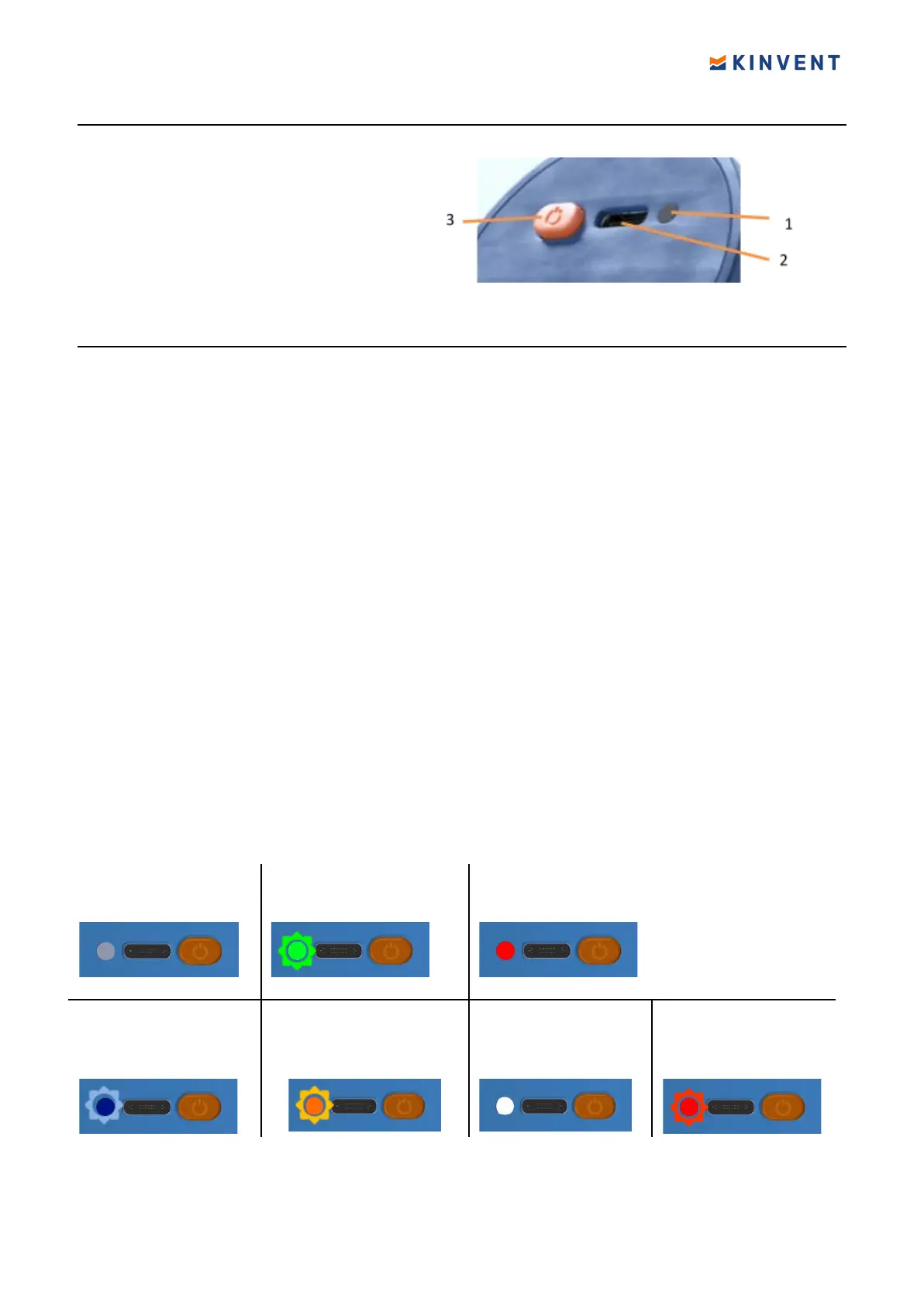
All K-Sensors share the same interface
1- Multi color LED
2- USB-C charge port
3- Power on/ Command orange button
LED States
● When the sensor is connected via USB, the sensor will turn on (GREEN
flashing
LED) and begin to charge the internal battery.
● After 10 min, if not connected to the application, it will automatically power off . The
battery will continue to charge indicated by a pulsing ORANGE light.
● Once the battery reaches full charge the sensor will indicate this by switching to
permanent WHITE light. If power is removed the sensor will power on again.
● The sensor can wake by plugging in the USB cable or pushing the orange
button.The GREEN led starts blinking.
● When a successful connection over Bluetooth is attained then the light begins
flashing BLUE
● If the battery is low, then a RED light will
flash intermittently three times and every
5 seconds. Wireless range may be affected if operating under this condition.
● The sensor will switch off if the battery voltage is lower than 1%.
● A single push on the button will display the battery status via bright red, yellow, or
green light depending on charge level.
Sensor is ON
LED is Blinking GREEN
Button pressed once
Shows battery status for 5 seconds.
Green >70% charge
Yellow >30% charge
Red <30%
Sensor Connected
LED is Blinking BLUE
Charging
LED Slow ORANGE blink
End of charge
LED is Steady WHITE
Sensor has low
battery (<10%)
LED blinks three
times RED
11 © 2022 KINVENT Biomecanique E2022C_EN


 To Next Page