Get Started
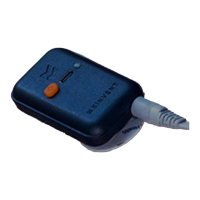
On the top surface of the sensor there are : one USB-C port used for charging, one LED
indicator for the working state/charging state and one push-button.
You can charge your K-Grip sensor through the USB A to USB C cable provided or with
any USB-C charging cable. The sensor is supplied with the appropriate IEC 60601 medical
USB power supply. If a different charger is used, ensure that it meets the minimum
medical safety requirements and if unsure please do not use the sensor while plugged
in/charging.
Disinfect K-Grip prior to use. Low level or intermediate level disinfectants should be
used (e.g. alcohol wipes). Do not use bleach to clean the plastic parts, prefer alcohol
blends
Press the orange power on button on K-Grip. The indicator begins
flashing green. Your
sensor is ON! Your sensor will turn off after 10 minutes of no Bluetooth connection or no
application connection.
Once the sensor is turned on, select the K-Grip sensor activity in the Home Page. At this
step, the K-Grip is connected and the LED starts
flashing Blue.
While your K-Grip is connecting, don't apply force on the sensor, don't step on the
sensor, don't move the sensor, keep it vertical on a
flat surface.
Accessories
The K-Grip is provided with an attaching cord (removable) at the rear of the sensor. Use
this cord to secure the sensor at the patient’s arm
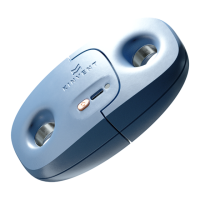
The K-Grip has optional changeable grip sizes that allow it to
fit different sizes of hands.
They are easily attached magnetically and removed by simply pulling them with about 1
kg /2 lbs of force straight forward. The sensor is supplied with the regular size bumper
accessory. For further sizes please consult the catalog.
13 © 2022 KINVENT Biomecanique E2022C_EN


 To Next Page