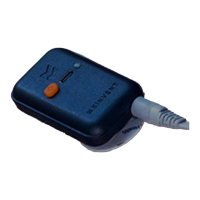
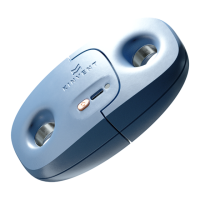
Get Started
The sensor is equipped with a USB C port used for charging, 1 LED for the
working/charging state and one push-button.
You can charge your K Pull sensor through the USB A to USB C cable provided or with any
USB-C charging cable. The sensor is supplied with the appropriate IEC 60601 medical
USB power supply. If a different charger is used, ensure that it meets the minimum
medical safety requirements and if unsure please do not use the sensor while plugged
in/charging
Press the orange power on button on K-Pull. The indicator begins
flashing green. Your
sensor is ON! Your sensor will turn off after 10 minutes of no Bluetooth connection or no
application connection.
Once the sensor is turned on, select the K-Pull sensor in the Home Page. Select the body
part you want to measure and then select one of the proposed exercises. Once the K-Pull
is connected, the LED turns Blue.
While your sensor is connecting, do not load the sensor, do not step on the sensor, do
not move the sensor, and do not apply force on the sensor.
This is a high traction force sensor so extra care must be taken when selecting the
anchoring point on the sensor or the included accessories. The strap and carabiner
are rated for 600 daN /611 kg / 1347 lbs of maximum force while the elastics should not
exceed an extension of 2.5 times their length.
23 © 2022 KINVENT Biomecanique E2022C_EN


 To Next Page