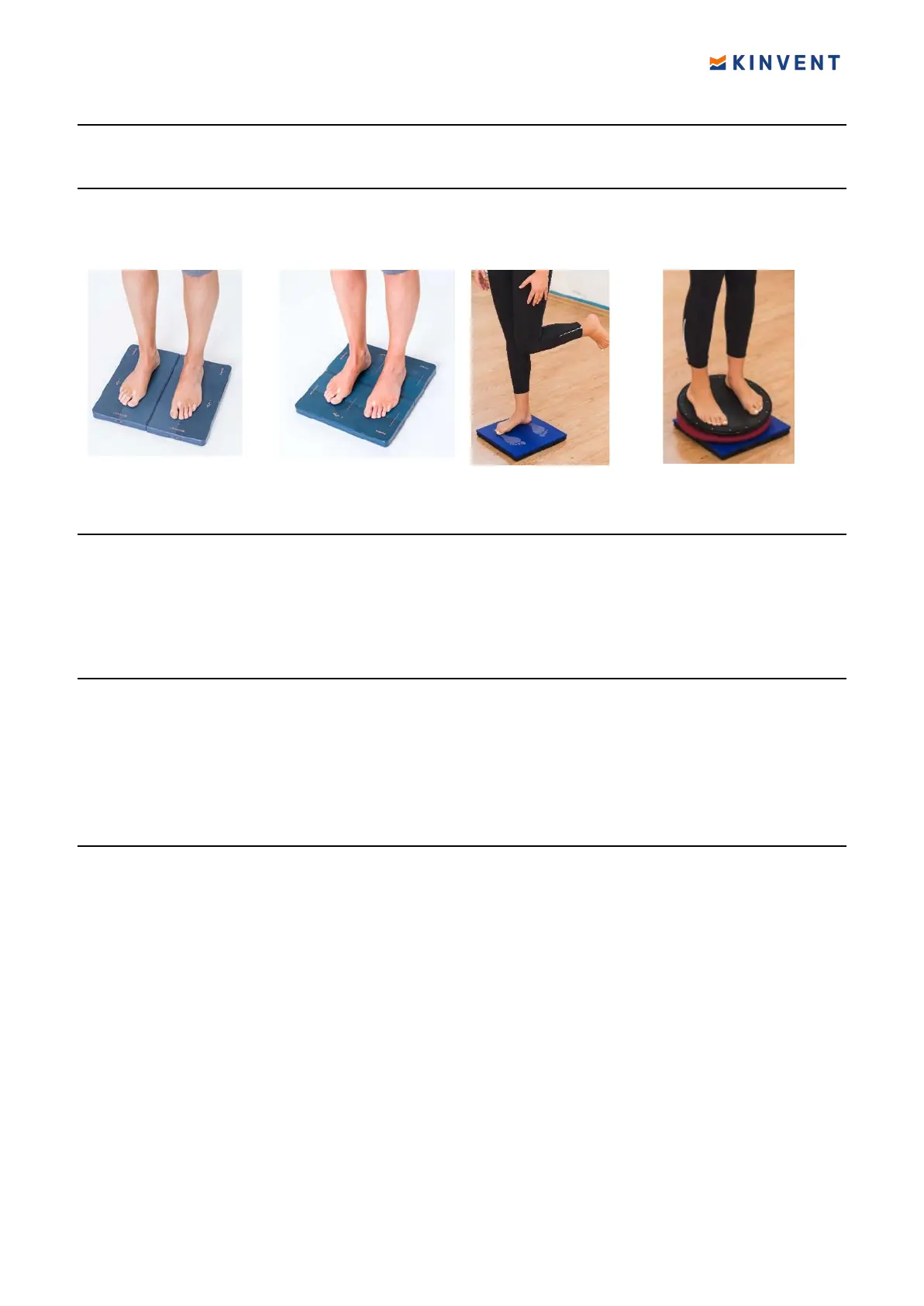
Installation
Install K-FORCE PLATES according to the measurement selected.
On the floor
This con
figuration is ideal for balance exercises. You can place the K-FORCE PLATES on
the ground either side by side or spaced apart. This increases the dif
ficulty level of balance
exercises, as you can work on your lower limbs muscular force at the same time.
On vertical surface
K-FORCE PLATES can be attached on a vertical surface (Wall) to measure upper limbs
muscular strength, or even on weightlifting machinery such as a Leg Press Machine. To
this end, use Velcro sticks with at least 200 cm
2
/ 31 in
2
surface. For your safety, please
make sure that K-FORCE PLATES are well
fixed on vertical surfaces before using.
Accessories
The Jump Frame is an accessory for the K-Force Plates that allows it to stabilize the
platforms and to obtain a larger surface at equal height to perform jumps in complete
safety. It also allows you to adjust the distance between the plates to easily adapt it to the
patient’s comfort. In addition, it ensures reproducibility of measurements under similar
conditions. The Jump Frame is made of rigid foam. Lightweight and transportable, it will
ensure the safety of your patients.
Get started
On the side surface of the sensor there are
One USB-C port used for charging, one LED indicator for the working state/charging state
and one push-button. On the top surface a second LED indicator is present that works
together with the first on the side.
You can charge your K-Force Plates sensors through the USB A to USB C cable provided or
with any USB-C charging cable. The sensor is supplied with the appropriate IEC 60601
medical USB power supply. If a different charger is used, ensure that it meets the
minimum medical safety requirements and if unsure please do not use the sensor while
plugged in/charging
Disinfect K-FORCE PLATES prior to use, using antiseptic alcohol wipes.
Press the orange power on button on K-Force Plates. The indicators begin
flashing green.
Your sensor is ON! Your sensor will turn off after 10 minutes of no Bluetooth connection or
no application connection. Turn on both platforms
Once the sensor is switched on, go to the homepage, and select Plates sensor and an
activity.
Warning: While your sensor is connecting, do not load the sensor, do not step on the
sensor, do not move the sensor, do not apply force on the sensor.
17 © 2022 KINVENT Biomecanique E2022C_EN


 To Next Page