Get Started
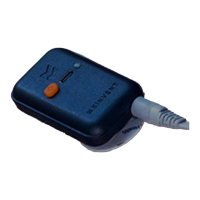
The sensor is equipped with a USB C port used for charging, 1 LED for the
working/charging state and one push-button.
You can charge your K-Move sensor through the USB A to USB C cable provided or with
any USB-C charging cable. The sensor is supplied with the appropriate IEC 60601 medical
USB power supply. If a different charger is used, ensure that it meets the minimum
medical safety requirements and if unsure please do not use the sensor while plugged
in/charging
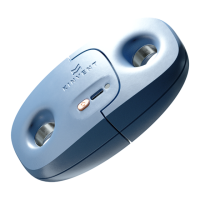
Press the orange power on button on K-Move. The indicator begins
flashing green. Your
sensor is ON! Your sensor will turn off after 10 minutes of no Bluetooth connection or no
application connection.
Once the sensor is switched on, choose the joint’s amplitude and the movement you want
to assess. Attach the K-Move on the limb of your patient. Ask him to stay in a neutral
position to initialize the reference position. When you click on START your patient can start
moving. The range of motion is measured in degrees. Ensure the patient is not using
compensation movement.
To assess a joint’s amplitude of a movement not available in the list, create your own
assessment.
21 © 2022 KINVENT Biomecanique E2022C_EN


 To Next Page