TM
Grain CartM0276-01
Rev. 2/18 2-21
Operation
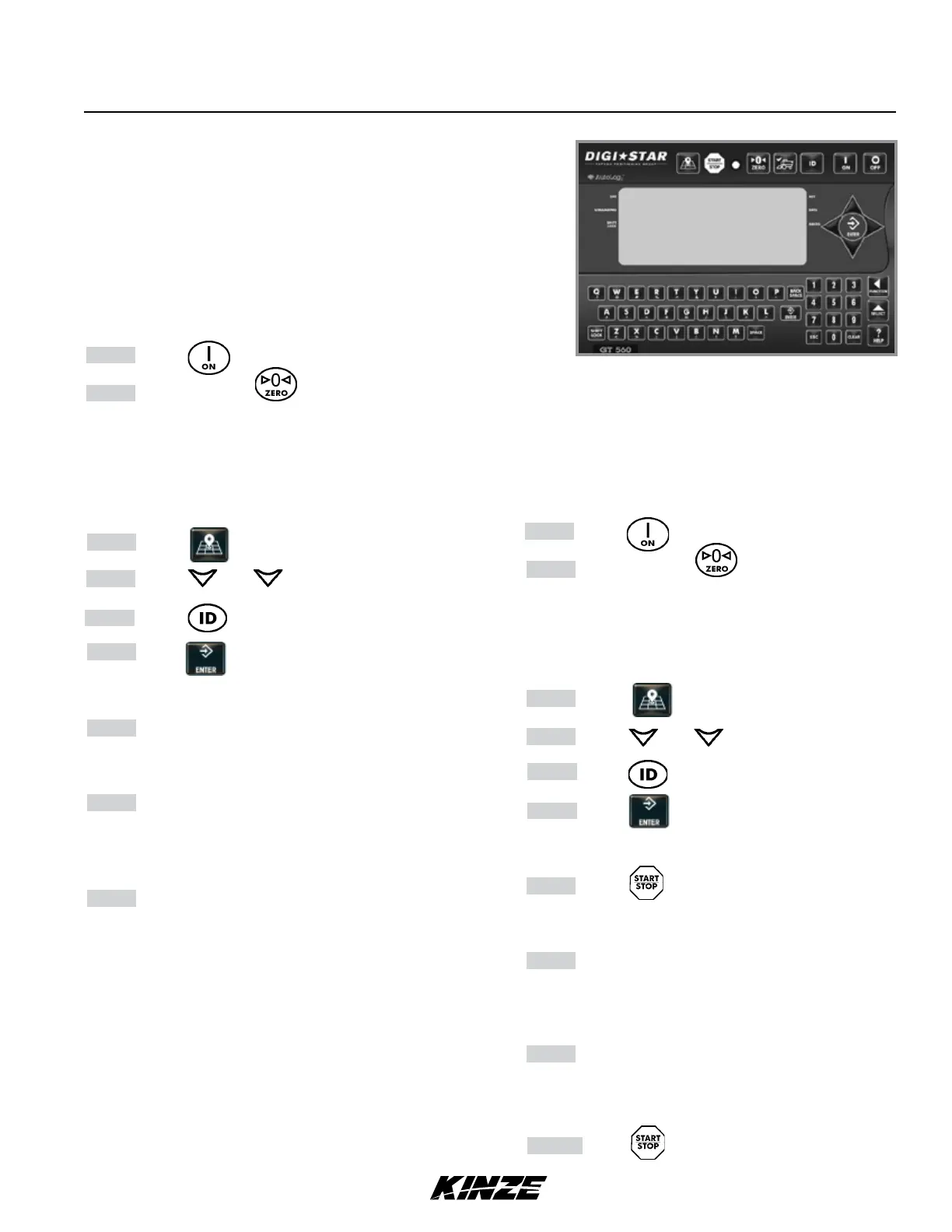
GT 560 Indicator
Suggested Operating Procedures -
With AutoLog
NOTE: Movement of cart causes scale indicator
reading to fluctuate.
Step 1 Press .
Step 2 Press and hold for two seconds to
zero balance the GT 560 indicator if the
container is empty. Active screen is displayed.
NOTE: To operate GT 560 with AutoLog, the
GT 560 must be connected to a PTO or switch
sensor and AutoLog must be turned ON.
Step 3 Press
Step 4 Press and to select field name.
Step 5 Press to select required field name.
Step 6 Press to select required ID.
NOTE: Make sure active screen displays.
Step 7 If AutoLog is enabled, start the PTO or open
the discharge door. The GT 560 will display
zero and enter the net mode.
Step 8 Unload grain. Upper Display shows amount
unloaded. Gross value (total amount left on
cart) displays on second line of Lower
Display.
Step 9 If AutoLog is enabled, stop the PTO or close
the door. The data record will be stored in
memory of indicator. The data record screen
will display the last data record for 10
seconds, then return to active screen.
Refer to GT 560 manual for additional information.
NOTE: Indicator must be on active screen before
loading or unloading.
GT 560 Operation
Suggested Operating Procedures -
Without AutoLog
NOTE: Movement of cart causes scale indicator
reading to fluctuate.
Step 1 Press .
Step 2 Press and hold for two seconds to
zero balance the GT 560 indicator if the
container is empty. Active screen is displayed.
NOTE: To operate GT 560 without AutoLog, the
AutoLog feature must be turned OFF.
Step 3 Press
Step 4 Press and to select field name.
Step 5 Press to select required field name.
Step 6 Press to select required ID.
NOTE: Make sure active screen displays.
Step 7 Press before unloading grain from
container. The GT 560 will display zero and
and enter the net mode.
Step 8 Unload grain. Upper Display shows amount
unloaded. Gross value (total amount left on
cart) displays on second line of Lower
Display.
Step 9 When unloading is complete, the data record
will be stored in memory of indicator. The data
record screen will display the last data record
for 10 seconds, then return to active screen.
Step 10 Press when finished unloading grain.
Refer to GT 560 manual for additional information.
Scale Setup and Calibration Numbers
Setup Number: 127070
Calibration Number: 41250



 To Next Page