M0276-01Grain Cart
2-20 Rev. 2/18
TM
Operation
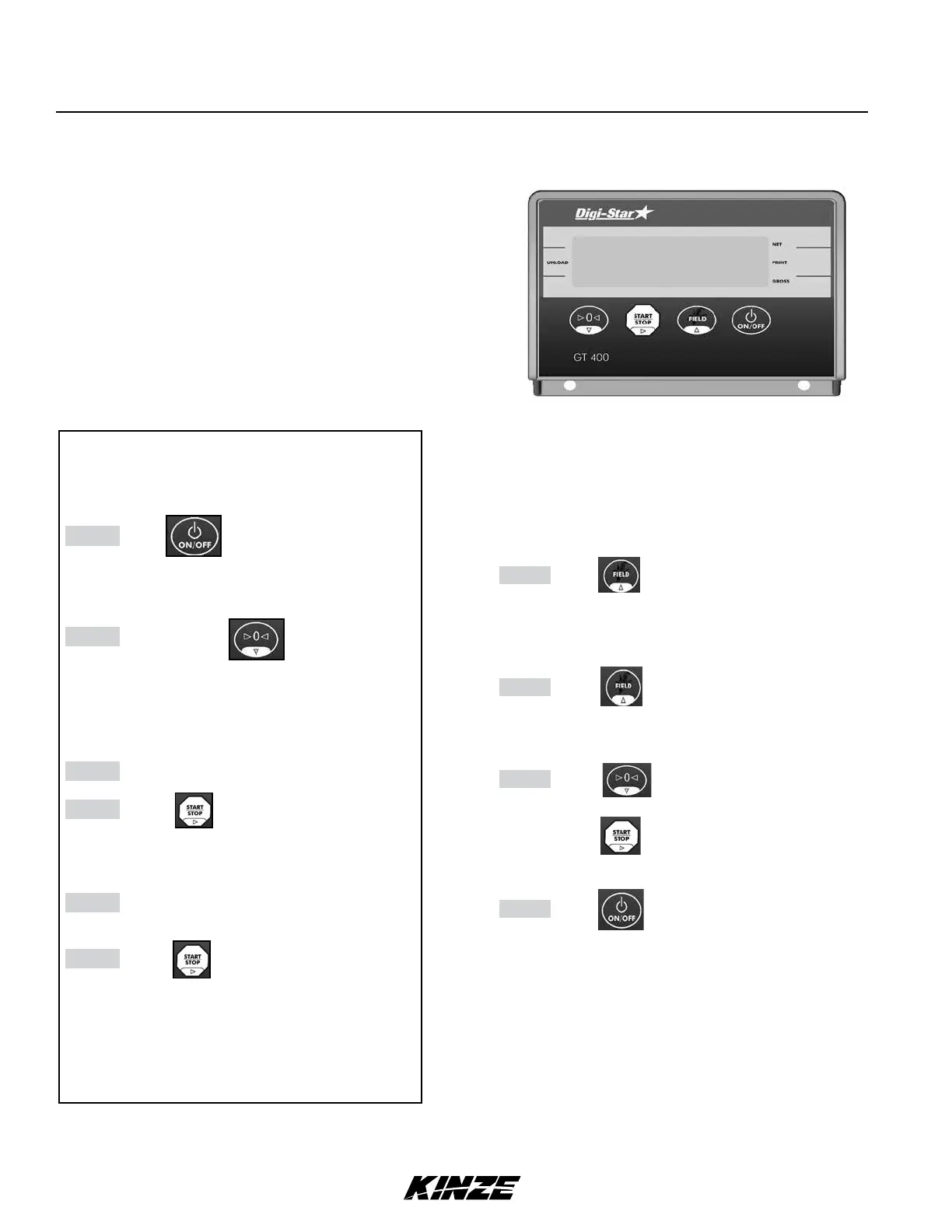
GT 400 Indicator
Suggested Operating Procedures
NOTE: Movement of cart causes scale indicator
reading to fluctuate.
Step 1 Press to turn on scale.
NOTE: Allow one (1) minute for scale to warm
up (allow 5-10 minutes in cold weather).
Step 2 Press and hold to zero balance.
NOTE: Zero balance indicator when empty at
least once a day or more as required. If zero
balance is not correct it only affects gross weight
reading, not accuracy of displayed net weight.
Step 3 Load cart.
Step 4 Press to begin unloading.
Display reads zero. Arrows point to Net and
Unload.
Step 5 Unload cart. Negative reading on scale
indicator is pounds unloaded.
Step 6 Press when unloading is complete.
Indicator displays remaining weight left
on scale. Data is automatically added to
accumulator and saved to Printer or DDL
(data downloader kit).
Repeat Steps 4 - 6 each time cart is unloaded.
Entering Field ID
A user-entered, 6 character identification number is
used for referencing fields, trucks, owners or other
information.
Step 1 Press .
FIELD displays and a flashing cursor or
character displays in the first position.
Step 2 Press to scroll available characters.
Hold for 4 seconds to increase scroll rate.
Step 3 Press to scroll back.
Press to move to next character.
Step 4 Press to accept and save.
Refer to GT 400 manual provided and Troubleshooting
Section of this manual for additional information.
ELECTRONIC SCALE - GT 400
Electronic scale option includes four axle weigh beams, one
hitch weigh beam, a tractor-mounted scale indicator console and
cables, brackets, and mounting hardware.
To measure what is unloaded, press “START/STOP UPLOAD”
before starting to unload. When finished, press STOP.
To measure what is loaded (For example when doing a field yield
check.), press “ZERO” to zero cart weight before loading.
NOTE: Scale is most accurate when cart is sitting still on
level ground when weighing.
Scale Setup and Calibration Numbers
Setup Number: 127070
Calibration Number: 41250



 To Next Page