Part 1 Basic Functions 1-9
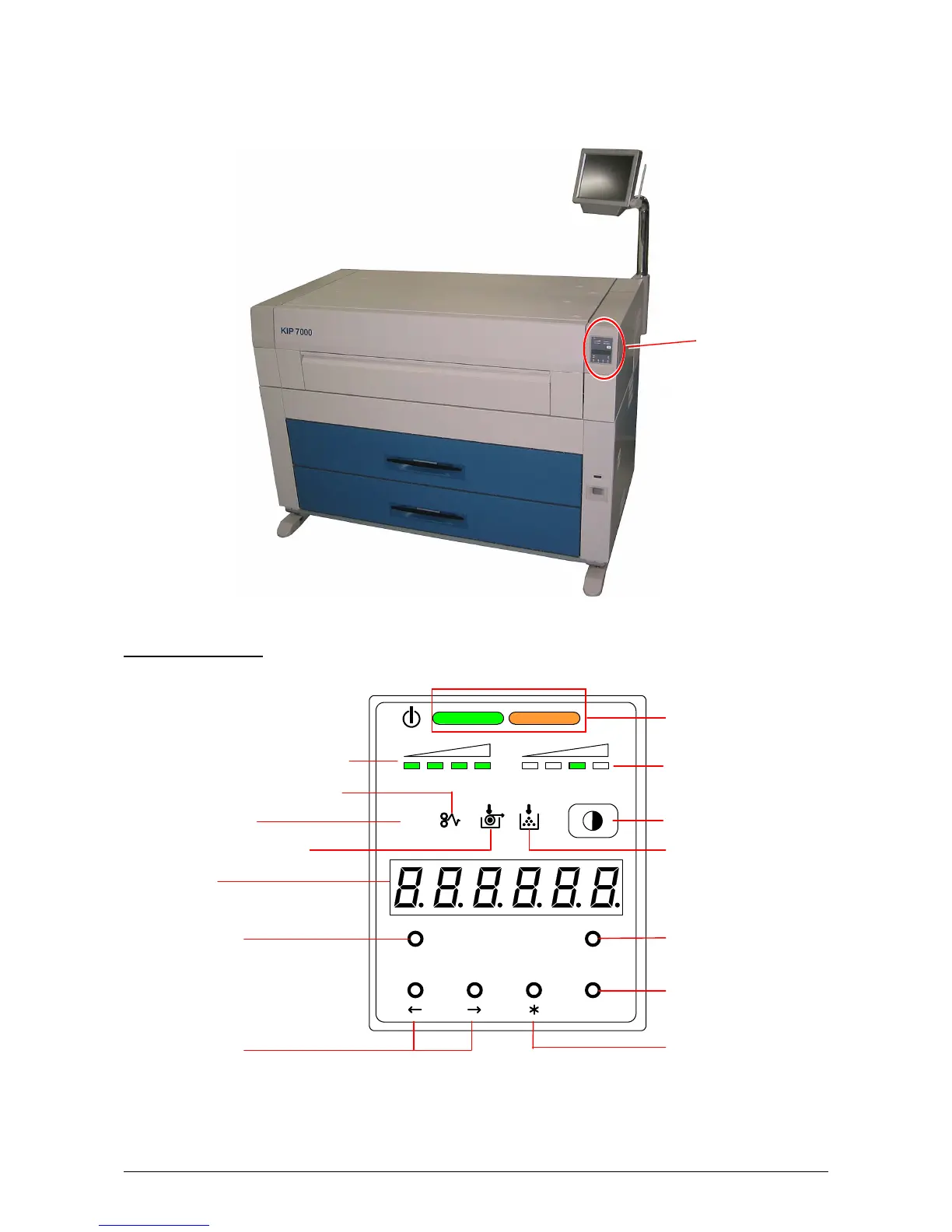
1. 5. 3 Sub Display Panel
There is a Sub Display Panel on the top of the printer.
Refer to the following page for indicators and key functions.
Sub Display Panel
MENU TEST
TONER REMAIN IMAGE DENSITY
job
ENTER
Image Density Indicator
Arrow Keys
Toner Remaining Indicator
Density Selection Key
Toner Low Indicator
Test Print Switch
Enter Key
Menu Key
Job Indicator
Roll Empty Indicator
Paper Mis-feed Indicator
Display
* (Asterisk) Key
Status Indicator
Sub Display Panel



 To Next Page