Part 1 Basic Functions 1-39
Chapter 3 Operations for Useful Functions
3. 1 Changing the Density Level
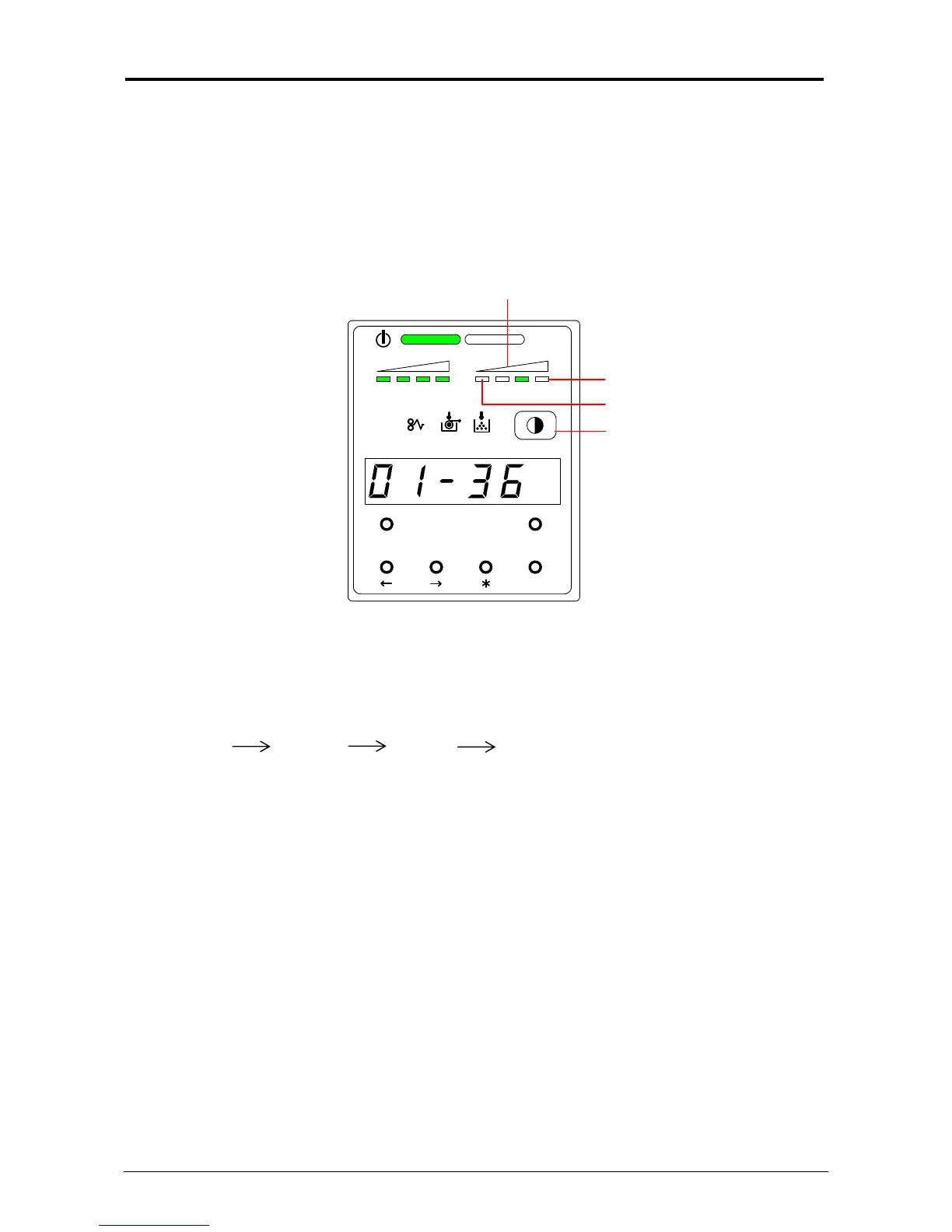
If you would like to make the image darker or lighter, you will change the density level on the
scanner or controller.
After specifying the density level on the scanner or controller, it is also possible to compensate the
image density on the printer, if needed.
Image Density Indicator
Level 4 (Darkest)
Density Selection Key
There are 4 kinds of levels. (The default setting is Level 3).
Levels are changed by pressing the Density Selection Key.
(The image density gets darker by selecting the bigger level number.)
Level 1 Level 2 Level 3 Level 4
darker darker darker
MENU TEST
TONER REMAIN IMAGE DENSITY
job
ENTER
Level 1 (Lightest)



 To Next Page