Part 1 Basic Functions 1-55
3. 2.12 User Mode b: High Coverage Setting Mode
It is possible to select whether or not the High Coverage Setting Mode should work.
High Coverage Setting Mode will be effective if the image density looks lighter when you print
some image pattern which consists of many data.
Please make it work in such case.
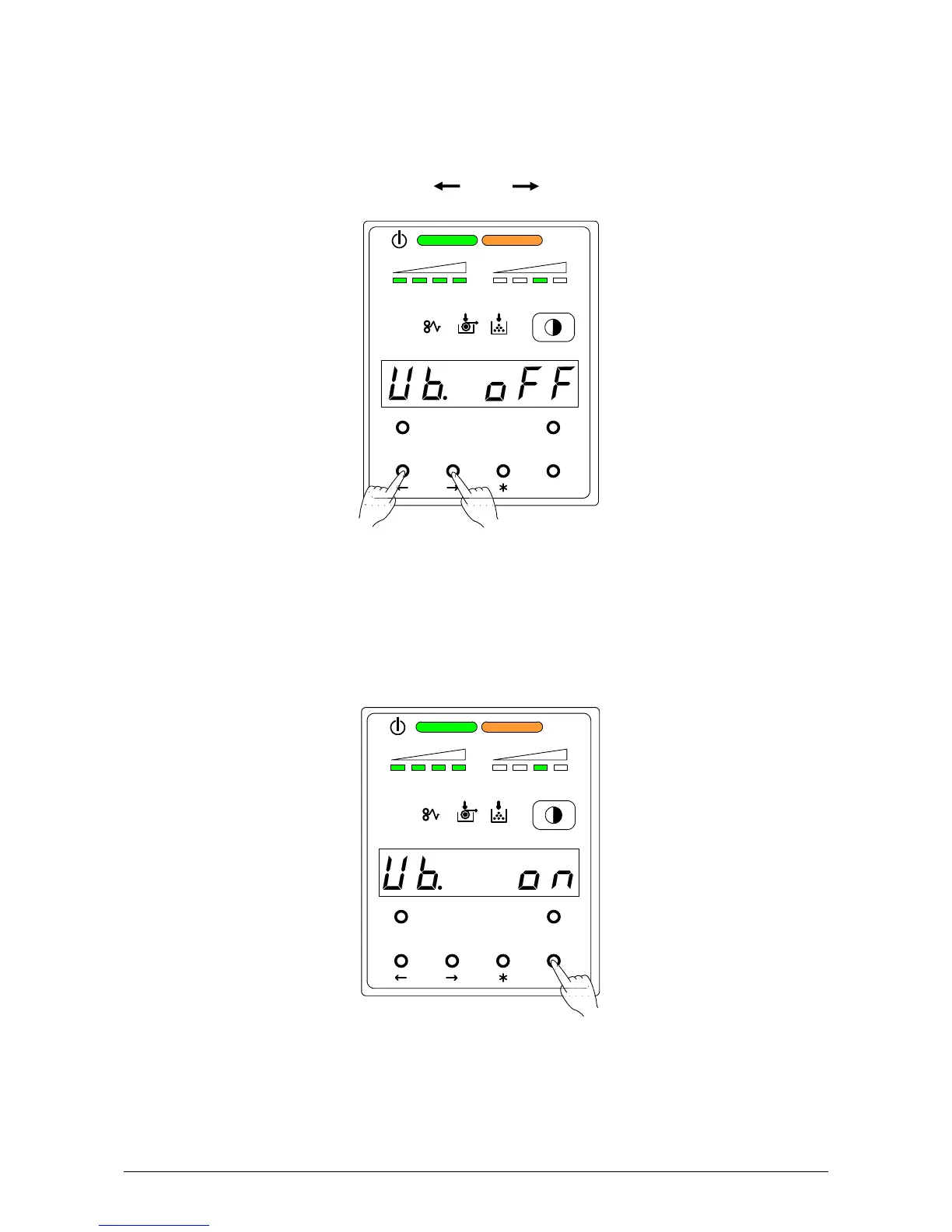
1) Select User Mode b “Ub.” by pressing [ ] or [ ] key.
U b. o n : High Coverage Setting Mode works.
U b. o F F : High Coverage Setting Mode does not work. (Normal operation)
2) Select either “on” or “oFF” according to the necessity by pressing [ENTER] key.
MENU TEST
TONER REMAIN IMAGE DENSITY
job
ENTER
MENU TEST
TONER REMAIN IMAGE DENSITY
job
ENTER



 To Next Page