Part 1 Basic Functions 1-45
3. 2. 4 User Mode 3: Auto Power Off Setting Mode
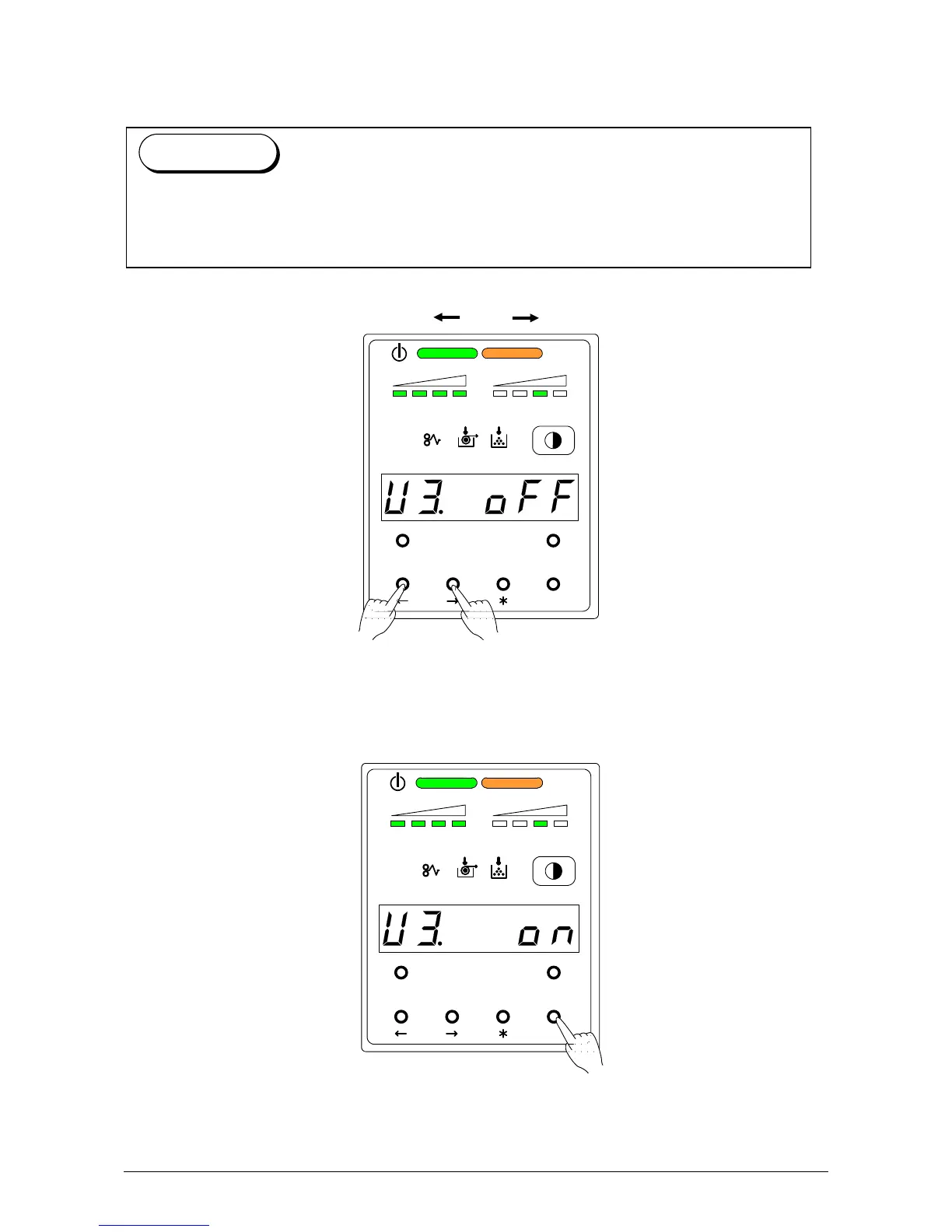
It is possible to select whether or not the Auto Power Off works.
1) Select User Mode 3 “U3.” by pressing [ ] or [ ] key.
U 3. o n : Auto Power Off function works.
U 3. o F F : Auto Power Off function does not work.
2) Select either “on” or “oFF” according to the necessity by pressing [ENTER] key.
MENU TEST
TONER REMAIN IMAGE DENSITY
job
ENTER
MENU TEST
TONER REMAIN IMAGE DENSITY
job
ENTER
The Auto Power Off is the function that the Power Switch turns OFF automatically if the
printer makes no printing (copying) operation for the time decided in the User Mode 2.
(As for turning on the printer, press “ON” of the Power Switch.)
Reference



 To Next Page