Part 1 Basic Functions 1-21
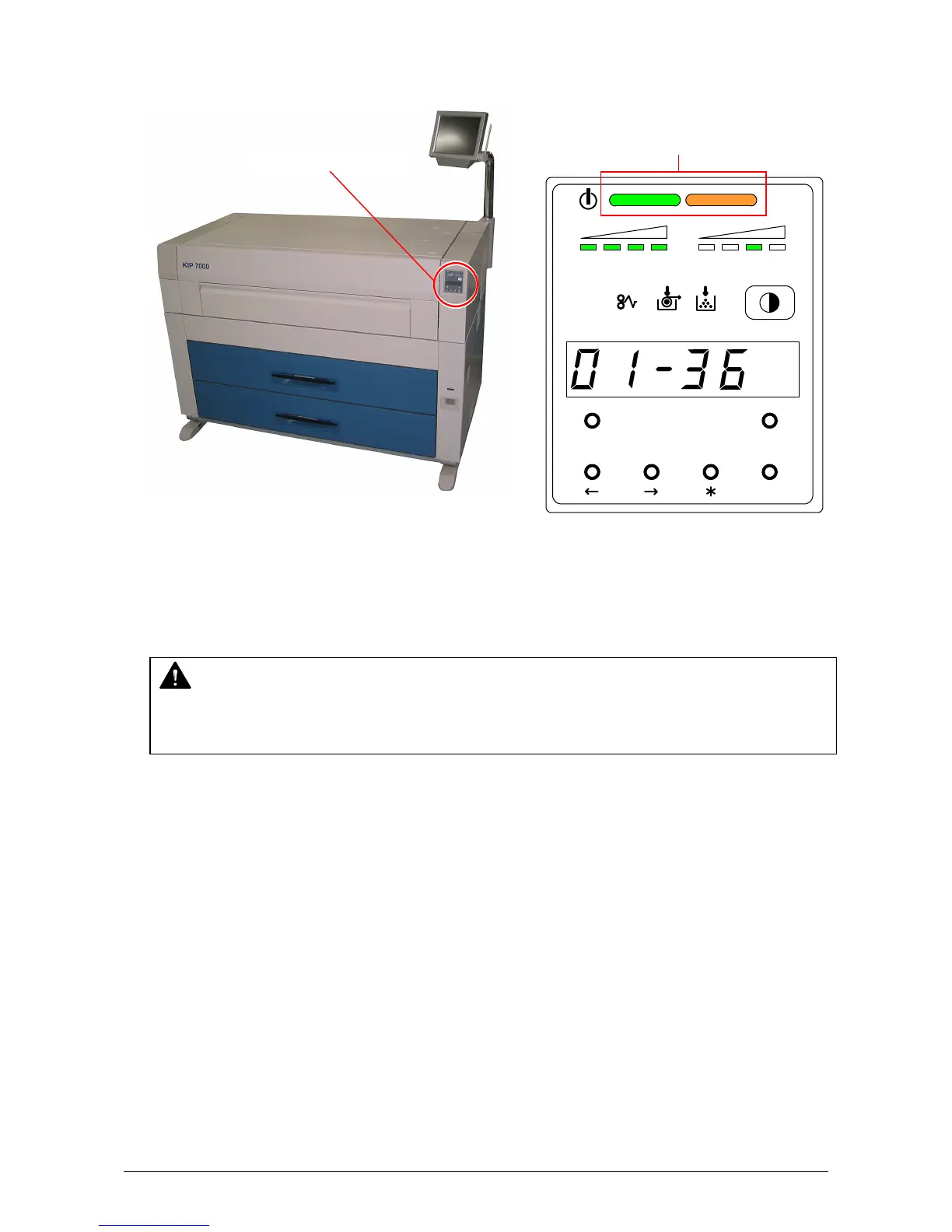
3) There is a Sub Display Panel on the right-front of the printer.
The Orange lamp of the Status Indicator lights when the printer is warming up.
4) When the Fuser has been enough heated up, the Green lamp of the Status Indicator lights and
the printer gets ready. (Orange lamp is OFF at that time.)
This may take up to 6 minutes from room temperature.
5) Print from your computer or copy from the scanner.
NOTE
It is impossible to make any prints when the Orange lamp is lighting.
Please wait until the Green lamp lights.
MENU TEST
TONER REMAIN IMAGE DENSITY
job
ENTER
Status Indicator
(Left : Green / Right : Orange)
Sub Display Panel



 To Next Page