Part 1 Basic Functions 1-33
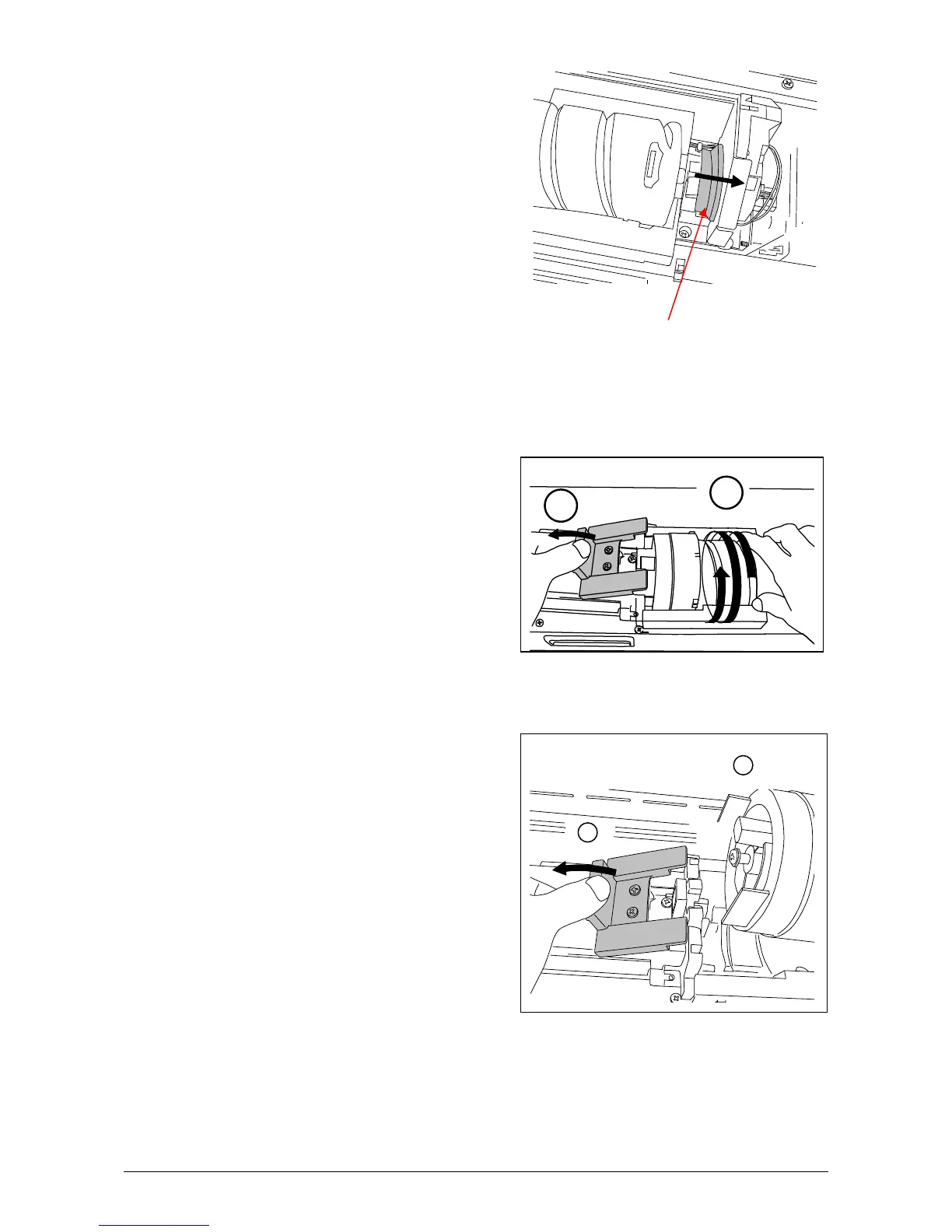
3) Push the Joint rightward to release the Toner Cartridge.
(The joint is latched.)
Joint
4) Press and hold the Lever to the left, and then rotate the Toner Cartridge (not the Cap of
Cartridge) as shown arrow in order to close the opening.
Approximately 2 rotations will be enough to close the opening, but rotate the Toner Cartridge
until it stops completely.
5) Keep pressing the Lever to the left, and lift up the Toner Cartridge.
1
2
1
2



 To Next Page