Part 1 Basic Functions 1-64
Clear the Paper Mis-feed using the following procedure:
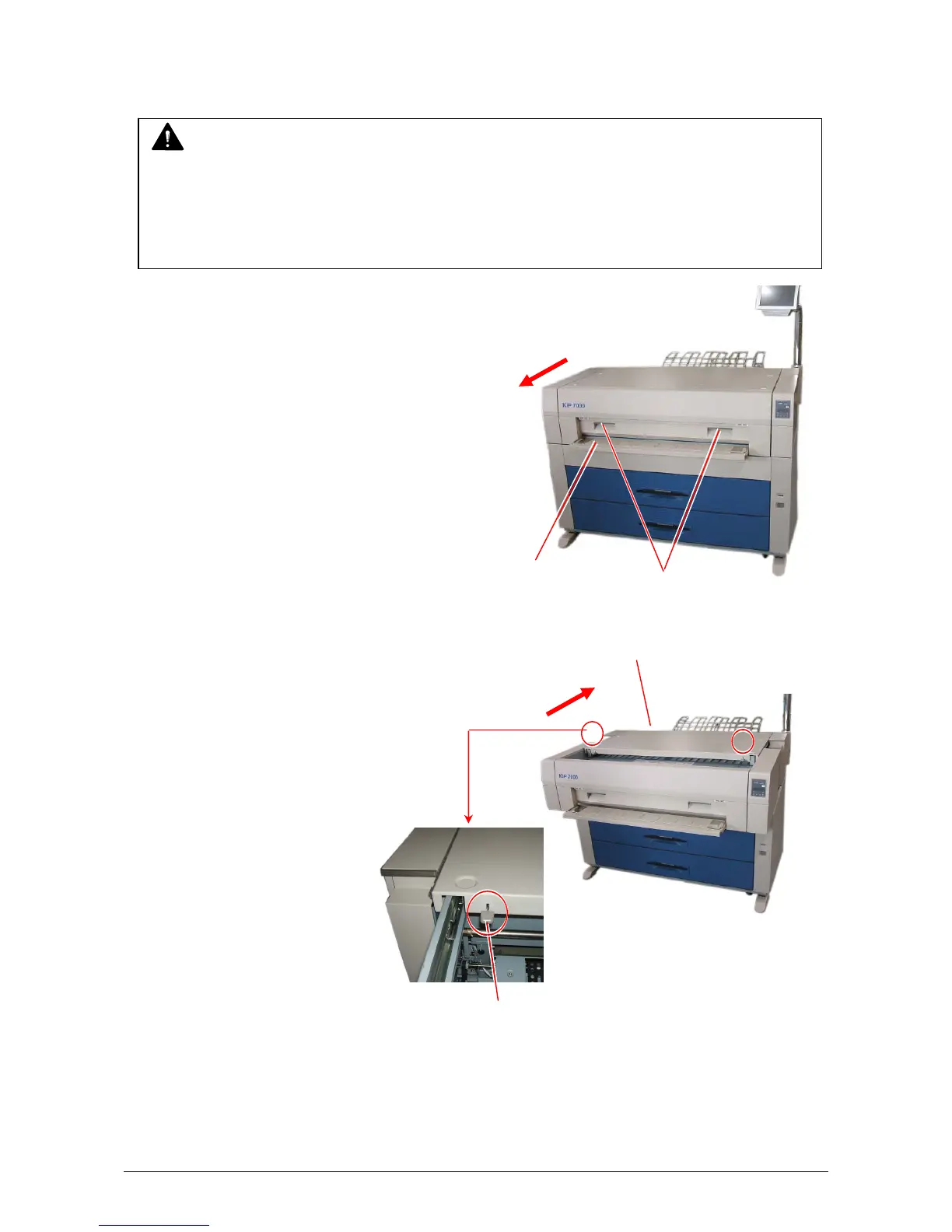
1) Press the Initial Cut Key on the User Interface (UI).
2) Open the Manual Table.
3) Pull out the Upper Frame Unit to your side
holding both handles.
4) Pull up both knobs, and then push
the Top Cover to rear side.
5) Remove the mis-fed paper.
6) Close the Top Cover and the Upper Frame Unit.
7) Close the Manual Table.
Manual Table
Handles
Top Cover
Knob
NOTE
The roll paper is cut hereby even if it has not been cut at the time of mis-feed.
(1) Once you make the Cutter work by pressing the Initial Cut Key on the User Interface (UI),
it will not work again even if you press the Cut key more times.
(2) In case the Cutter has worked already to cut the roll paper at the time of mis-feed,
it will not work even if you press the Initial Cut key on the User Interface (UI).



 To Next Page