23
INSTALLATION
INSTALLATION
■
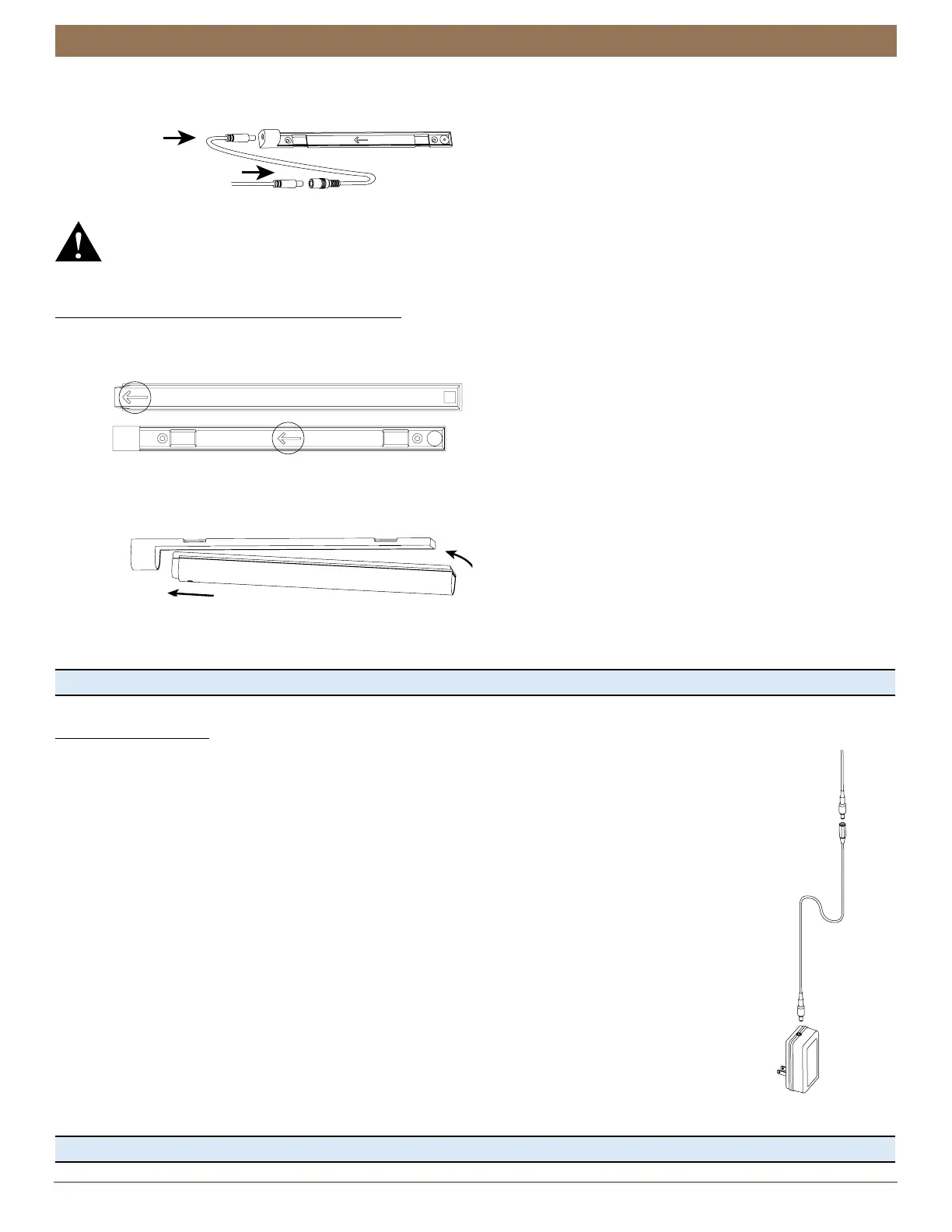
Connect the power cable from the shade to the power socket on the rechargeable battery mount. Use a 15”, 4’, 10’, or 20’
extension cable, if necessary.
WARNING: Keep cables and small parts out of the reach of children. They can wrap cables around their necks and
STRANGLE. They can also put small parts in their mouths and CHOKE.
NOTE: With longer extension cables, wire retainers (not supplied) are recommended to secure the cable.
Install the Battery Wand into the Battery Mount
NOTE: The rechargeable battery wand ships fully charged, so it is ready to install out of the package.
■
Match the direction of the arrow on the underside of the battery wand with the arrow on the battery mount.
■
Insert the nose of the battery wand into the cavity of the battery mount.
■
Push the battery wand flush into the mount until the battery snaps into place.
CAUTION: Failing to insert wand properly may cause it to fall out of the mount, posing an injury risk and potentially damaging
the wand. Additionally, when mounting on a door, closing the door with excess force may cause battery wand to dislodge from
the mount, also posing an injury risk and possibly damaging the wand.
Proceed to “Testing the Shade” on page 24.
18V DC Power Supply
NOTE: When power is connected to the motor, a blue LED inside the control button housing will flash to
indicate the shade is ready for operation.
■
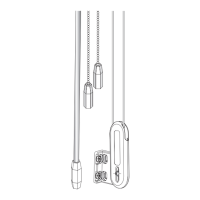
Plug the power cable from the shade motor into the extension cable.
■
Plug the other end of the extension cable into the DC power supply.
■
Plug the DC power supply into a standard outlet.
Proceed to “Testing the Shade” on page 24.
Extension
Cable
from Shade
from Shading
Extension
Cable
18V DC
Power
Supply


 To Next Page