21
INSTALLATION
INSTALLATION
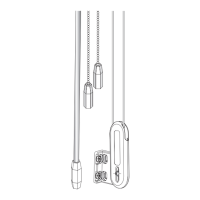
STEP 4: Connect the Power Source
NOTE: When power is connected to the motor, a blue LED inside the control button housing will flash to indicate the shade is
ready for operation.
■
Refer to the appropriate page based on your order.
➤
For an optional attached battery wand, see below.
➤
For an optional satellite battery pack, see below.
➤
For an optional headrail-mounted rechargeable battery wand, see page 22.
➤
For an optional satellite-mounted rechargeable battery wand, see page 22.
➤
For an optional 18V DC Power Supply, see page 23.
➤
For an optional 18V DC Power Supply with daisy-chain connections, see page 24.
➤
For any other Kirsch® power options, see the instructions that came with the unit.
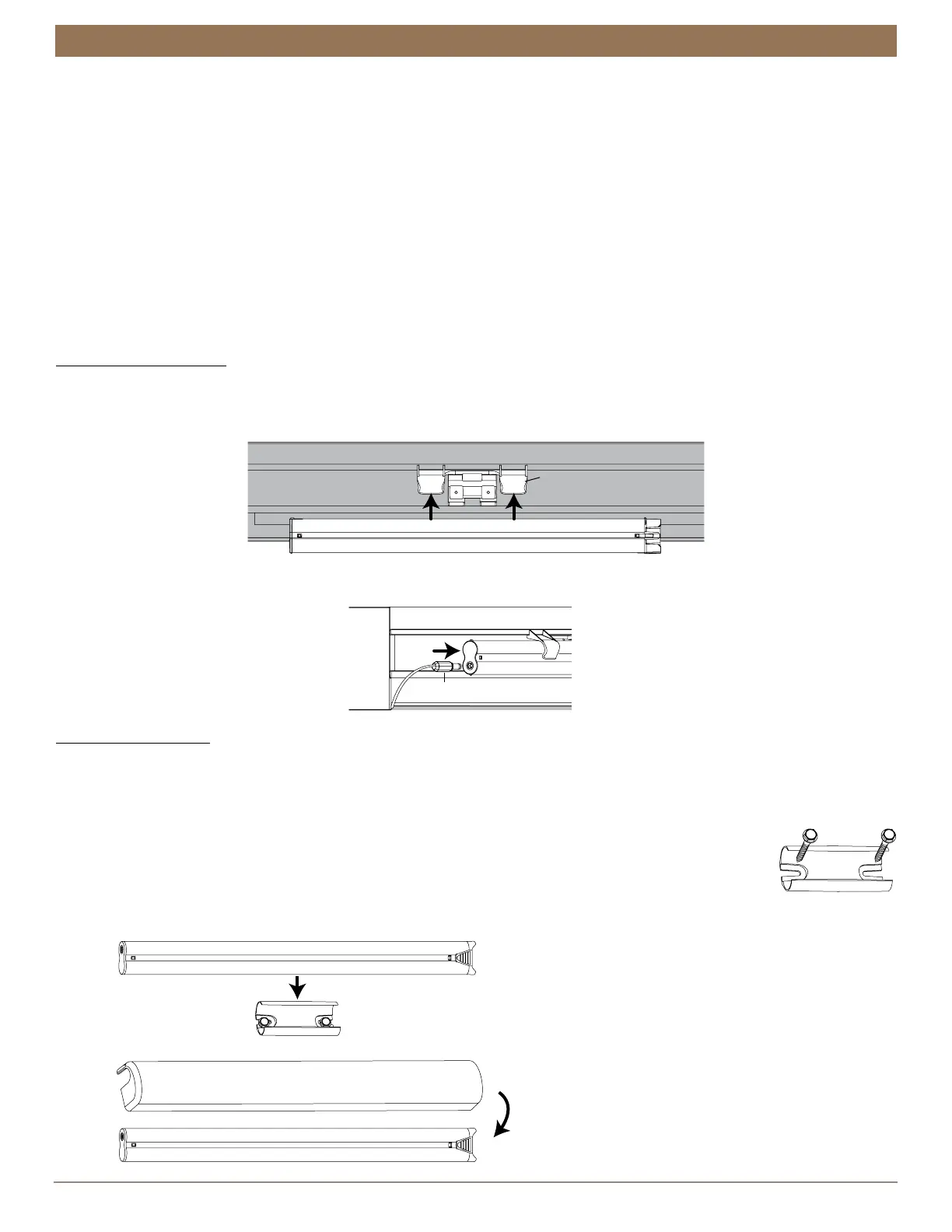
Attached Battery Wand
Plug the Power Cable into the Battery Wand
■
Snap the battery wand into the battery wand clip on the back of the cassette.
■
Connect the power cable from the motor to the battery wand.
Satellite Battery Pack
Mount the Satellite Battery Pack
■
Decide where you want to mount the satellite battery pack. A satellite battery pack may be mounted in any orientation.
■
Mark the screw holes for the wall mount bracket.
■
Drill the screw holes using a
3
⁄
32
” drill bit.
■
Remove the backing from the double-sided tape. Press the bracket into place.
■
Attach the bracket using the screws provided.
■
Position the battery wand so the power cable is easily connected to the socket.
■
Snap the battery wand into the wall mount bracket.
■
Install the cover with the slot aligned to the socket in the battery wand.
Brackets removed for clarity.
Battery Wand
Battery Wand Clip
Power Cable
Battery Wand Cover
Slot


 To Next Page