8. BOOTLOADER PROGRAMMER
8.1 Firmware loading in power board
The following must be executed without USB connection.
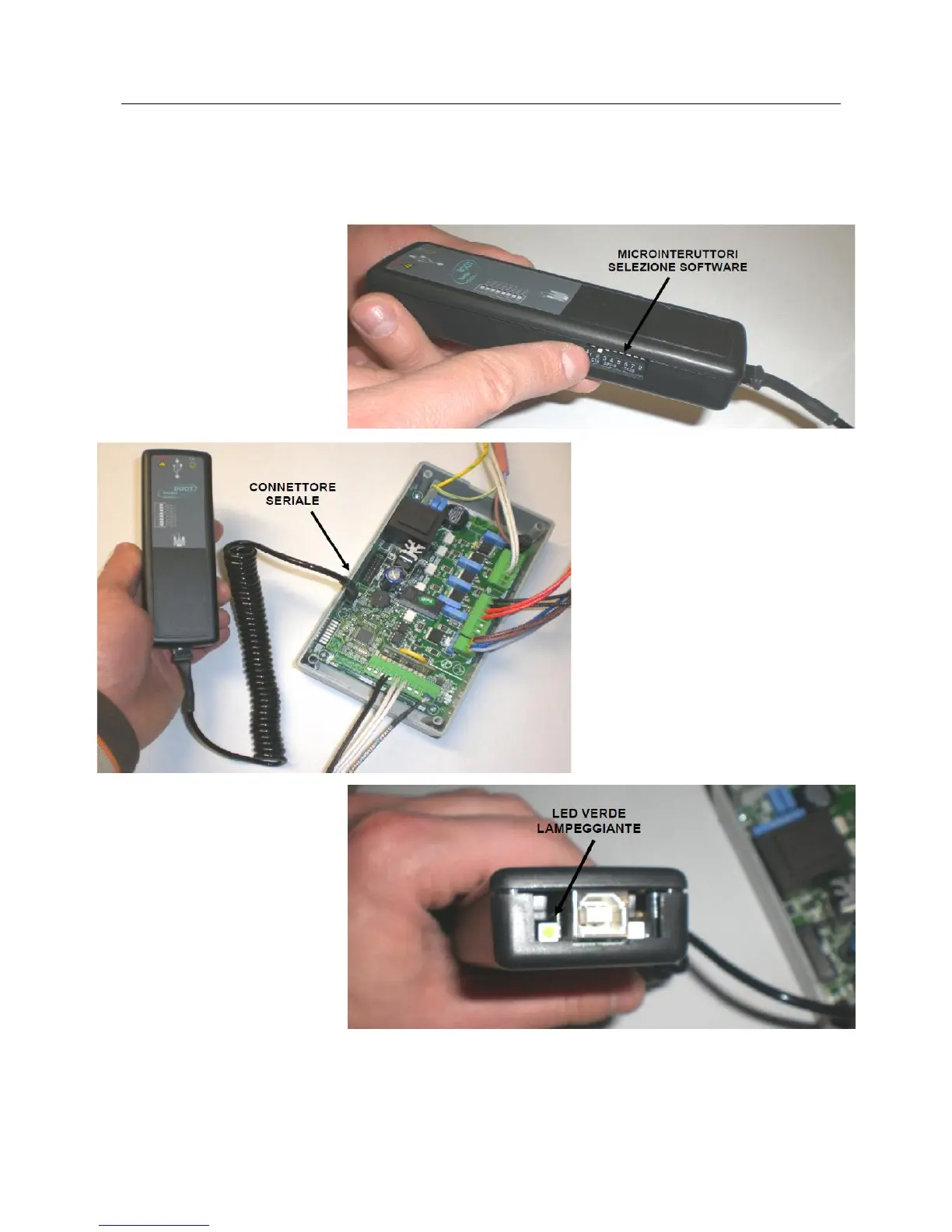
Use the microswitches to select
the firmware to be installed in
the board.
Connect the BootLoader to the
unpowered board using only the
supplied serial cable.
Power the board and see that
the green LED flashes (if not,
repeat operation) and the red
LED remains off.
Red LED switch-on informs that
file transfer from BootLoader to
board was not successful,
repeat operation.
Disconnect the BootLoader with powered board after having correctly performed all operations, use SET key
to select user menu 4 (Ut04) and set the code of the database to be loaded on lower display (see “Power
board calibrations” and “Parameters tables”) to automatically set default parameters. Ensure the set
parameters correspond to those in the USE AND MAINTENANCE manual.



 To Next Page