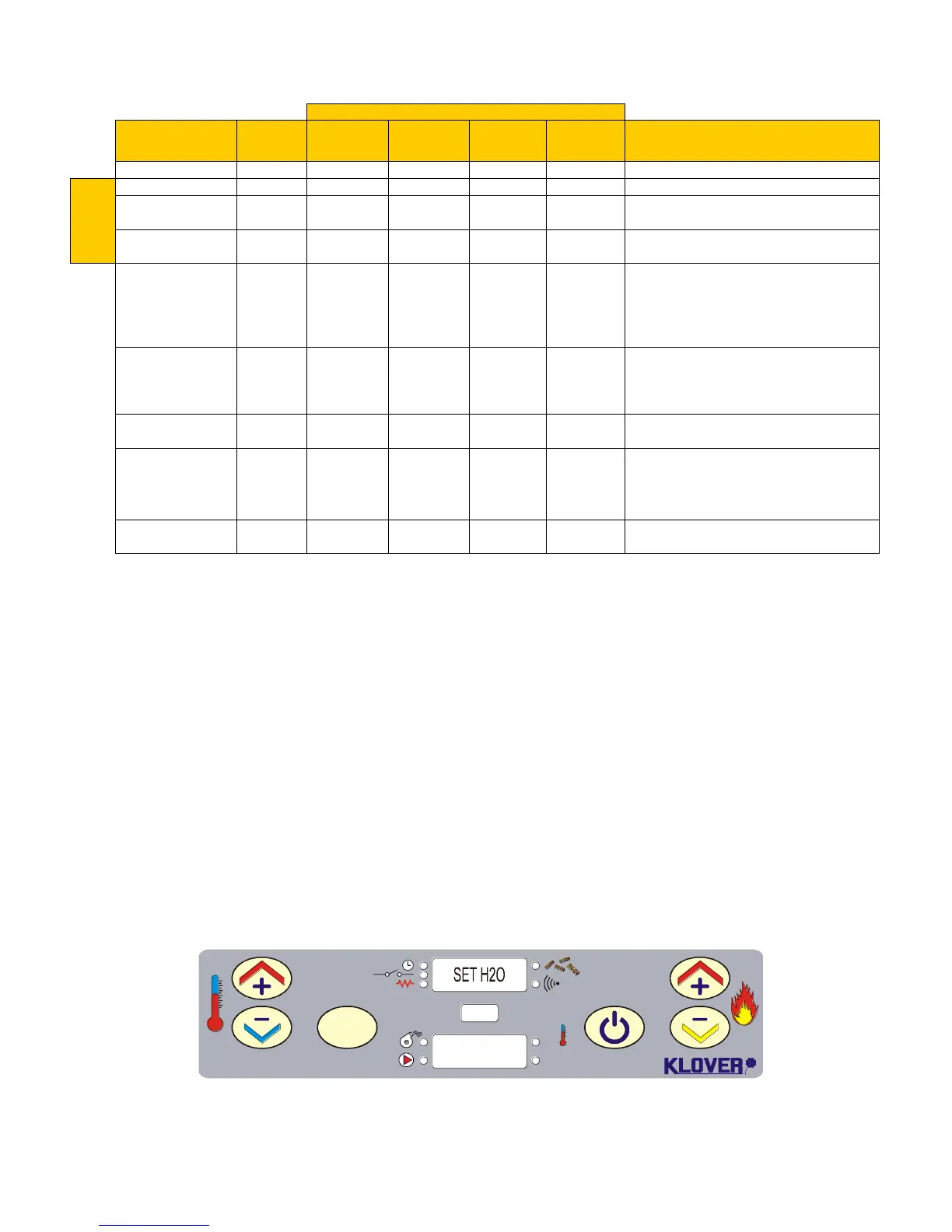
For the first 8" in ignition
For a time set on Pr01 or before reaching
temperature on Pr13 after “FUN ASP” state
For a time set on Pr02 after “LOAD PELL”
state
“Work from Power 1
to Power 5”
- H2O Temperature < “SET H2O”
- Closed room thermostat contact
- Flue gas temperature < Pr14
- No alarm detected
- Open room thermostat contact with H2O
temperature < “SET H20” and “SET SANI”
- Reached temperature set on “SET H2O”
- Reached temperature set on “SET SANI”
- Exceeded temperature set on Pr12 after
having reached temperature set on “SET
H2O”.
- Exceeded time set on Pr23 after having
reached temperature set on “SET H2O”
- Lapsed time set on Pr03
* Pump switch-on depends on whether the room thermostat contact is open or closed in this condition. In both cases, the
pump switches on if water in boiler temperature exceeds temperature set on “SET H2O” by 5°C (safety to avoid over-
temperature).
3.2 No stove ignition
If the flue gas temperature has not reached Pr13 minimum value admitted after Pr01 time has lapsed,
the stove places itself in “NO FIRE” alarm state.
3.3 Stove working
The stove goes to work phase, representing the normal functioning mode, after positive ignition (for
display conditions see “Console”).
The system pump switches on if water in boiler temperature is higher than Pr15.
3.4 Modification of DHW and water temperature setting
- Water Temperature
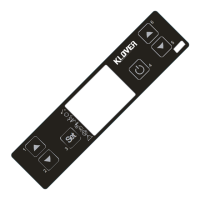
Press key 3 to select “SET H2O” (with work power set from Power 1 to Power 5) to modify water
temperature. Press keys 1 and 2. The display appears as in figure 8 during this operation.
S.R.L.
SET
OK
Set
°C
1
2 3 4 6
5
60°C
Wait 5 seconds after setting wanted value.



 To Next Page