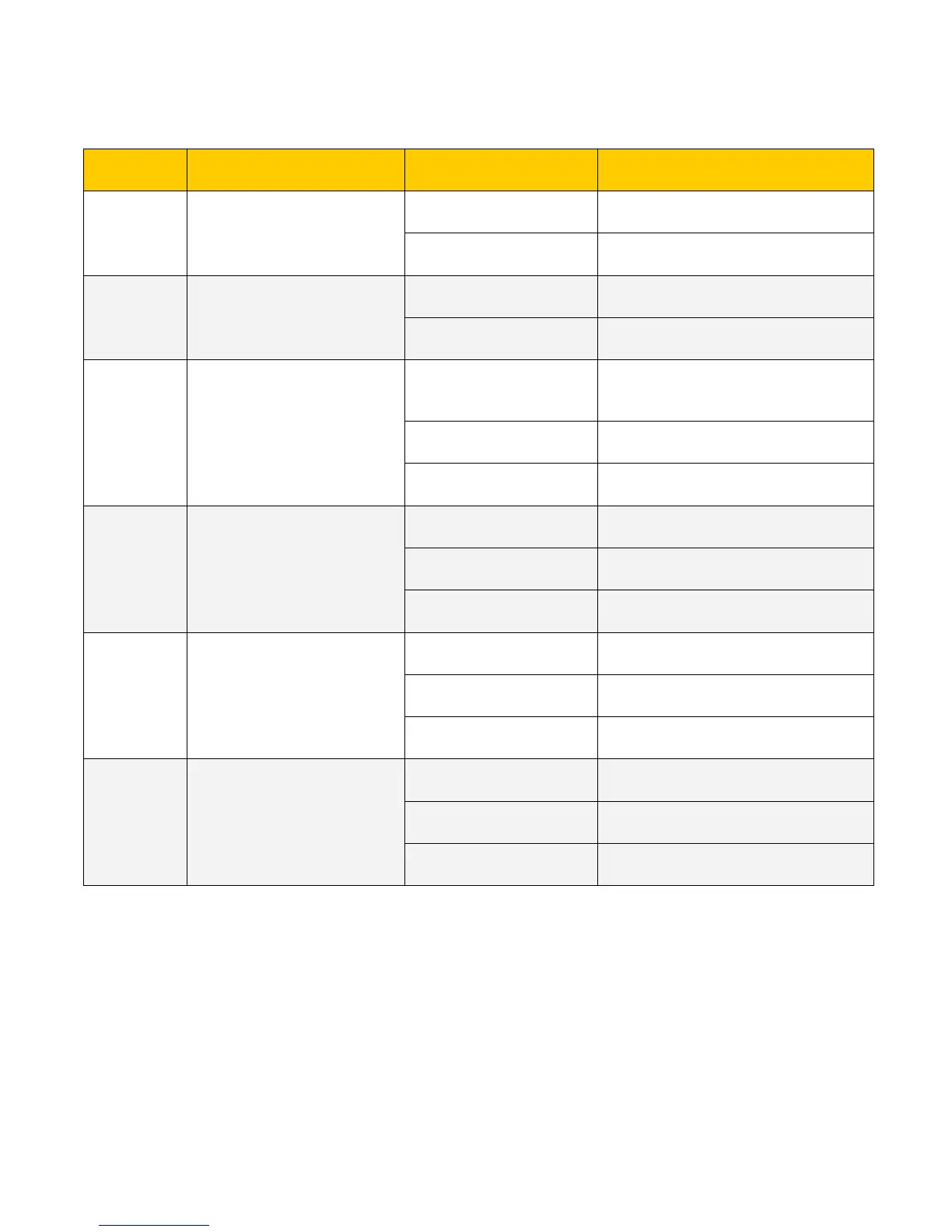
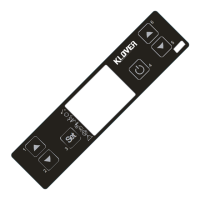
1.2 What are the buttons for
Increases temperature (1)
Modifies/increases the selected menu value.
Working/off (after having
pressed SET once).
Increases DHW/water thermostat
temperature value.
Decreases temperature (2)
Modifies/decreases the selected menu
value.
Working/off (after having
pressed SET once).
Decreases DHW/water thermostat
temperature value.
Pressed once accesses “SET H2O” or “SET
SANI”.
Consecutively pressed twice accesses the
user menu.
Accesses the subsequent sub-menu level.
In parameters programming..
Sets parameter value and goes to
subsequent parameter.
Ignites and switches off stove when pressed
for 2 seconds.
Goes to upper menu level memorising the
made modifications.
Increases stove's work power.
Goes to previous menu entry.
Goes back to previous sub-menu entry
memorising the made modifications.
Decreases stove's work power.
Goes to subsequent menu entry.
Goes back to subsequent sub-menu entry
memorising the made modifications.
(1) The flue gas temperature is displayed on upper display and water in boiler temperature on lower
display when held down.
(2) Current time is displayed when held down.
(3) Keep pressed for two seconds go directly to work phase, skipping the entire ignition cycle (see “Useful
advice”).
(4) Keep pressed for a few seconds (during switch-off) to switch-off flue gas intake device and proceed
with new stove ignition without having to wait "Stand-by" time (see “Useful advice”).



 To Next Page