KMS MP25(M)/MA25(M) manual Version 4.2
38
3.2.4.1.10.4 Boost options
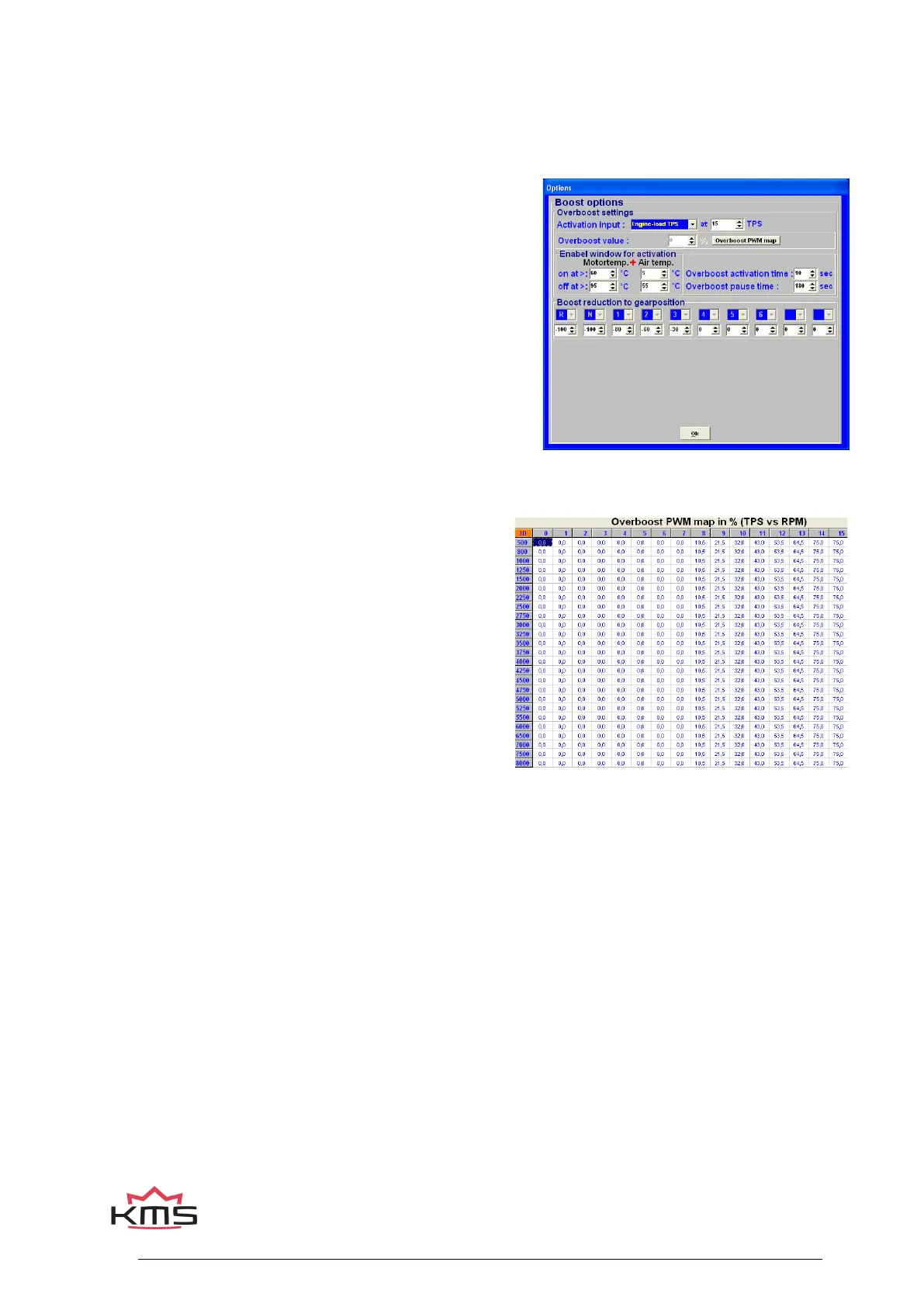
Clicking the ‘Boost options’ tab gives you a pop-up screen where the overboost and boost-reduction
settings can be setup.
3.2.4.1.10.4.1 Overboost settings
This system allows overboost for a limited time span. This
rise above the normal boost pressure can be activated by
various variables (refer to ‘activation input’).
Activation input:
In the pulldown menu you can select which variable will
trigger overboost. Behind the variable the value can be set
from which the overboost is allowed.
Overboost value:
When overboost is triggered, the boost pressure will rise
above the target value by the percentage entered here.
Only when PID control is activated.
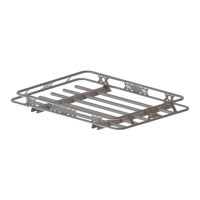
Overboost PWM map:
If overboost is active, the system will use the overboost
PWM map.
The values in the boost PWM map can be easily copied
to the overboost PWM map by selecting the cells and
choose ‘copy boost to overboost map’. So the values in
the overboost PWM map can easily be increased by a
percentage over the boost PWM map values.
3.2.4.1.10.4.2 Enable window for activation
Here you can set the margins within overboost is permitted. This to prevent engine damage.
Engine temp. + Air temp. On/off at>:
The overboost starts/stops when the engine temperature and air temperature are higher/lower then
the specified values.
Overboost activation time:
Specifies the time span during which overboost functions are active after being triggered.
Overboost pause time:
To prevent the overboost from being activated too rapidly (after a preceding overboost), you can
set a pause interval here before overboost can be triggered again.


 To Next Page