KMS MP25(M)/MA25(M) manual Version 4.2
54
3.2.10 Function key F10
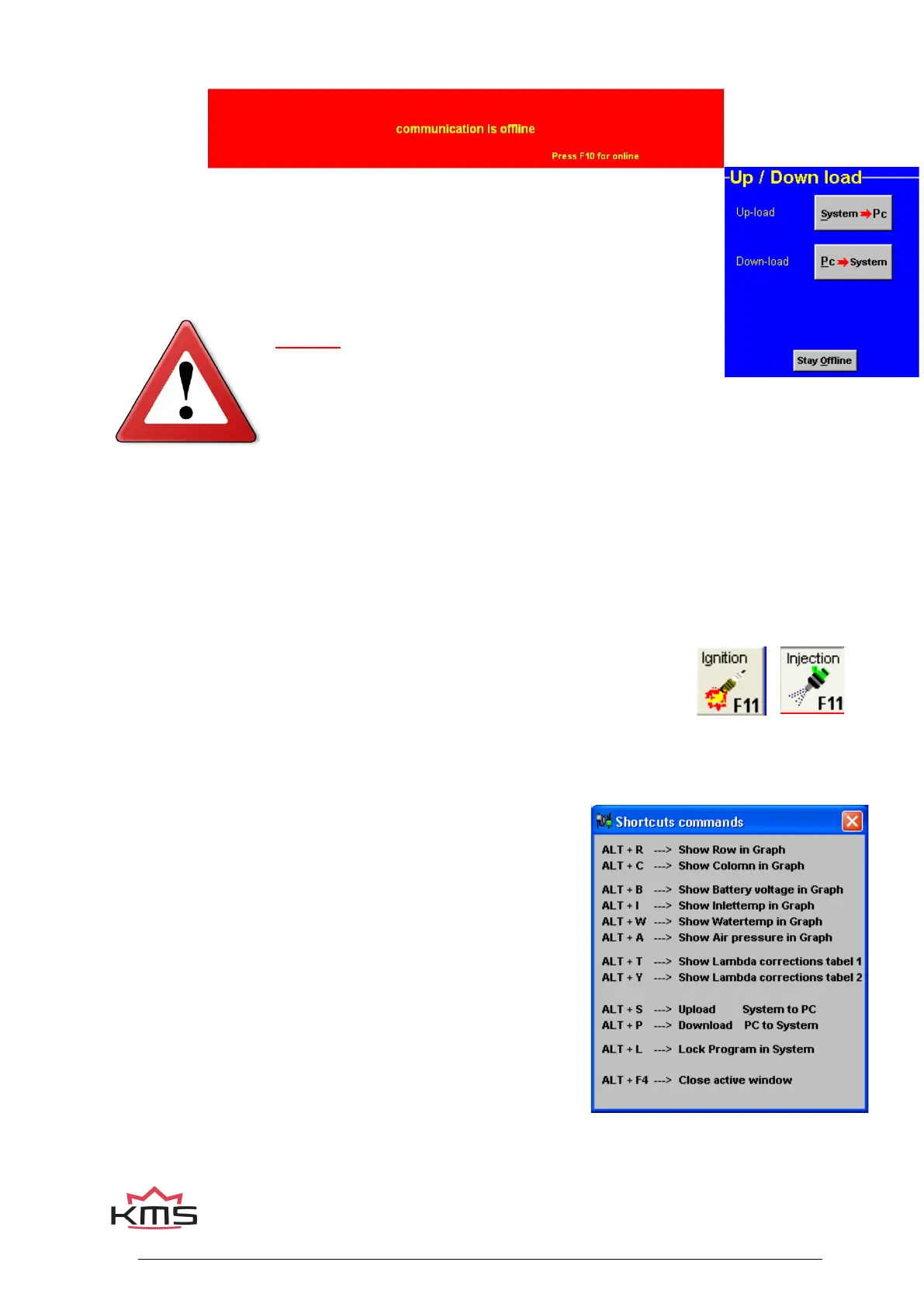
Function key F10 offers the choice of working off-line or on-line. It switches
communication with the system on or off. Communication will also be stopped when
the power supply to the system is broken. If there is no communication, a red bar
will appear at the bottom of the screen. To resume the communication with the
system, function key F10 should be pressed. A menu will appear offering a choice
between loading the file on the PC to the system and loading the file in the system to
the PC. There will still be the possibility of breaking the communication again.
Warning:
Make sure that the battery of the vehicle supplies more than
10V. If the battery doesn’t exceed 10V the changes you made to the ECU
will not be saved.
Tip: On vehicles with an ignition lock switched in such a way that the power supply to the system is
cut off when the engine is started, always download the data from the PC to the system (as in the
PC the modified data will not get lost when the power supply to the system is broken). This is of
course only necessary if the data has not been saved to the system.
3.2.11 Function key F11
This function key is used to toggle between the injection diagram (blue) and the
ignition diagram (red).
3.2.12 Remaining shortcuts Alt + H
To activate this menu press Alt+H. In this menu the remaining
shortcuts are shown.


 To Next Page