KMS MP25(M)/MA25(M) manual Version 4.2
59
4.3 3D graph changing
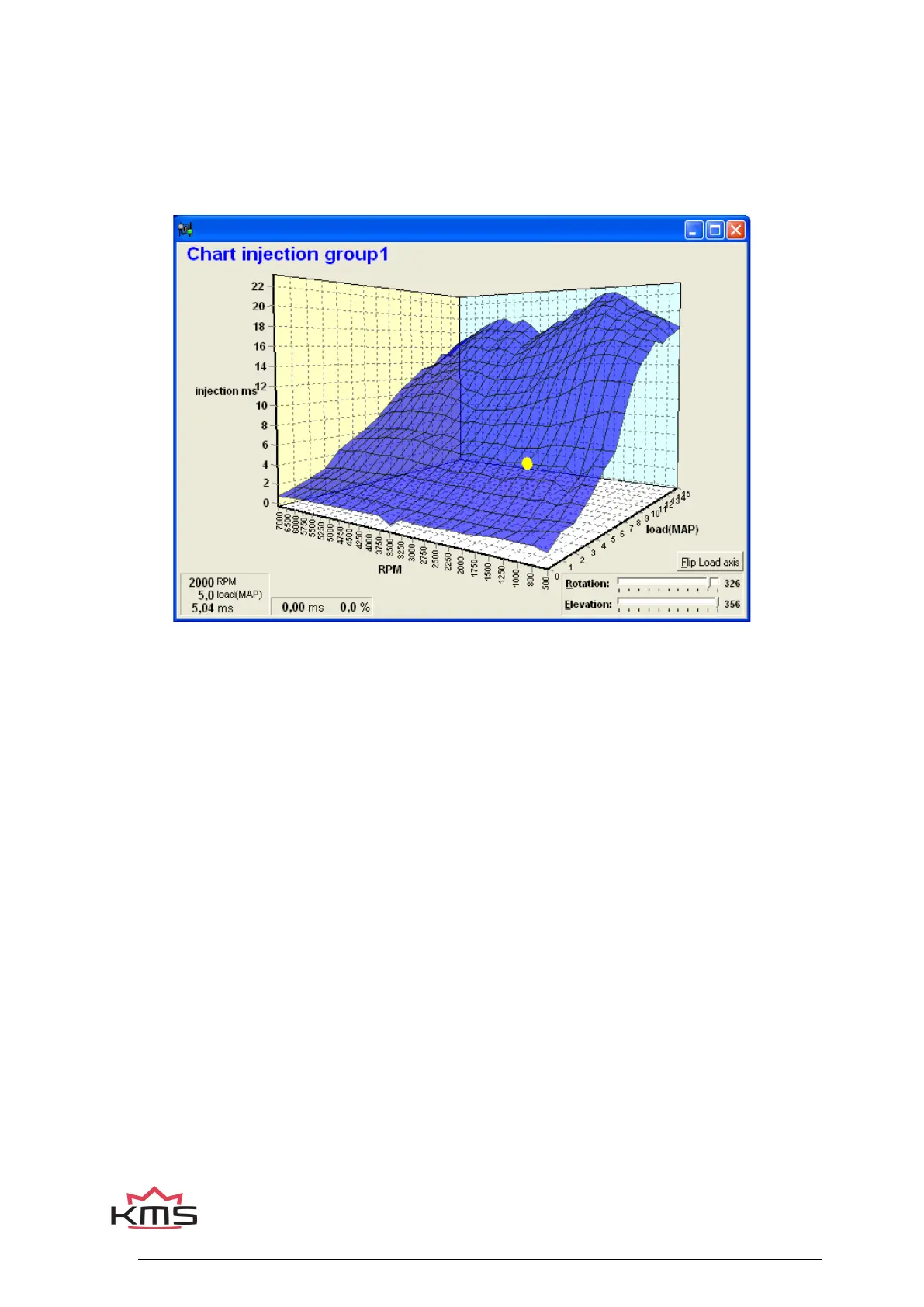
The combination of columns and rows of the diagrams can also be shown in the form of one 3D
graph.
You can go to an engine speed-engine load by moving the yellow spot using the arrow keys.
When the Ctrl key is pressed simultaneously with upward or downward arrow key, the value will go
up or down 1.00 with each touch of the key. If the Shift key is pressed simultaneously, the value
will change 0.10 per touch and if instead of the Shift key the Alt key is pressed, the value will
change 0.01 per touch.


 To Next Page