KMS MP25(M)/MA25(M) manual Version 4.2
7
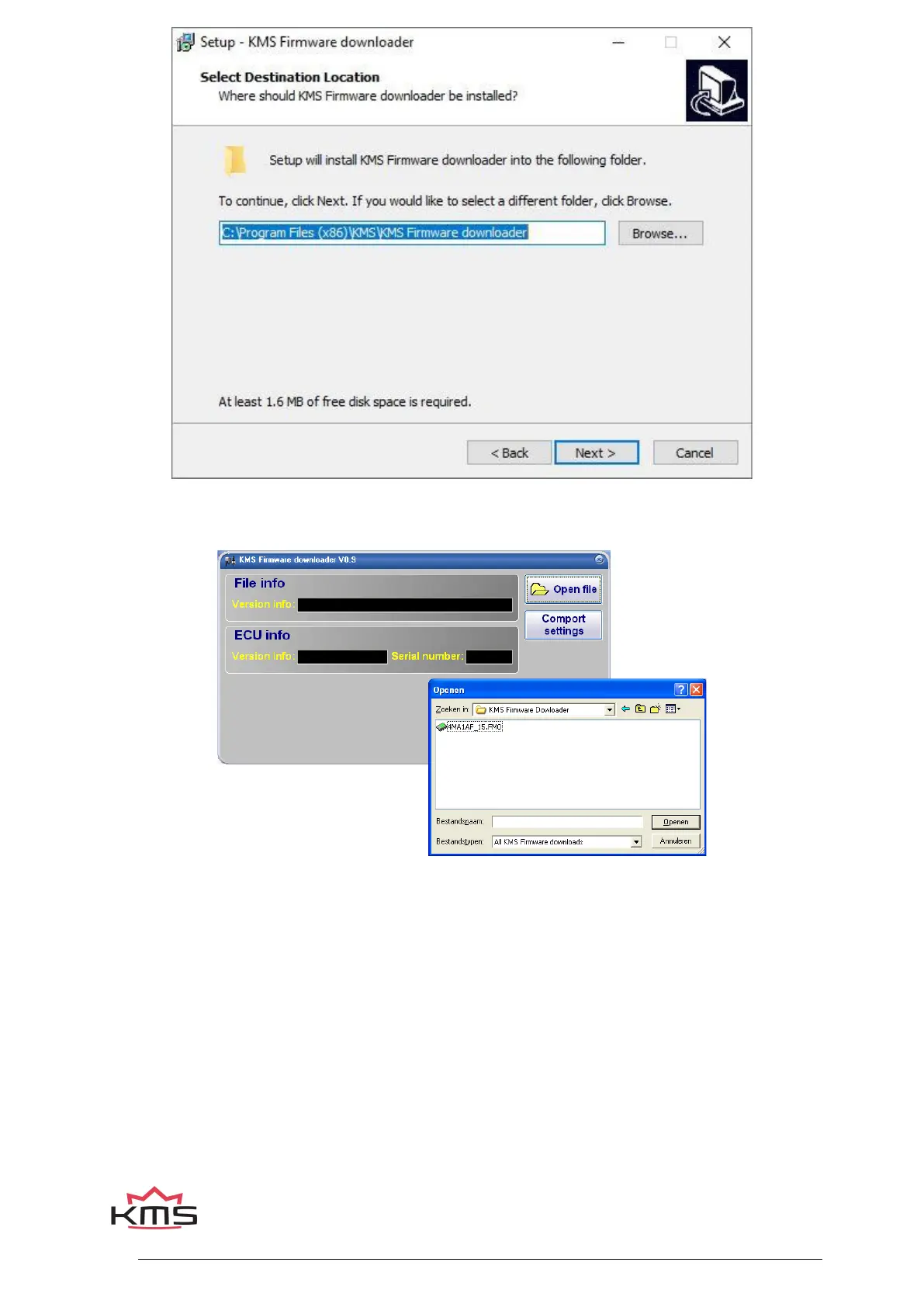
With the firmware downloader this update file can be sent to the ECU (only 1 of the 3 files is visible
within the firmware downloader, (see figure below).
The MD35 update file starts with the number 4 and also has extension *.FM1.
Once installed, the program is set to work via communication port COM1. If this port is already being
used or not available, another communication port can be used. For the procedure to change the
communication port, see 3.2.4.1.17 Communication port.
(USB connections have the most various numbers of communication ports, so make sure you’ve got
the communication port right. For settings and finding the right communication port check paragraph
3.2.4.1.17 Communication port)


 To Next Page