36
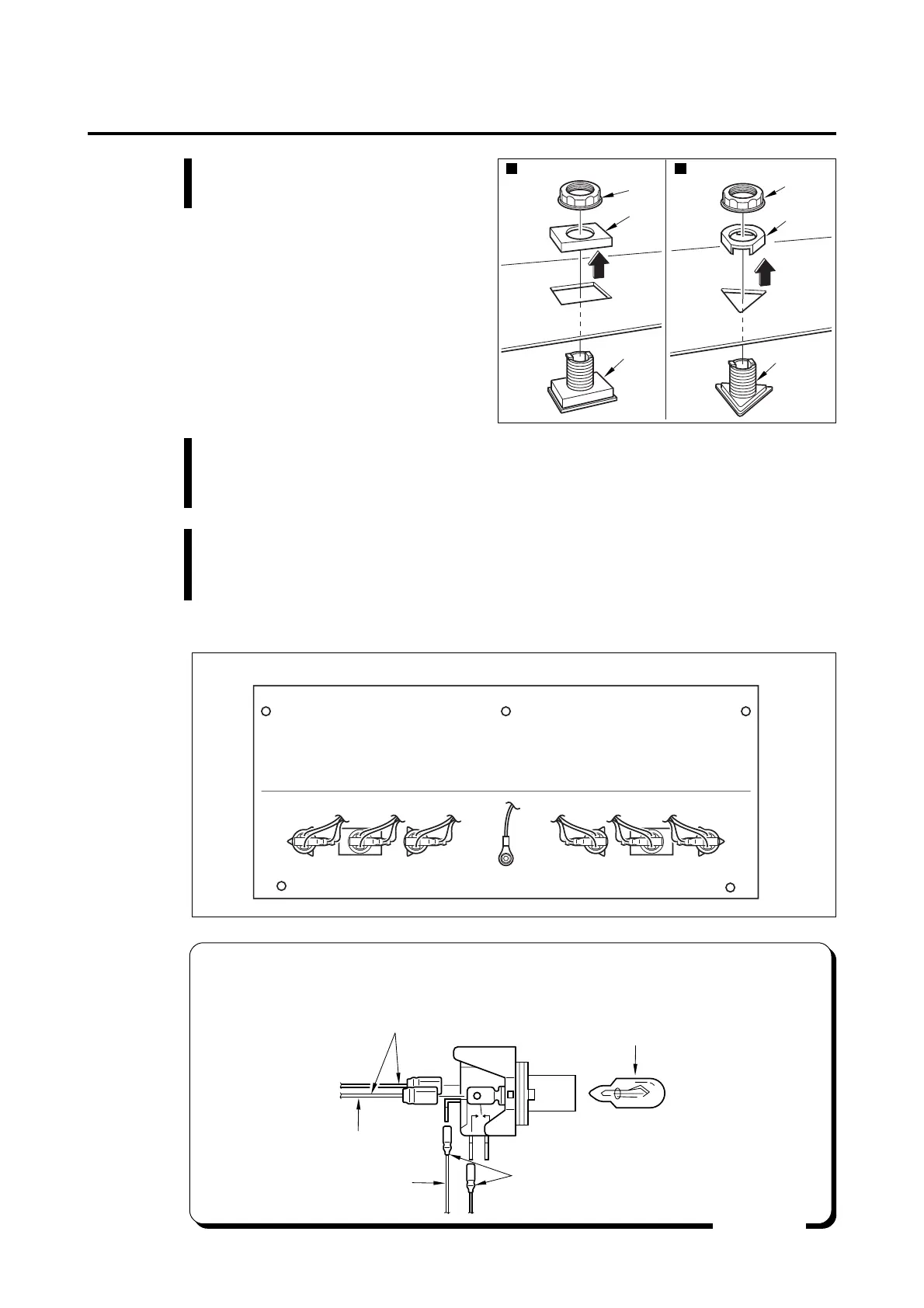
Nut
Guide
Nut
Guide
Button
Button
Start button Select button
7 Maintenance
•After replacement of socket and lamp
After the replacement of socket, connect the wires in the manner as shown
below.
MEMO
Wires for micro switch
Black
Orange
Remove it by pulling from socket
Code No.: 0000049453
Wires for button lamp
COM
NO
5 Loosen the nuts and separate the
button.
6 To fit the button again
Set the buttons so that the projections at the back side of buttons should fit
into the holes of panel and fix them by nuts.
7 Pay attention to the posture of buttons, and sockets and assemble them in the
reverse of disassembly, using care not to confuse the wires. Pay attention
not to pinch the wires when mounting the panel to the cabinet unit.
•Posture of plugs as viewed from the back of panel









 To Next Page