35
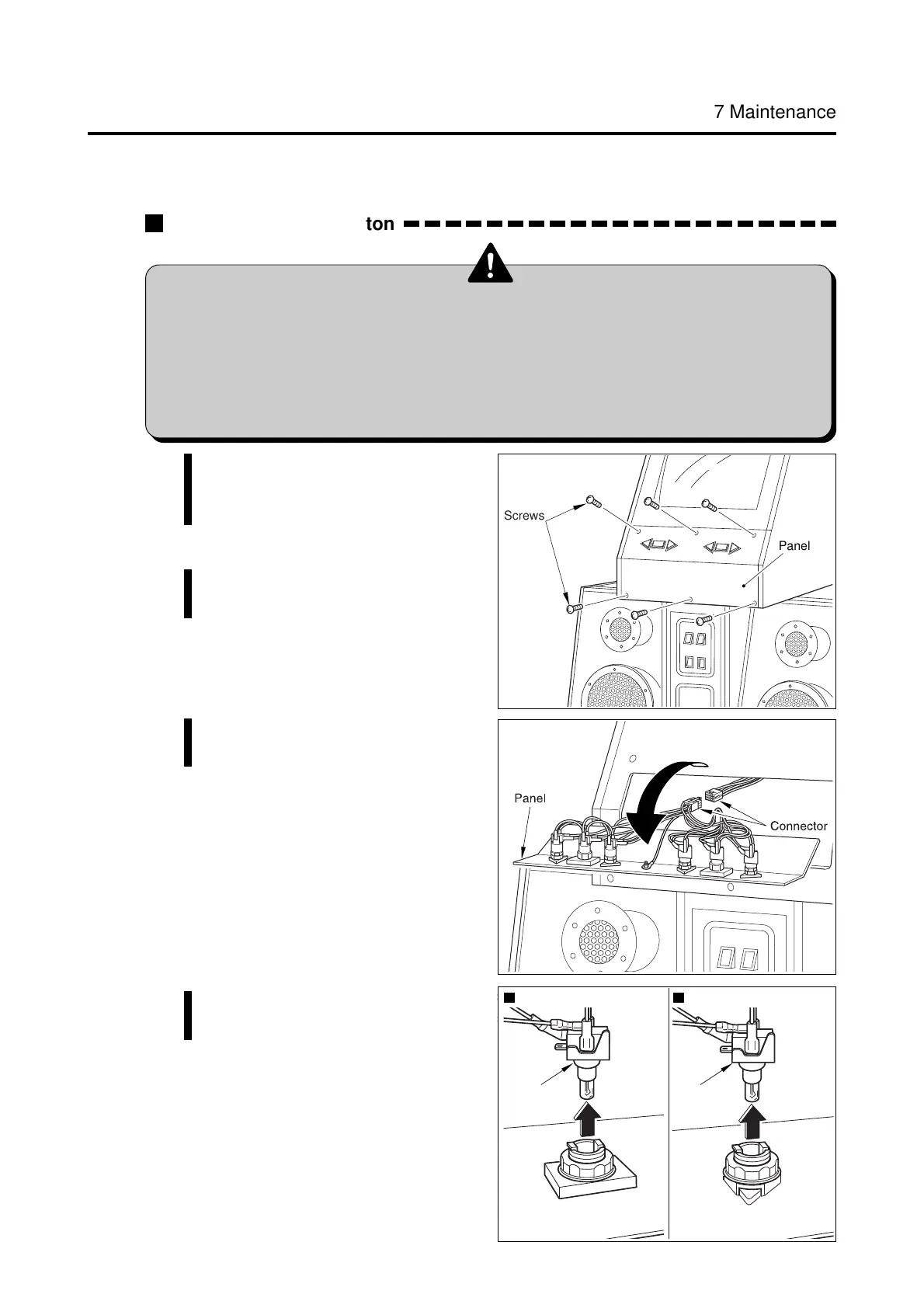
Start button Select button
Socket Socket
Screws
Panel
7 Maintenance
How to replace the button
•Before replacing the button, be sure to turn OFF the main power switch
and unplug the power cord from the receptacle.
•When replacing parts, be sure to use parts of the correct specifications.
Never use parts other than the specified ones.
•Strictly refrain from disassembly and repair of parts which are not indicated
in this manual, as well as settings and remodelling.
7-4 Replacing the button
1 Be sure to turn OFF the main power
switch and unplug the power cord
from the receptacle.
2 Remove the screws and lift the
panel.
3 Disconnect the connectors and
dismount the panel.
4 Pull out the sockets from the
buttons.














 To Next Page