AS-11.65.037
32 (40) (A) 2009-10-16
KDL16
Maintenance Instruction
© 2009 KONE Corporation
All rights reserved.
Disclosure prohibited
APPENDIX B.ADJUSTING LOAD WEIGHING DEVICE (LWM)
Step Action Illustration/Note
1 Set LWD setup (6_74) parameter to -2.
2 Set Save (6_99) parameter to 1. Value is returned automatically to 0.
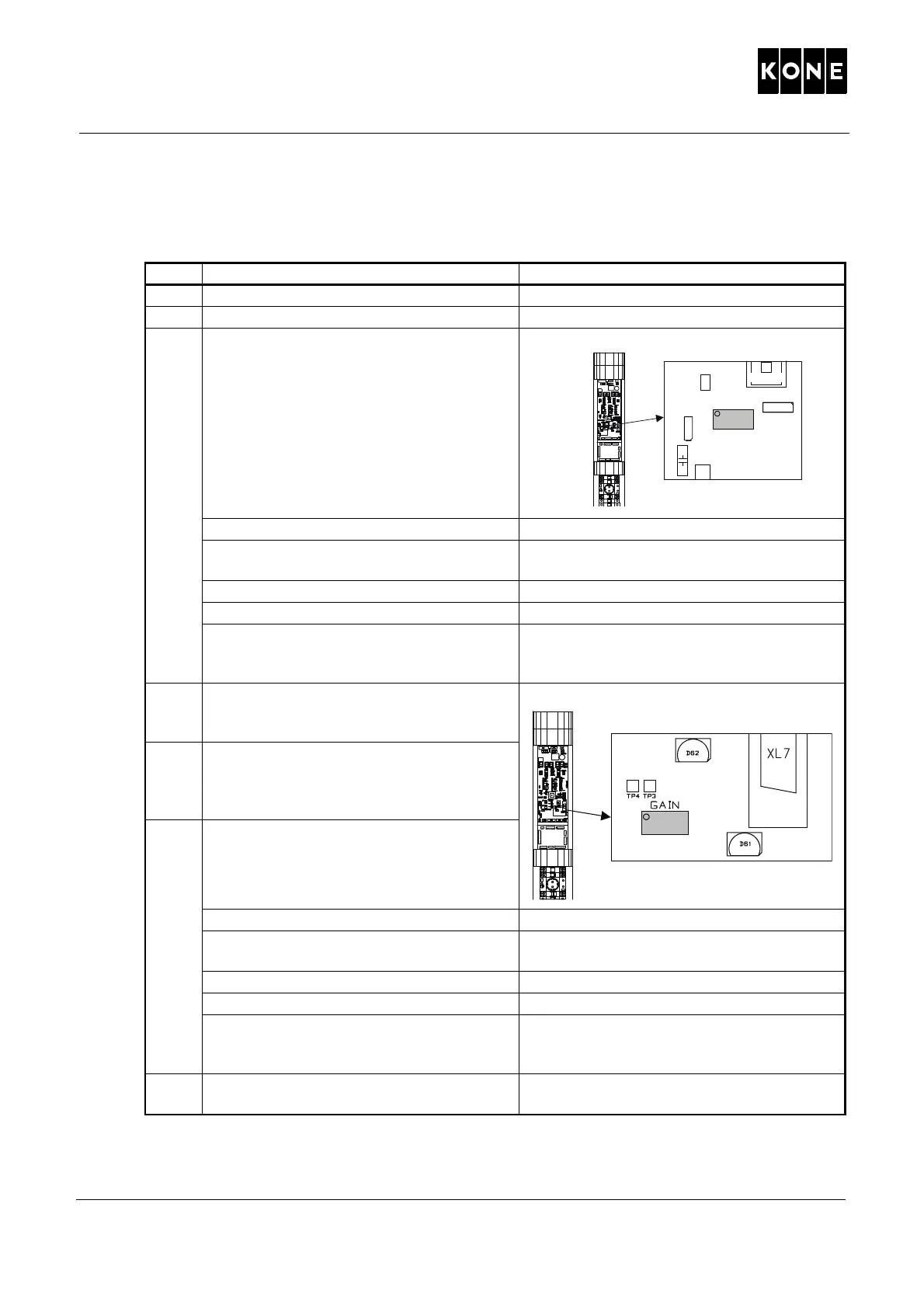
3 Adjust the load weighing device OFFSET
setting to 0%.
Action Display
Push MENU button until there is number 5
on the MENU display.
5 _ _ __
Push ACCEPT button. 5 _1 _ __
Push ACCEPT button. L _ _ (xx where xx is load %)
Turn the OFFSET potentiometer on LOP-
CB board until there is number 0 on the
screen.
L _ _ 0
4 Drive the car to a suitable height at the top
of the elevator shaft and lock it with
blocking device.
5 Open the brake and wait until the load
display is steady. Close the brake and open
again for a few seconds to ensure that all
the tension is released.
6 Set the GAIN of the load weighing device
with the LOP-CB in the MAP.
Action Display
Push MENU button until there is number 5
on the MENU display.
5 _ _ __
Push ACCEPT button. 5 _1 _ __
Push ACCEPT button. L _ _ xx (where xx is load %)
Adjust the potentiometer GAIN until there is
50% on the MENU display. Check the value
from the site survey form.
L _ _ 50
7 Check the setting by releasing the brake
again. Close the brake.
If the reading is not stabilized, readjust the
load weighing device.
a
1150ay.wmf
XL1
XL8
XL9
BUFFER TEST
X
L2
XL3 XL4 XL5 XL6
OSG TEST
INTERCOM
CAR CALL
UP CALL
DOWN CALL
1008802.wmf
OFFSET
R127
C77
F2
X3
R16
D59
S1



 To Next Page