AS-11.65.037
33 (40) (A) 2009-10-16
KDL16
Maintenance Instruction
© 2009 KONE Corporation
All rights reserved.
Disclosure prohibited
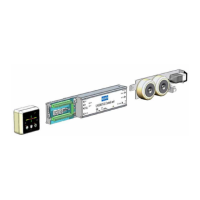
APPENDIX C.ADJUSTING OFFSET POTENTIOMETER (LCEVTC)
Step Action Illustration/Note
1 Set jumper X1 and X2 positions on the
LCEVTC board.
2 Use MENU button to navigate to menu
LWD adjustment (5_1) parameter and
press ACCEPT button.
LCECPU displays load in elevator in
percentage of full load.
3 Adjust the OFFSET potentiometer on the
LCEVTC board so that the LCECPU shows
0.
Turning potentiometer clockwise increases
the value.
If the value of 0 cannot be reached, re-set
the jumper positions:
• If the value in first adjustment is less
than 0 use jumper setting A. If the
value is still less than 0 use jumper
setting B.
• If the value in first adjustment is
more than 0 use jumper setting C.
4 Place 50 % of the rated load in the car.
5 Adjust the GAIN potentiometer on the
LCEVTC board so that the LCECPU shows
50.
6 Remove the weights from the car.



 To Next Page