3-28
Touch
OK
.
The Basic Screen will be restored.
3
Enter the desired print quantity from
the control panel keypad.
Press
START
.
4
5
To select Stack mode, dese-
lect all the keys.
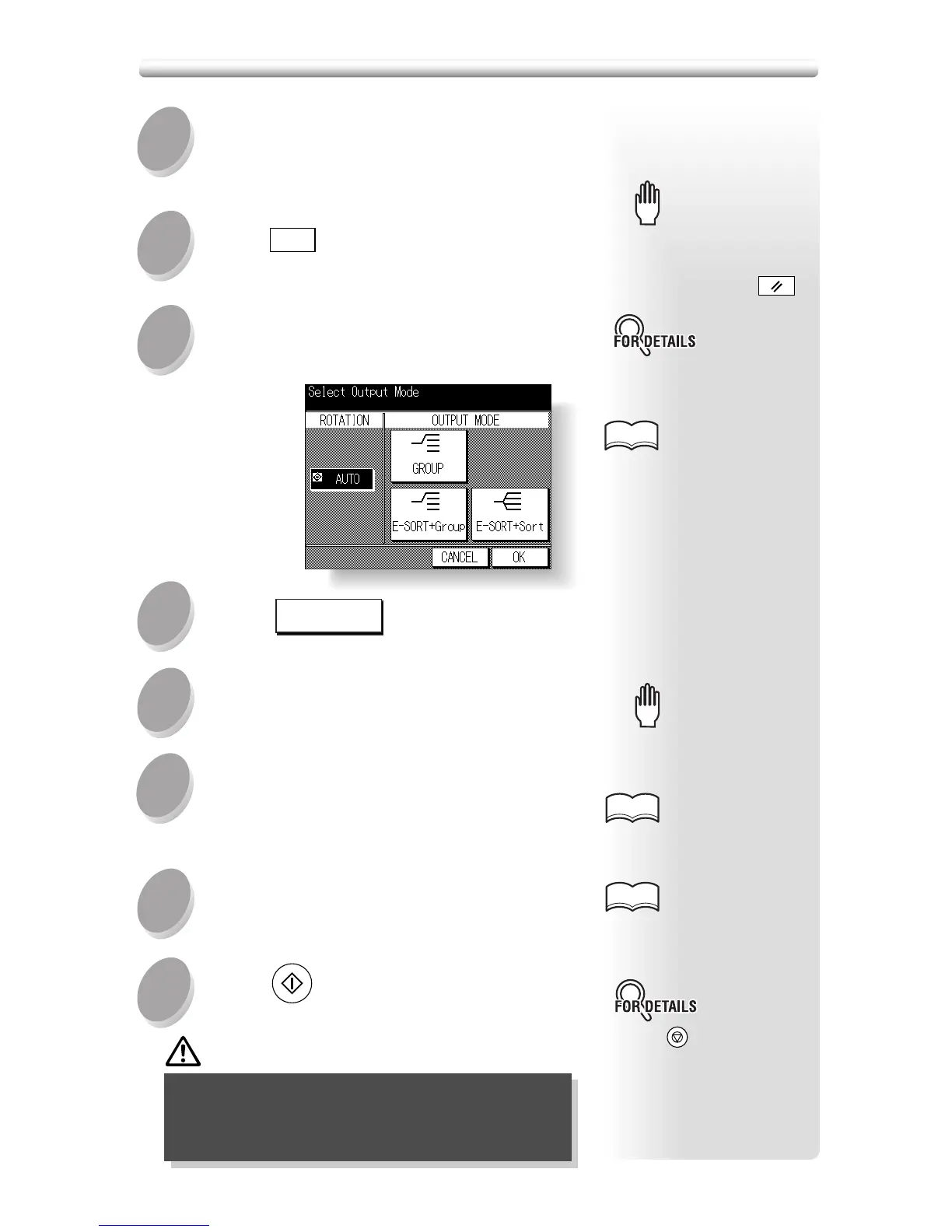
Select the desired output mode.
Touch the desired key on the Output Mode Screen.
Stack mode is initially se-
lected. Key operator can
change the initial output mode
from Stack to E-SORT + Sort
or E-SORT + Group. See p.
12-10.
HINTS
Select additional copy conditions, as
desired.
6
7
8
Position original(s) FACE UP in the
document feeder or FACE DOWN on the
platen glass.
Please Be Reminded!Please Be Reminded!
See p. 9-2 to be sure that the
exit tray capacity is not ex-
ceeded.
See p. 3-7 for details on set-
ting print quantity.
See p. 3-2 to p. 3-6 for details
on positioning originals.
HINTS
HINTS
Press
STOP/CLEAR
to suspend the
scanning or printing job.
CAUTION
When the paper exit tray capacity is exceeded
due to the print quantity selected, remove the
copied sets as they exit; otherwise, mishandled
paper will occur.
Output Mode for Machine without Finisher (continued)
Load copy paper.
When using E-SORT + sort or E-SORT + group
mode, load the same paper size into two trays in
different orientation.
1
Press
OUTPUT
on the control panel.
2
Please Be Reminded!Please Be Reminded!
When starting a new copying
job, be sure to close the RADF
securely, then press
AUTO RESET
.





 To Next Page