66
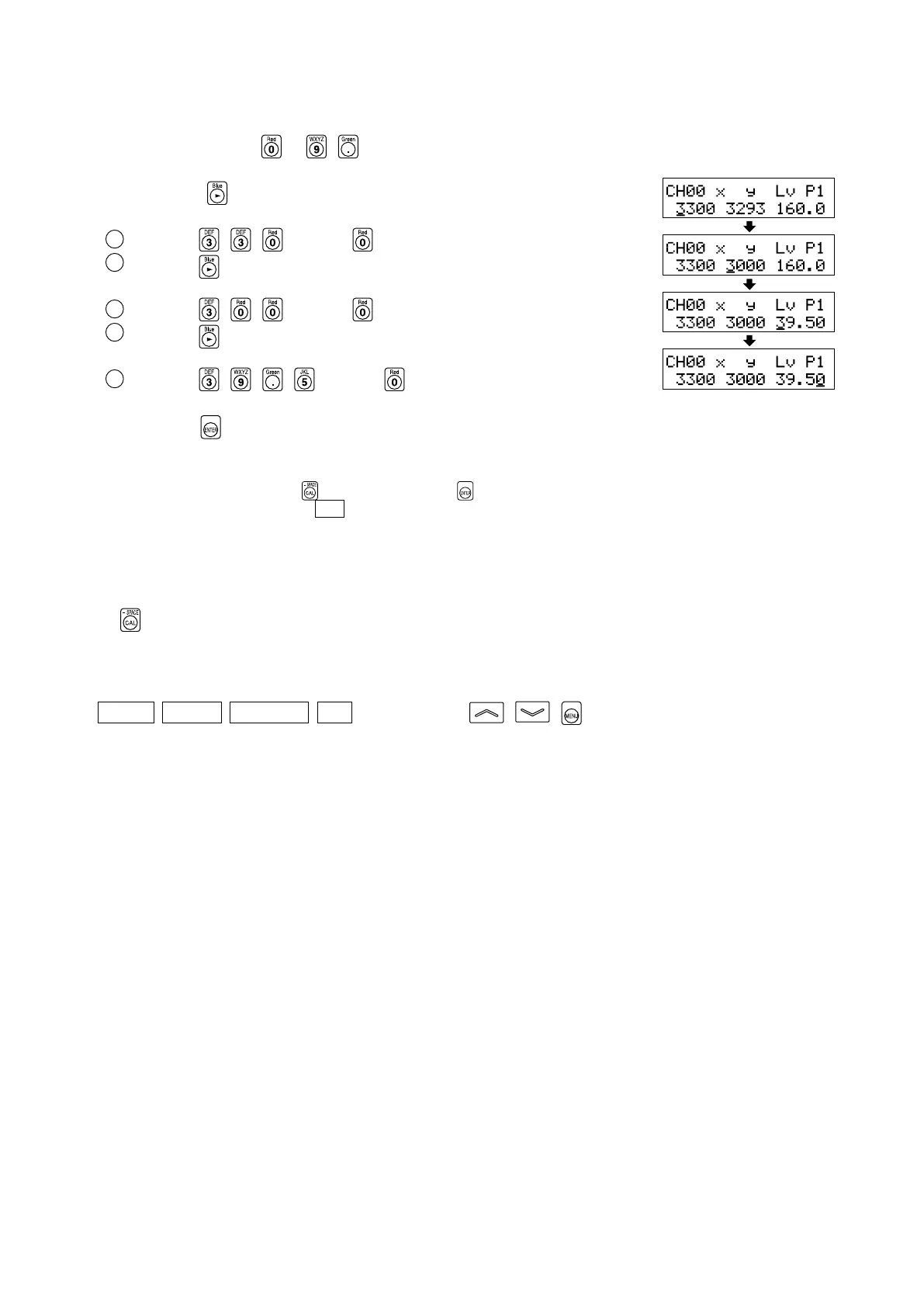
3. Enter target color values (x, y, Lv).
For x and y, a value 10000 times the calibration value must be entered.
Use the number-key (
to , ) to enter the value.
The cursor moves to the right each time a value is entered.
Each time the
key is pressed, the cursor moves in the order x→y→Lv→x.
In this example, x=0.3300, y=0.3000 and Lv=39.50 are entered.
1 Press the , , and then key to enter the “x” value.
2 Press the key.
The cursor (_) will move to “y”.
3 Press the , , and then key to enter the “y” value.
4 Press the key.
The cursor (_) will move to the “Lv” position.
5 Press the , , , and then key to enter the “Lv” value.
4.Press the key.
The target color will be set to CH00.
*To cancel target color setting, press the key before pressing the key.
*
To view the target color you set, press the MR key. (For details, refer to page 73.)
*By default (factory setting), x=0.3127, y=0.3293 and Lv=160.0 (cd/m
2
) are set for the memory channels for which no target color has
been set.
<Notes when Setting/Changing the Target Color>
● The key may not be operable if “OVER” is displayed on the LCD display section.
● Note that the target color is common to all measurement modes (xyLv, T∆uvLv, analyzer, u'v'Lv, XYZ).
● Never press the following keys during target color setting.
Doing so will cancel setting and activate the mode corresponding to the pressed key.
( 0-CAL , MODE , REMOTE , MR , MEMORY CH , , )















 To Next Page