88
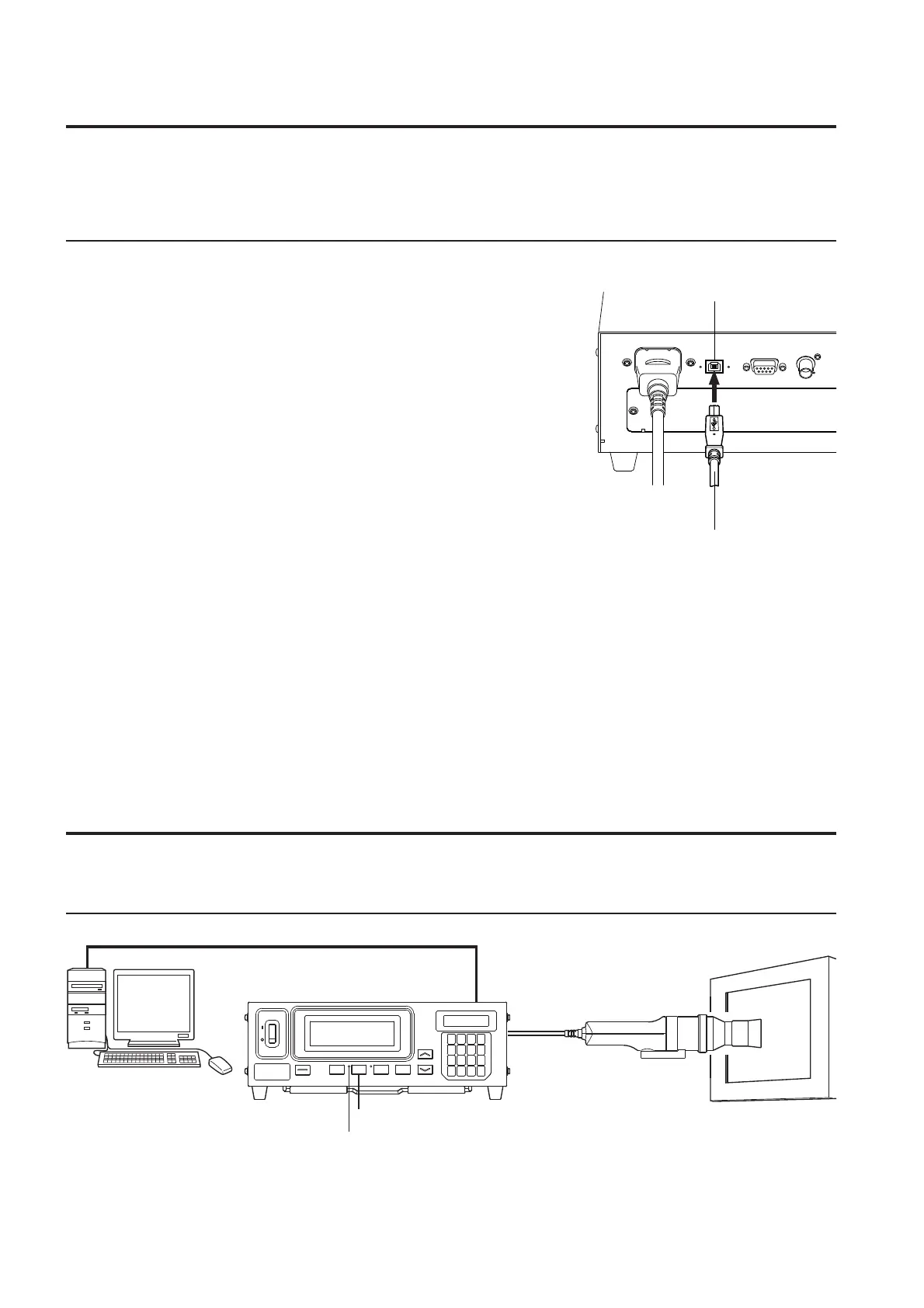
3. Communicating with PC via USB
The USB cable can be connected/disconnected even if the power to the instrument is ON. However, in this manual,
the power must be turned OFF before connecting the USB cable.
[Connecting Method]
1
. Set the POWER switch to OFF(O).
2
. Connect the USB cable to the USB port on the in-
strument.
3
. Check that the USB cable’s plug is fully inserted and
connected fi rmly.
●
Use the USB cable IF-A27 of optional accessory.
●
When disconnecting the USB cable, pull it by holding the plug. Never
pull the cable by its cord.
●
Pay attention to the shape of the USB cable’s plug and make sure that
the correct USB plug is connected to the USB port on the instrument.
●
If the computer has two or more USB ports, the USB cable can be
connected to any of them.
●
When used at the same time with other machines, sometimes it will
not work normally.
<Notes on Communication via USB>
●
One computer can control up to fi ve instruments.
●
If you want to control more than two instruments from one computer via both RS-232C and USB, connect only
one instrument via USB. It is not possible to control instruments via RS-232C, when you connect two instru-
ments or more via USB.
4. Remote Measurement
In remote measurement mode, the instrument is controlled from the computer.
[Operating Procedure]
1
. Press the REMOTE key.
The REMOTE LED will light up, indicating the instrument is ready for remote measurement (i.e. ready for
communication via RS-232C or USB).
1
USB port
RS-232C cable or USB cable
REMOTE LED
USB cable















 To Next Page