13
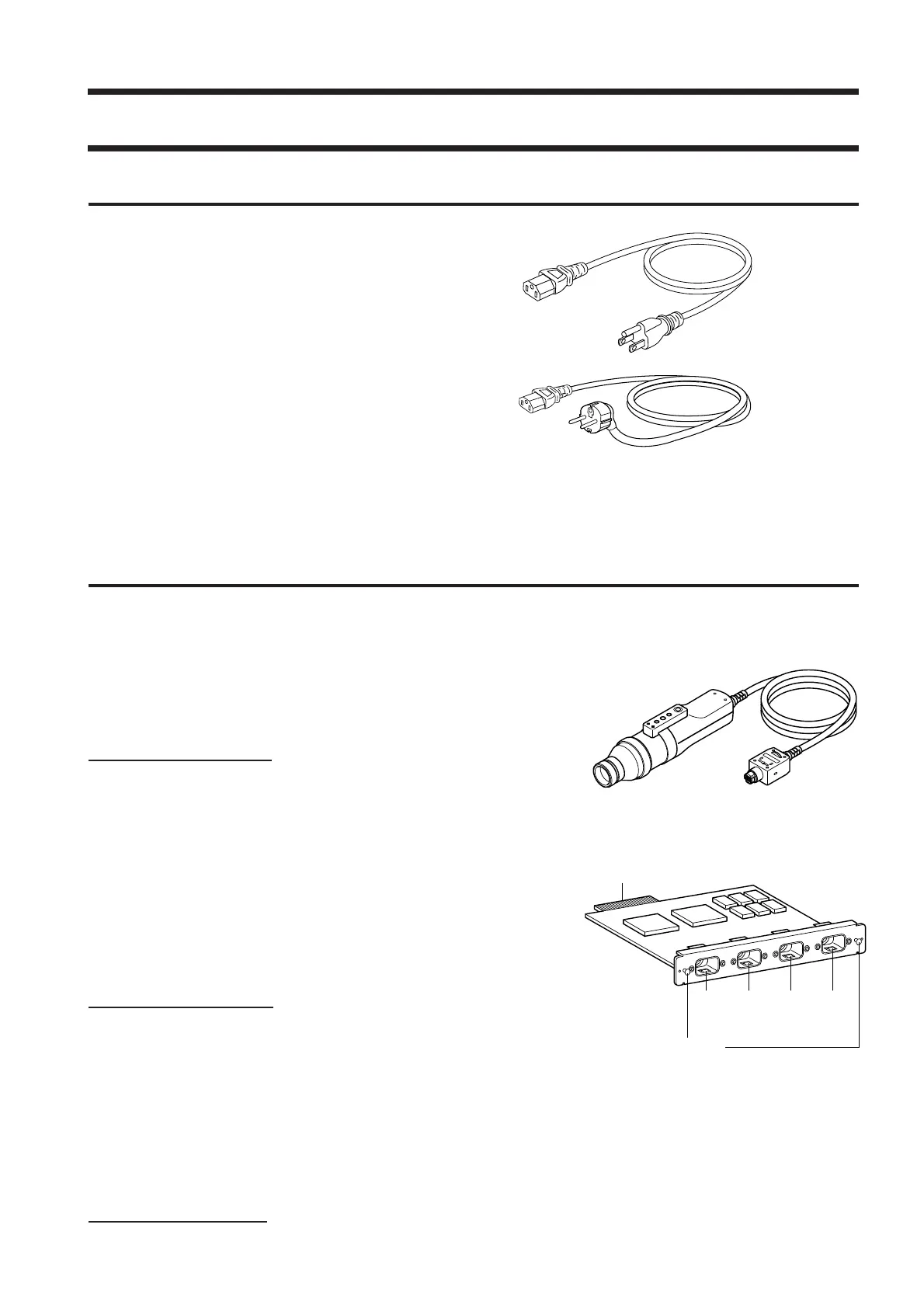
(For 100-120 V)
(For 200-240 V)
About Accessories
Standard Accessories
●
AC power cord (For 100-120V or 200-240 V)
Connect this cord to the AC power connector to supply power to
the instrument.
For a description of how to connect, refer to page 28.
●
Measuring probe(with a lens cap)
●
Hood
●
PC Software for Color Analyzer CA-SDK
●
Instruction manual
Read this manual before operating the instrument.
Optional Accessories
●
LED Universal Measuring ø27 Probe CA-PU32/CA-PU35
●
LED Universal Measuring ø10 Probe CA-PSU32/CA-PSU35
●
LED Flicker Measuring ø27 Probe CA-P32/CA-P35
●
LED Flicker Measuring ø10 Probe CA-PS32/CA-PS35 (Page 12)
Connect the probes to the main body or the probe connectors on the
4-Probe Expansion Board before measurement.
Location of explanations
Connecting method: Page 26
Measuring method: Measurement Preparation,
Setting, Measurement sections
Probe connector
Connector
Grip
● 4-Probe Expansion Board CA-B15
Connect measuring probes to this board, to allow simultaneous
measurement of the colors at up to 5 points on the display’s
surface.It is possible to install Measuring Probes of all types to be
coresident.
Location of explanations
Installation method: Page 27
Measuring method: Measurement Preparation, Setting, Measure-
ment sections
●
Standard Hood for CA-210/310 CA-H10 / Small Hood for CA-210/310 CA-HS10
● Standard Lens Cap for CA-210/310 CA-H11 / Small Lens Cap for CA-210/310 CA-HS11
●
USB cable IF-A27
(Used for communication between this instrument and PC.)
Location of explanation
Connecting method: Page 86















 To Next Page