79
Measurement Section
<For Flicker Mode>
Flicker Mode is a function which can be used only when LED Flicker Measuring ø27 Probe(CA-P32/35) or
LED Flicker Measuring ø10 Probe(CA-PS32/35) is connected.
When the optional 4-Probe Expansion Board CA-B15 is used
In Flicker Mode with LED Flicker Measuring ø27 Probe(CA-P32/35) or LED Flicker Measuring ø10 Probe(CA-
PS32/35) connected, a selected probe cannot be changed to LED Universal Measuring ø27 Probe(CA-PU32/
35) or LED Universal Measuring ø10 Probe(CA-PSU32/35).
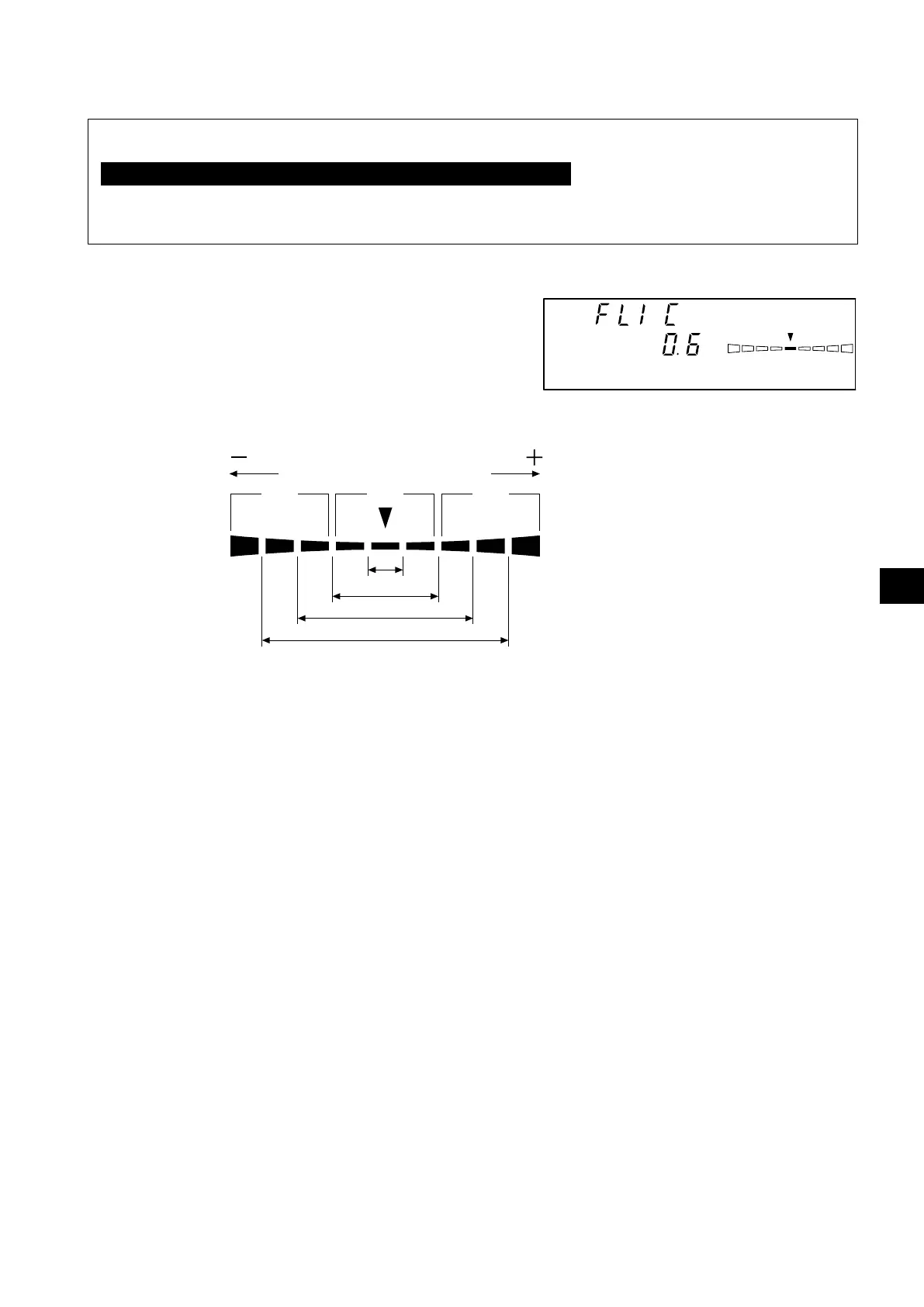
If flicker measurement mode is selected, measurement results will be displayed as shown below.
● Digital display section
• Display contents : Contrast flicker value (%)
• Display range : 0.0 to 999.9% (up to the first
decimal place)
● Analog display section
• Display contents : Contrast flicker value (%)
* For details on the analog display function and how to set the range for each dot, refer to page 69.
● When the analog display range is set to n%
● Measurement range for flicker mode
The average luminance (Lv) is 5.0 cd/m
2
or above(15.0 cd/m
2
or above when a Measuring ø10 Probe is
coneected.) or above and the maximum luminance(Lv) is 1000 cd/m
2
or less (3000 cd/m
2
or less when a
Measuring ø10 Probe is coneected.) in the case of white calibration with Konica Minolta’s calibration standard.
Vertical scanning frequency 40 to 130 Hz
Flicker mode
Red
Red
Green
-n×8% or
lower
Below ±n%
Below ±n×2%
Below ±n×4%
Below ±n×8%
+n×8% or
higher















 To Next Page