Configuration Menu Overview
2-16
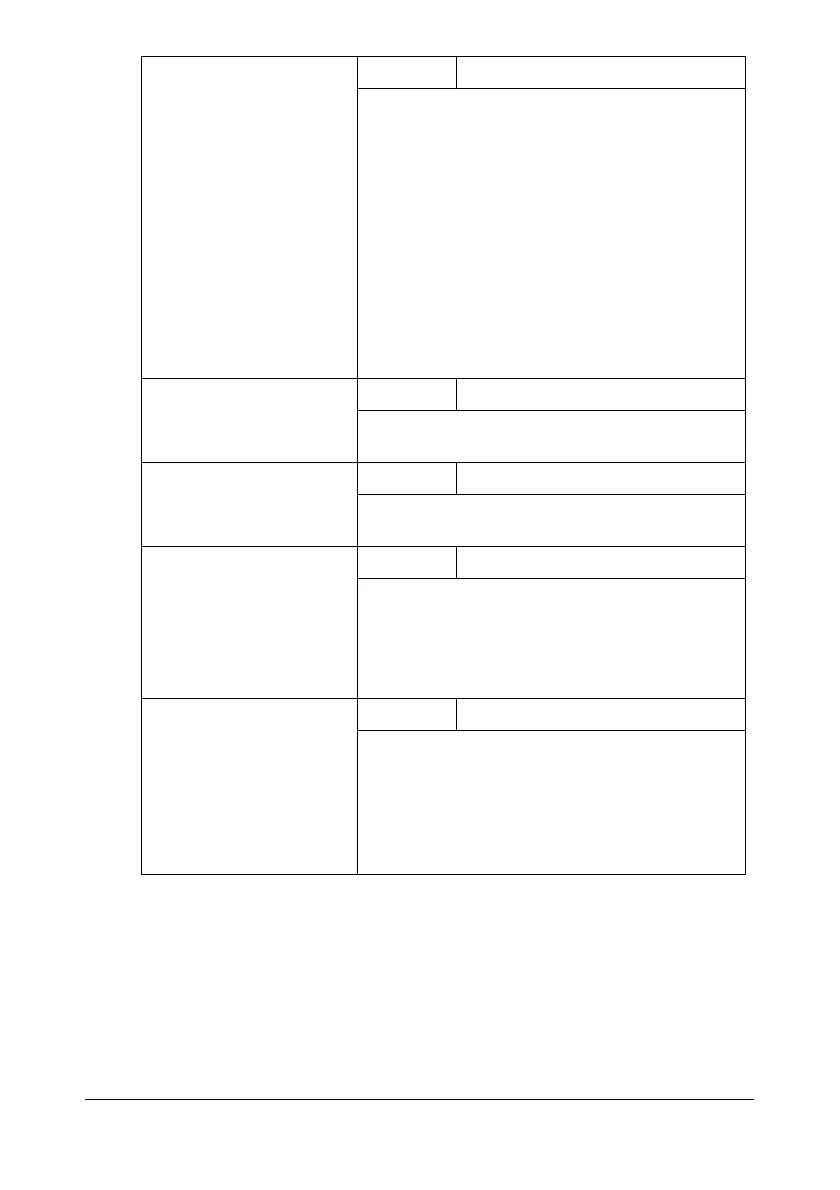
TONER OUT STOP
Setting
ON / OFF
Select whether or not printing and copying stop
when the toner has run out.
If
ON is selected, printing and copying stop
when the toner runs out.
If
OFF is selected, printing and copying contin-
ues even if toner has run out.
Printing, copying and faxing can continue, how-
ever, the printing result are not guaranteed. If
printing, copying and faxing are continued, the
message “TONER LIFE END /CHANGE X
TONER” appears and printing stops.
TONER LOW
Setting
ON / OFF
Select whether or not a warning message
appears when the toner is nearly empty.
AUTO CONTINUE
Setting
ON / OFF
Select whether or not printing continues when a
size error occurs during printing.
IMAGE REFRESH
Setting
ON / OFF
Use when thin white horizontal lines appear at
intervals on images.
" The IMAGE REFRESH function
consumes toner.
CALIBRATION
Setting
ON / OFF
Select whether or not to perform image stabili-
zation. If
ON is selected, image stabilization is
started.
" The CALIBRATION function consumes
toner.














 To Next Page