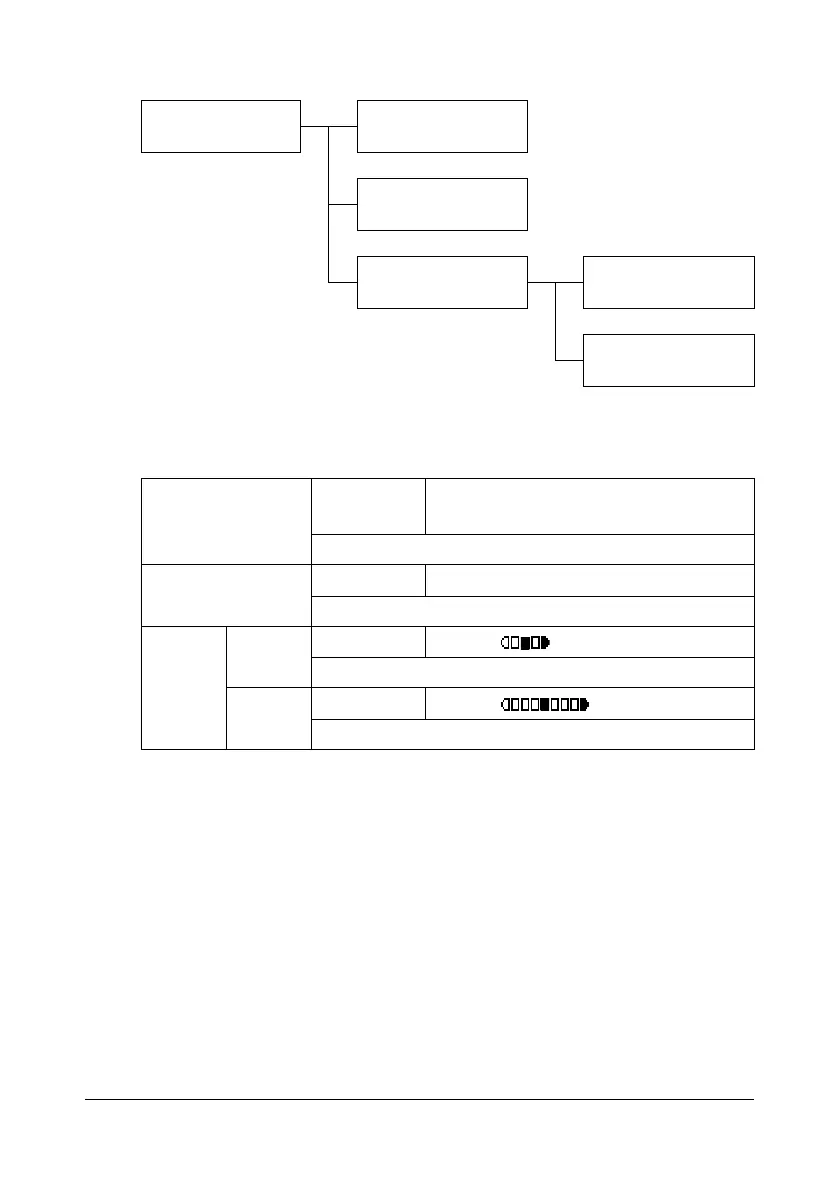
Configuration Menu Overview
2-20
COPY SETTING Menu
" Manufacturer’s default settings appear in bold.
COPY SETTING QUALITY PRIORITY
DENSITY PRIORITY
DENSITY LEVEL AUTO
MANUAL
QUALITY PRI-
ORITY
Setting
MIX , TEXT , PHOTO , FINE/MIX ,
FINE/TEXT , FINE/PHOTO
Select the type of document being copied.
DENSITY PRI-
ORITY
Setting
AUTO / MANUAL
Select the density that is normally used.
DEN-
SITY
LEVEL
AUTO
Setting
(LIGHT) (DARK)
Adjust the density of the background color.
MANUAL
Setting
(LIGHT) (DARK)
Specify the default copy density.














 To Next Page