Loading Media
3-15
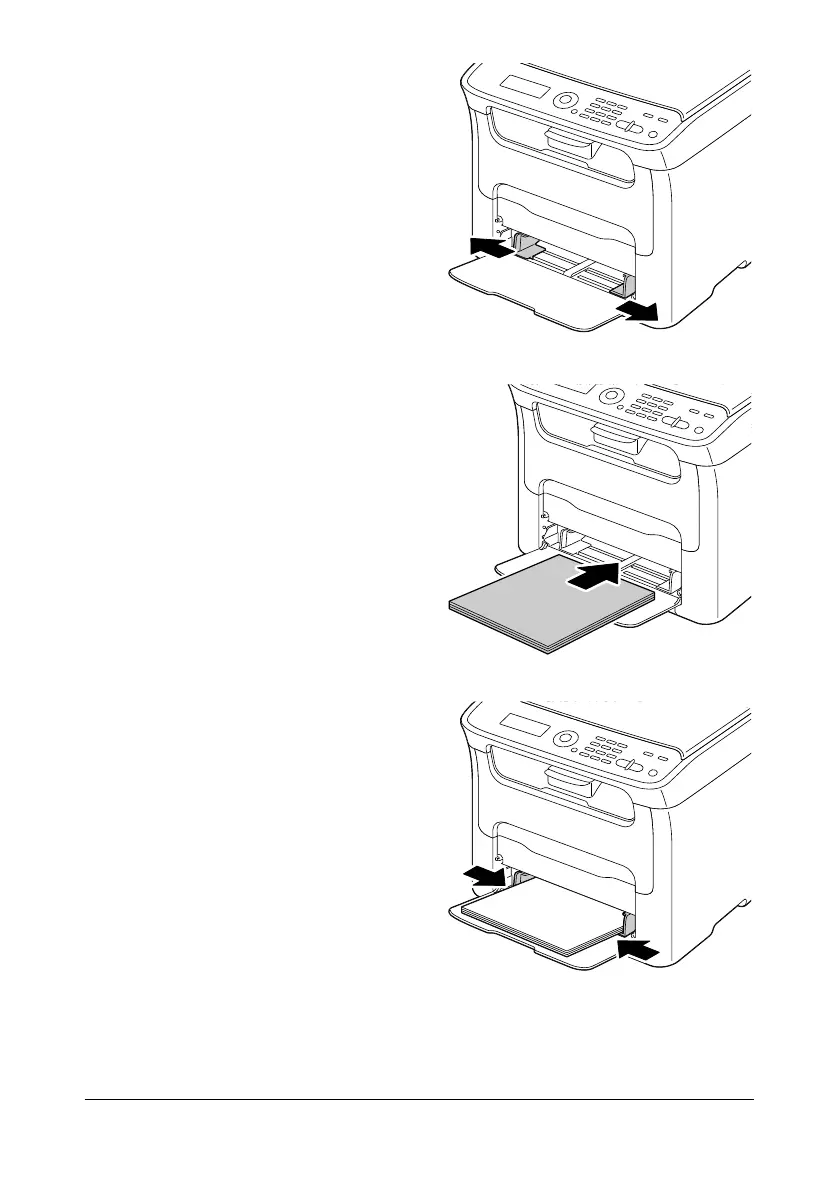
2 Slide the media guides to pro-
vide more space between them.
3 Load the media face up in the
tray.
" Up to 50 sheets can be
loaded into the tray at
one time.
4 Slide the media guides against
the edges of the media.
5 Select TRAY1 PAPER SETUP in the UTILITY menu, and then select
the settings for the size and type of media that is loaded. See also “Print
Media” on page 3-2.








 To Next Page