Replacing Consumables
7-11
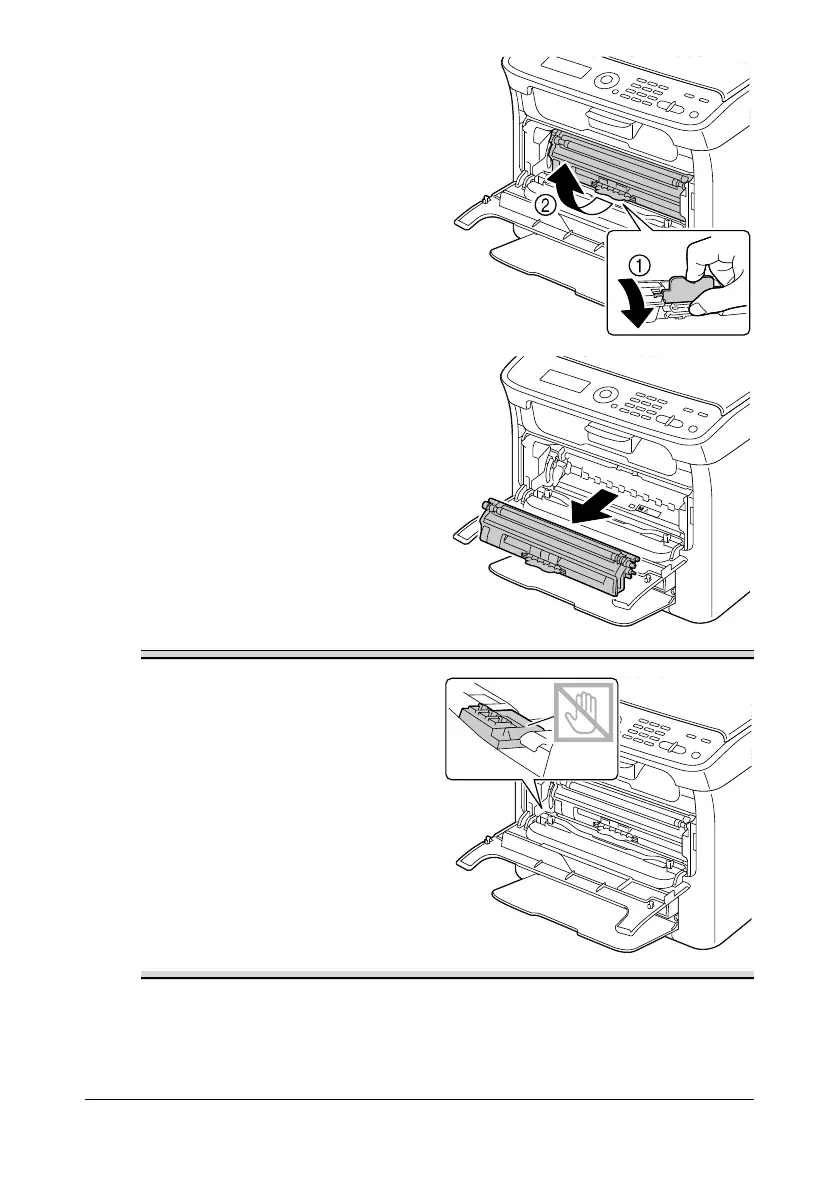
5 Pull down the handle on the
toner cartridge until the toner
cartridge is unlocked and moves
out slightly toward you.
Remove the toner cartridge.
" Do not manually rotate
the toner cartridge carou-
sel. In addition, do not
rotate the carousel with
force, otherwise it may be
damaged.
Do not touch the contact
indicated in the illustration.
6 Close the front cover.
" To exit EJECT MODE, press the Stop/Reset key.














 To Next Page