Replacing Consumables136
If I-UNIT LOW on the SYS DEFAULT MENU/ENABLE WARNING is set
to ON, the message I-UNIT LOW X (where “X”. represents the color of the
toner) appears when a imaging unit becomes near empty. Follow the steps
below to replace the imaging unit.
" You are advised to replace the indicated imaging unit when the mes-
sage I-UNIT LIFE X appears.
1 Check the message window to see which color imaging unit needs replac-
ing.
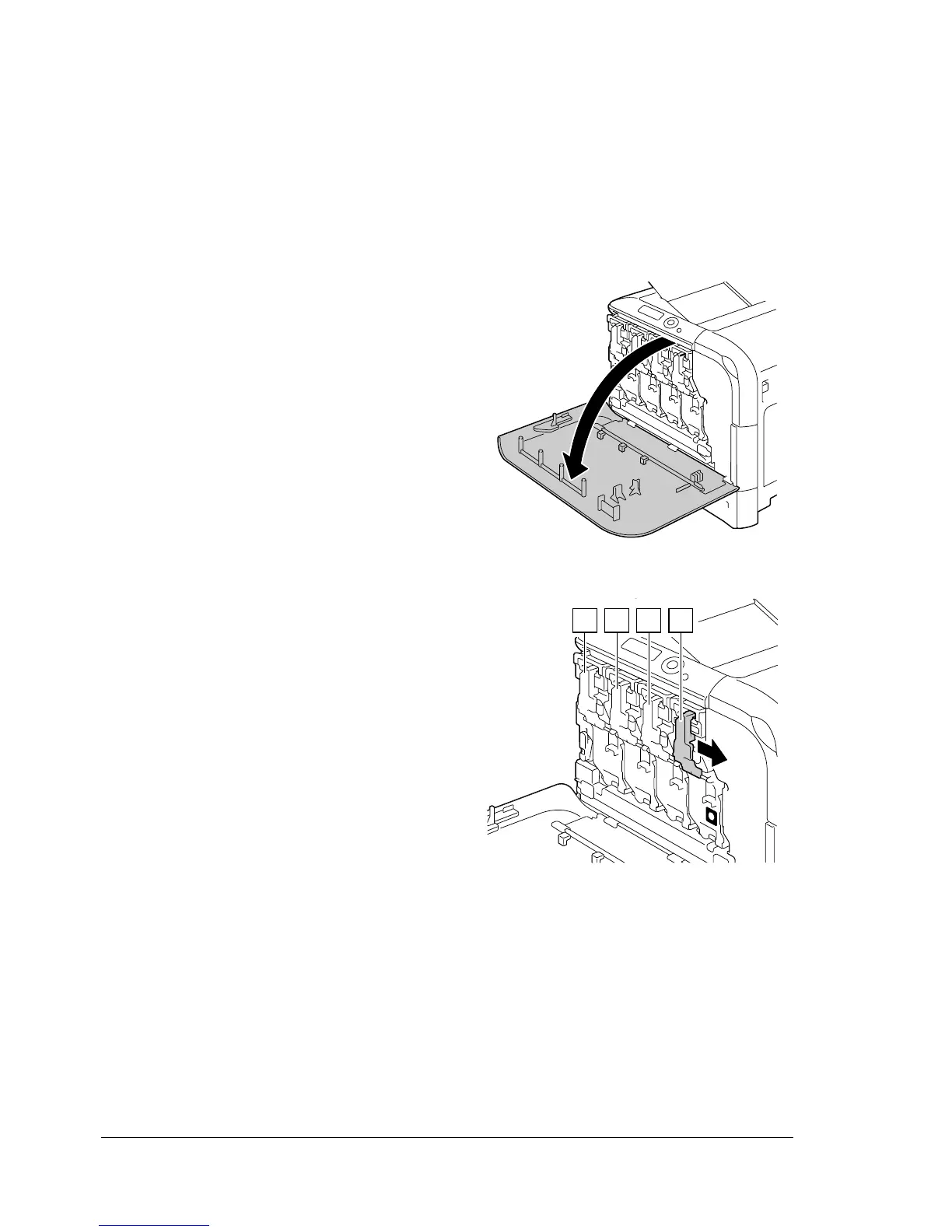
2 Open the printer’s front cover.
3 Pull the front lever of the color
toner cartridge indicated to the
right.
The replacement procedure for
the imaging unit is the same for
all colors (yellow: Y, magenta: M,
cyan: C, and black: K).
The following instructions show
the procedure to replace the
toner cartridge (K).
K
Y M C K














 To Next Page