Replacing Consumables
137
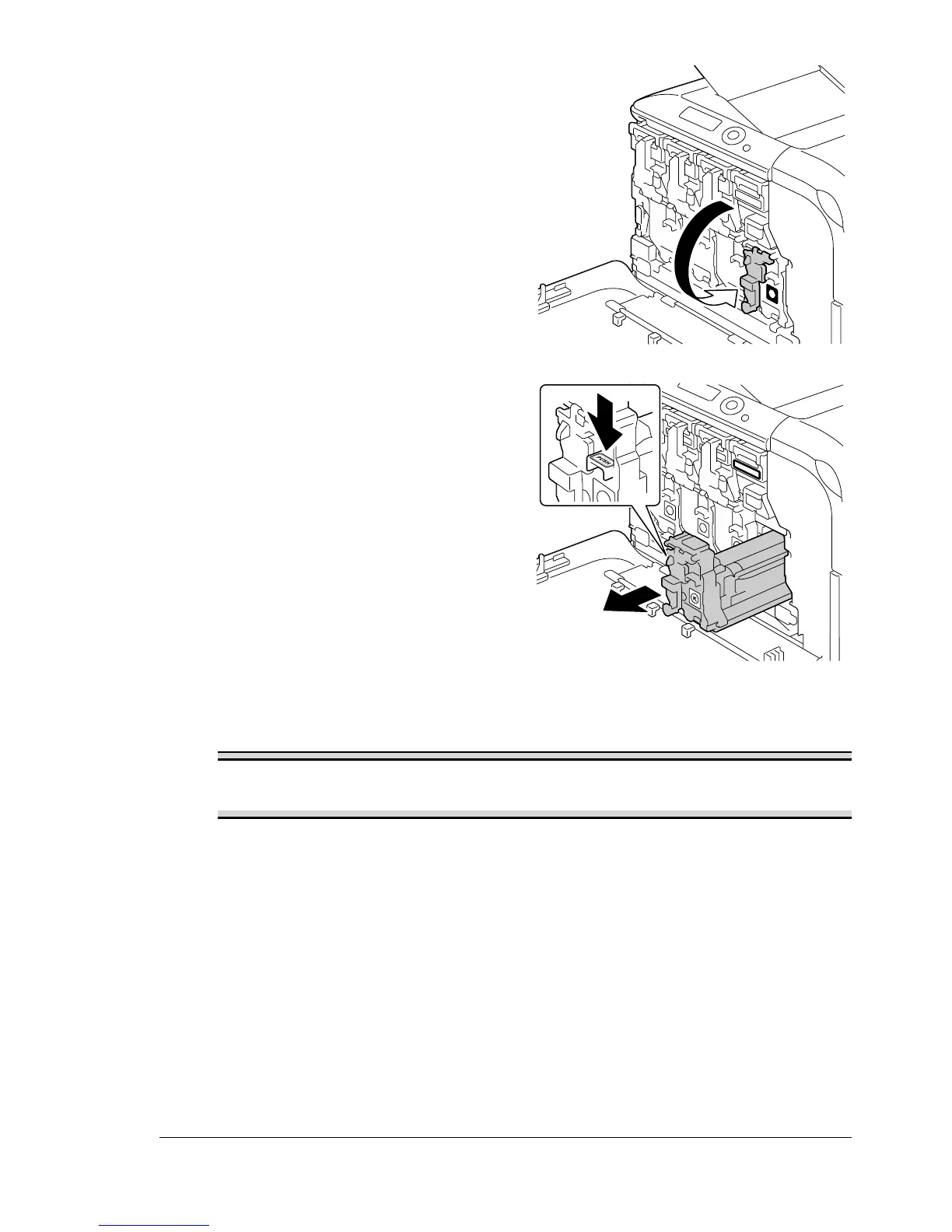
4 Lower the lever to release the
lock.
5 Press down the area marked
“Push” on the imaging unit to be
replaced, and then slide the unit
all the way out of the printer.
The following instructions show
the procedure to replace the
imaging unit (K).
Note
Dispose of the used imaging unit according to your local regulations.
Do not burn the imaging unit.
6 Check the color of the new imaging unit to be installed.
" In order to prevent toner from spilling, leave the imaging unit in the
bag until step 5 is being performed.
K
K
K














 To Next Page