Replacing Consumables
139
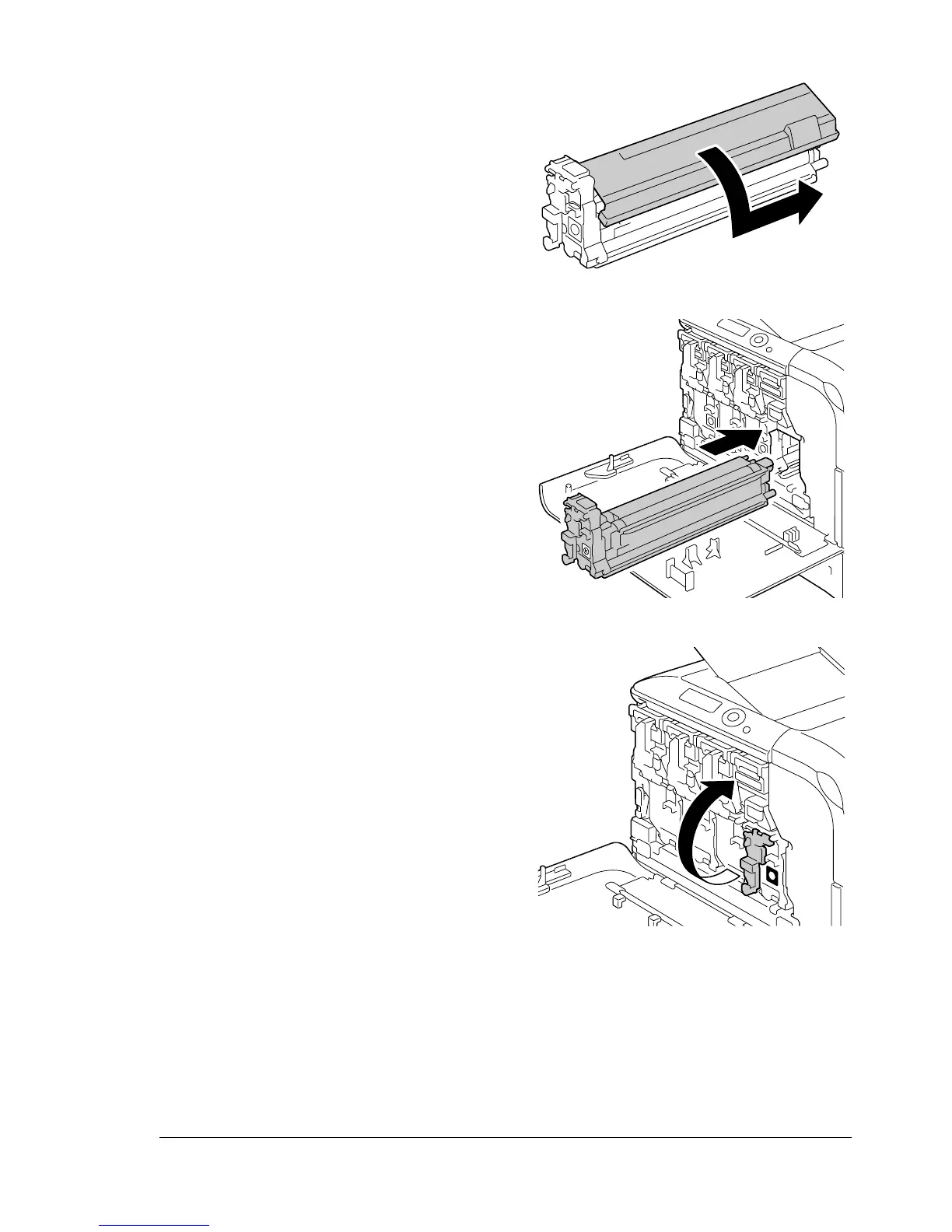
10 Remove the protective cover
from the imaging unit. The pro-
tective cover slides after having
turned.
11 Make sure that the new imaging
unit to be installed is the same
color as the printer compart-
ment, and then install the imag-
ing unit in the printer.
12 Raise the front lever to its origi-
nal position.
P
U
S
H
K
K
K
K














 To Next Page