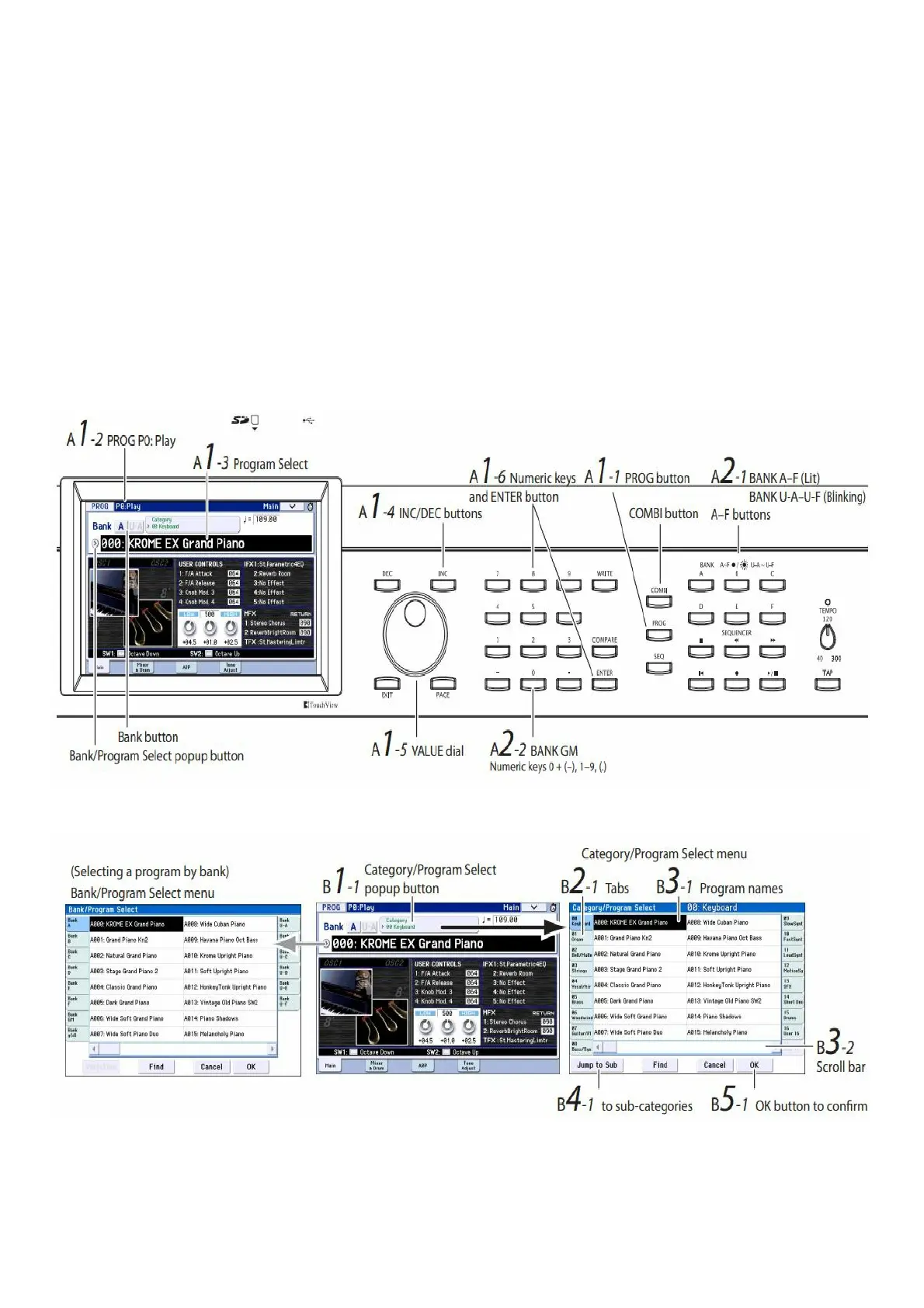
larger steps, or enter Program numbers directly from the numeric keypad.
2. Use the BANK A…F buttons to select Programs from other banks.
Press the lit button to select banks U-AU-F (the button will blink).
Press a blinking or unlit button to select banks AF (the button will light).
You can also use the bank buttons at the top left corner of the display to switch to bank U.
To select a GM bank, hold down numeric key 0 and press one of the -, 19, or (.) buttons. The GM bank, GM
variations g(1)g(9), or GM drum programs g(d) will be selected respectively.
Selecting Programs by Category (B)
There are other ways to select Programs, but here we’ll explain how to select programs by their category, such as
keyboard, organ, bass, or drum sounds.
1. In the LCD screen, press the Category/Program Select popup button.
The Category/Program Select popup menu will appear.
In the illustration, the Keyboard category is selected. The menu shows the program in that category.
2. If you want to select a different category, press the tabs at the left and right side of the display.
3. To select a program, press its program name in the menu.
Selecting programs by category
The selected program will be highlighted, and the program will change. You can also use the INC/DEC buttons or the
VALUE dial to switch programs.
The menu shows sixteen programs at once. To see other programs, use the scroll bar to scroll the list. Play the
keyboard to hear the sound of the program that you’ve selected.
4. If you want to choose programs by sub-category, press the “Jump to Sub” button to access the Sub



 To Next Page